5 Commissioning the PLC programming environment
5.1 For Ethernet/IP, using RSLogix 5000 as an example
44 SmartWire-DT Gateway EU5C-SWD-EIP-MODTCP 08/17 MN120003Z EN www.eaton.com
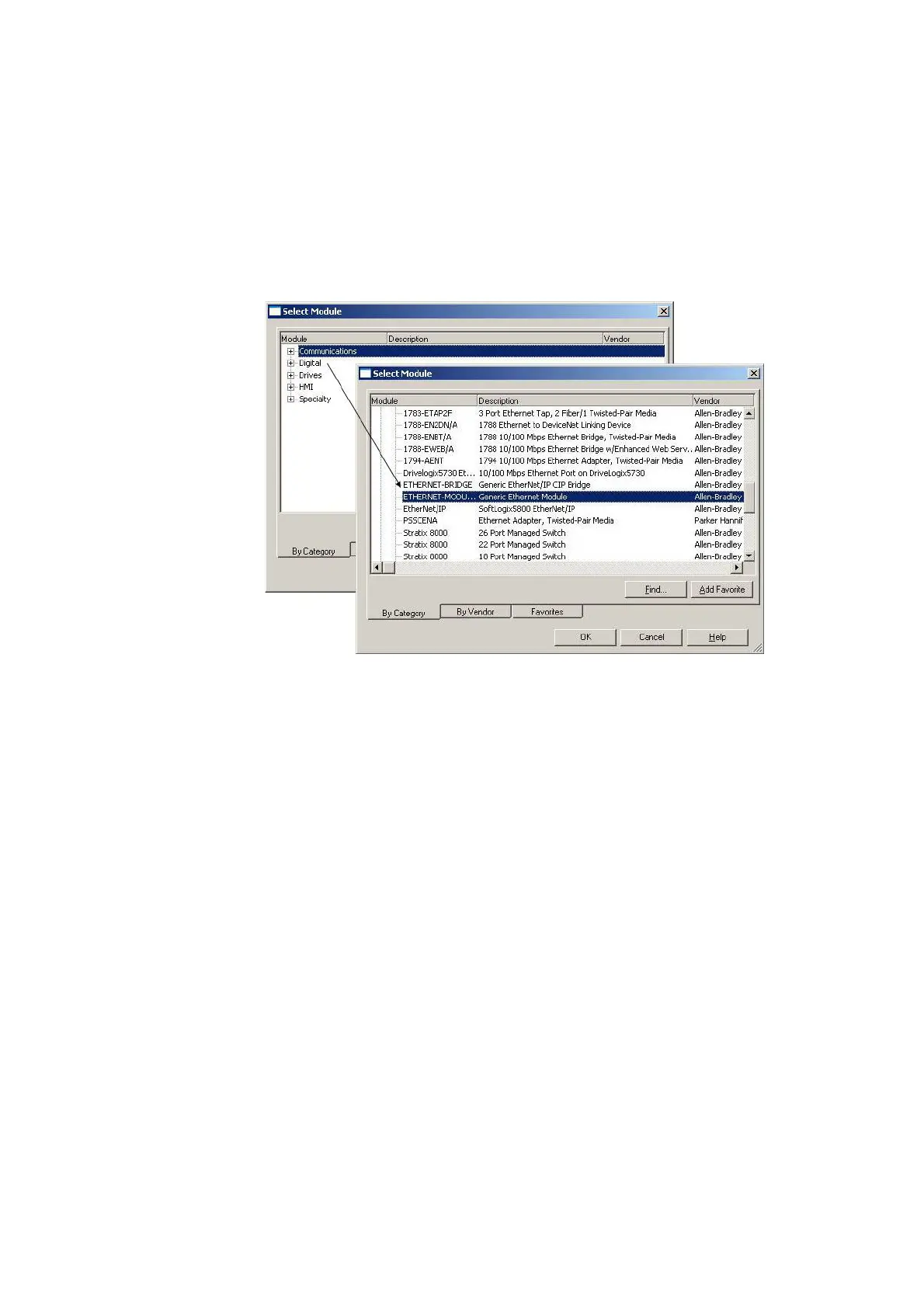
▶ Select the Ethernet interface to which you want to connect the Smart-
Wire-DT gateway.
▶ Open the context menu and select the "New modules" option.
The "Select modules" dialog box for selecting available Ethernet module
groups will appear.
Figure 27: Selecting the gateway as a "Generic Ethernet module" in RSLogix 5000
V19.01.00
▶ In the "Select modules" dialog box, select the "Communications" group.
▶ Under "Communications," select the "Generic Ethernet module" device
and confirm your selection by clicking on "OK."




 To Next Page