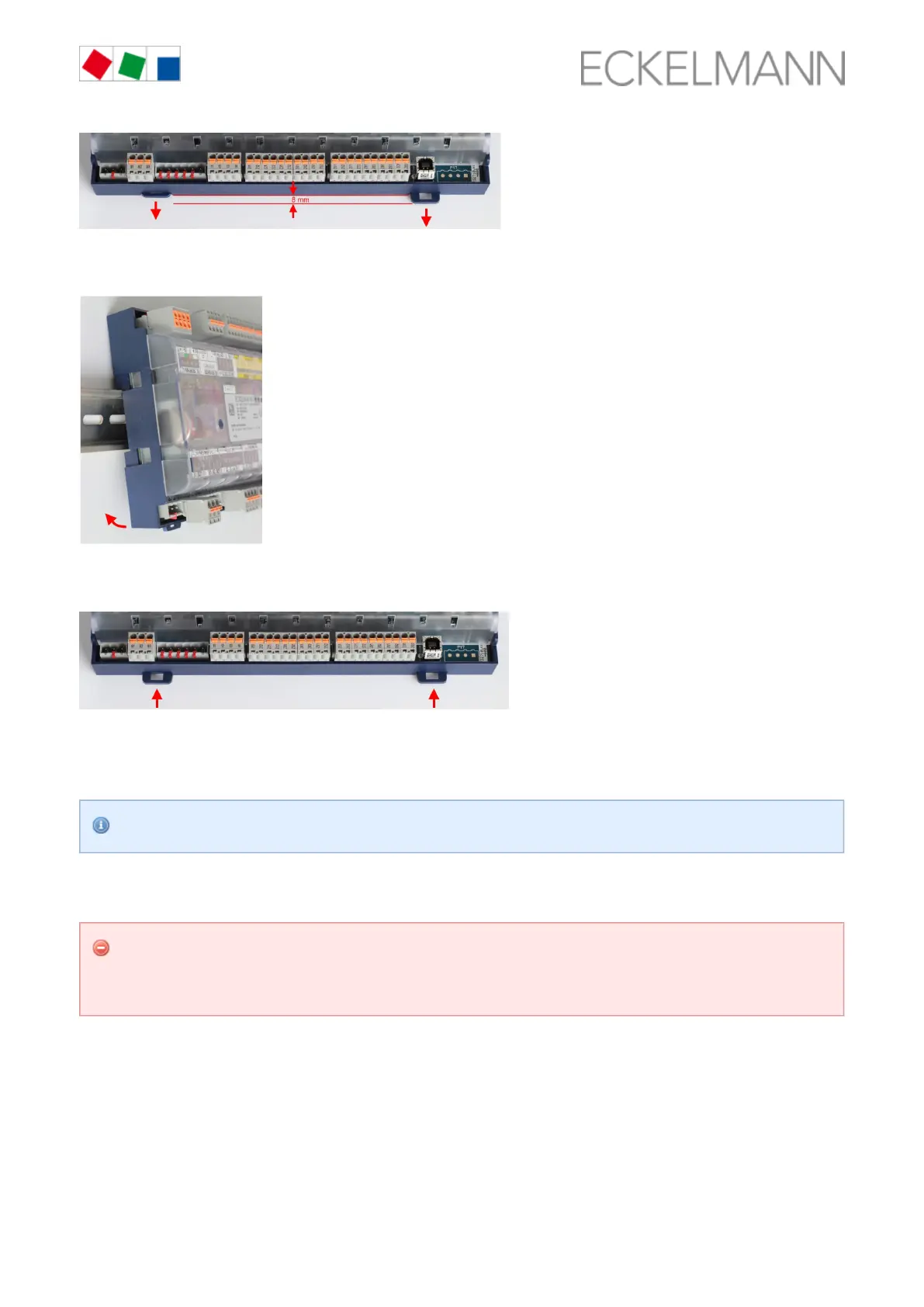
Place the case controller on the top edge of the DIN rail and swivel downwards until the case controller Step 2:
is positioned on the lower edge of the DIN rail.
Press in the two retaining springs until they click into place and checkthat the case controller is firmly Step 3:
attached to the DIN rail.
The controller can be put into operation after completion of the mechanical and electrical installation of the
case controller.
Protection type and dimensions can be found in the chapter .Technical Data UA 412 S, page 119
6.1.1.2 Removal from the DIN rail
Warning about dangerous electrical voltage! Danger of electric shock! The safety instructions and
work safety instructions in chapter must be observed for the removal. plug Conventions, page 7 All
connectors may only be inserted and removed when the power supply is disconnected.
Step 1: Detach all mating connectors with cables from the case controller.
Pull out the two retaining springs with a flat-blade screwdriver until they click into place.Step 2:



 To Next Page