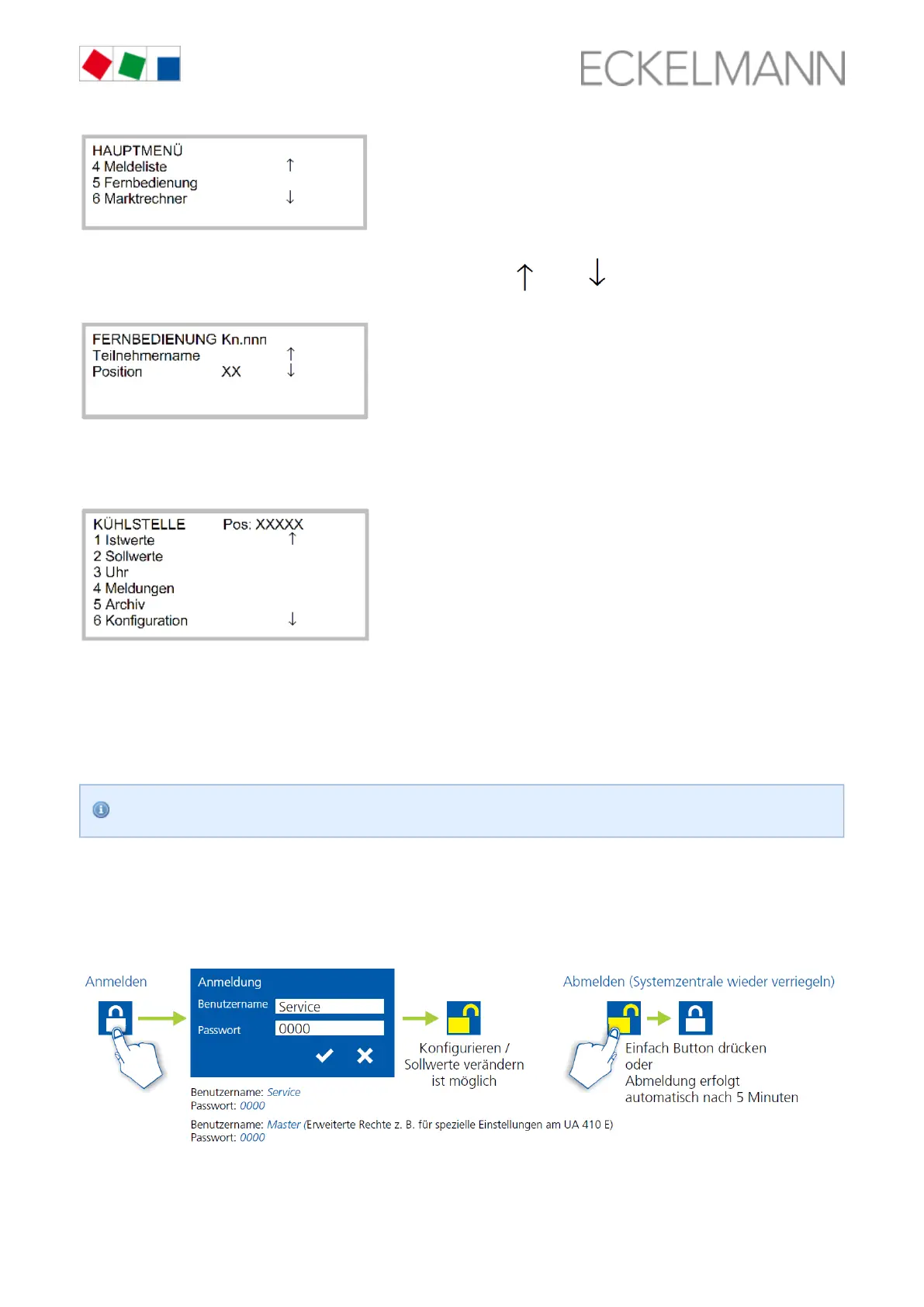
Select the required controller using the cursor buttons ( ) and ( ) or by input of the CAN bus Step 2:
address (node number ) using the digit buttons. Thereby, the following screen is displayed:
nnn
The main menu of the controller is displayed on the terminal by tapping the button (if Step 3: ENTER
necessary, the input lock must be deactivated before the entry of values; see store computer CI 3x00 /
). operator terminal AL 300, page 84
8.3.3 Cancelling entry block
Operation via system centre, store computer or operator terminal is only possible for controllers with CAN bus
connection; the deactivation of the input lock is then applicable for all components in the CAN bus system. The
lock-down is automatically reactivated 15 minutes after the last button tap.
The deactivation of the lock is exclusively reserved for service personnel!
Before entering values, the input lock-down must be removed as follows:
8.3.3.1 CI 4x00 System Centre
Login to and logout (unlock and lock-down) of the system centre:



 To Next Page