Input of values and text
Select the desired line using the cursor buttons ( ) and ( ), and then tap the button ( ). The ENTER
cursor jumps to the input field. Values can now be entered and changed using the cursor buttons ( ) and (
) or digit buttons.
If the cursor buttons ( ) and ( ) are tapped and held, the adjustment is made in high-speed mode.
Delete input text
The button and must be tapped simultaneously to delete the complete text line. One character is MODE -
deleted using the button combination and .MODE ,
Cancelling an entry
The input of any value can be cancelled by tapping the button. The value is not adopted.ESC
Text input
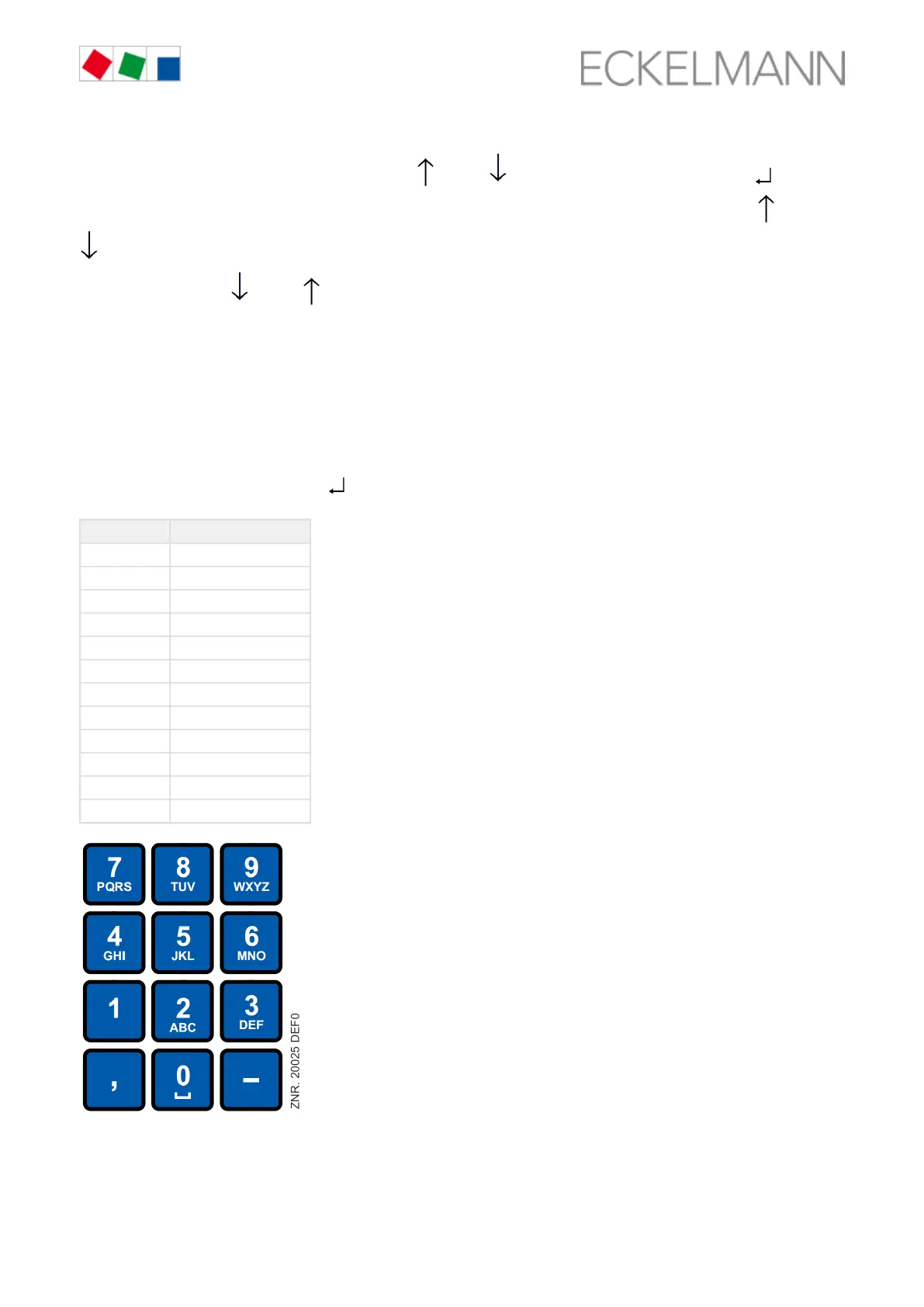
For fields that enable input of texts, the text input is also possible using the alphanumeric keyboard. Letters are
generated by multiple tapping of the digit buttons. To accept the entered
value / text, tap the button ( ).ENTER
ENTER button Letters / characters
0 äöüß0, space character
1 1
2 2ABC
3 3DEF
4 4GHI
5 5JKL
6 6MNO
7 7PQRS
8 8TUV
9 9WXYZ
- . _ -
, Insert space character



 To Next Page