53Installation and Service Guide Color Controller E-46A
Replacing parts
To remove the front panel
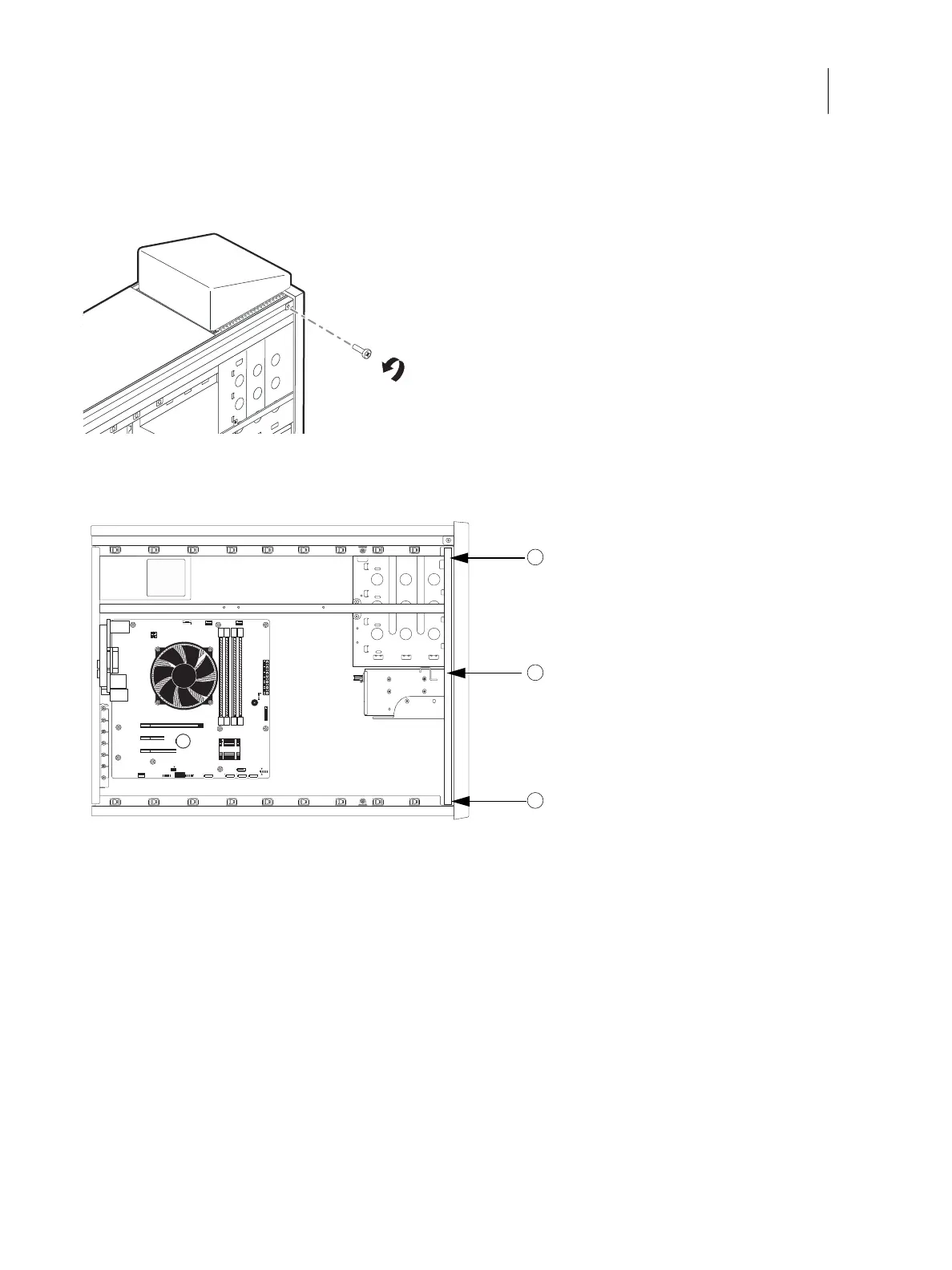
1 Remove the anchor screw from the front bezel.
Figure 30: Front bezel anchor screw
2 Release the six tabs and pull the front bezel off.
Figure 31: Front bezel tabs
To replace the chassis panels
1 Attach the front bezel to the front of the unit snapping tight the six tabs. See Figure 31.
2 Insert the anchor screw to secure the front bezel. See Figure 30.
1 Top tab (one on each side of bezel)
2 Middle tab (one on each side of bezel)
3 Bottom tab (one on each side of bezel)
1
2
3



 To Next Page