13
03 DRIVER’S AREA
CAB AREA
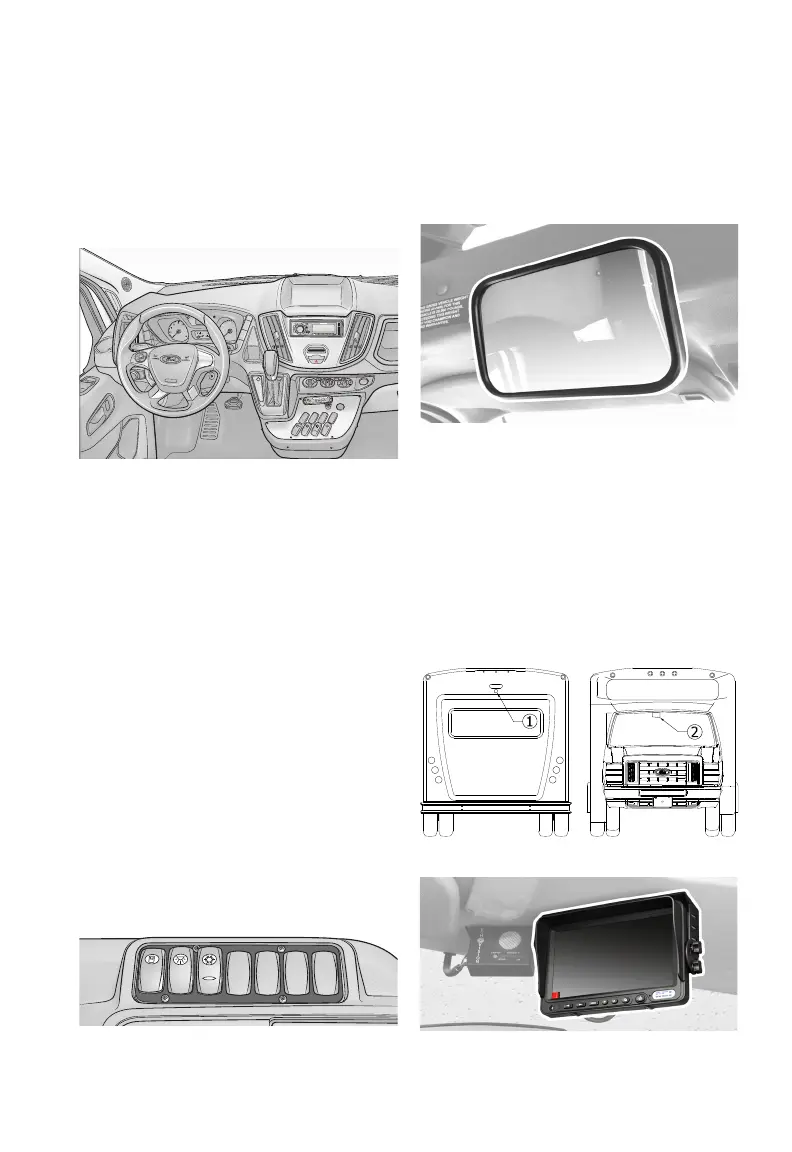
The driver operates the bus from the
Cab Area where the driver can control
many systems: passenger lighting -
sound system - environmental controls
VEHICLE DASHBOARD
Details on vehicle dashboard instru-
mentation, steering, and other stan-
dard chassis controls are covered in
the chassis manufacturers manual
included with your bus. Please read
them thoroughly to become familiar
with the vehicle’s dashboard before
operating the vehicle. Vehicle dash-
board options specific to your bus are
discussed in this manual.
CONTROL CONSOLE
The control console allows the driver
to control most of the electrical com-
ponents of the bus. The specially
designed control panel is console
mounted to the right of the driver’s
seat and is within easy reach and clear
view of the driver. All controls are
labeled for easy reference. See page
88.
DRIVER’S MIRROR
If equipped, the driver’s mirror is
typically installed near the drivers sun
visor.
If equipped, the backup assist camera
is located on the rear of the bus
exterior, typically installed in the center,
just below the 3rd brake light . The
driver’s 7” monitor is installed above
the dashboard to the right of the rear-
view mirror
.
DO O R A J A R
0
1
2
3
4
AC
A/C
12V
MODE
APS
AUX 1
RPT INT
FOLDER
T/H
OK
SET-
CAN
RES
SET+
AIRBAG
20
20
40
•
•
•
•
•
•
•
•
•
•
•
•
•
•
•
•
•
•
•
•
60
80
100
120
14
40
60
8
12
P
R
N
D
M
SD
ROM
•MENU
1
2
3 4
5
6
•
BAND
SCAN
DISP
MP3/WMA
ST-4000
REI
VOL/SEL
x1000
rpm
WEATHER BAND
Illustration: Driver’s Area
Image: Driver’s 6x16 Mirror
Illustration: Camera And Monitor Locations
Image: 7” Monitor
BACKUP ASSIST
CAMERA & MONITOR
Illustration: Driver’s Area - Control Console


 To Next Page