29. Door switch and filter switch
Service
manual
487 03 29 01
6
29
487 03 29 01
1
2
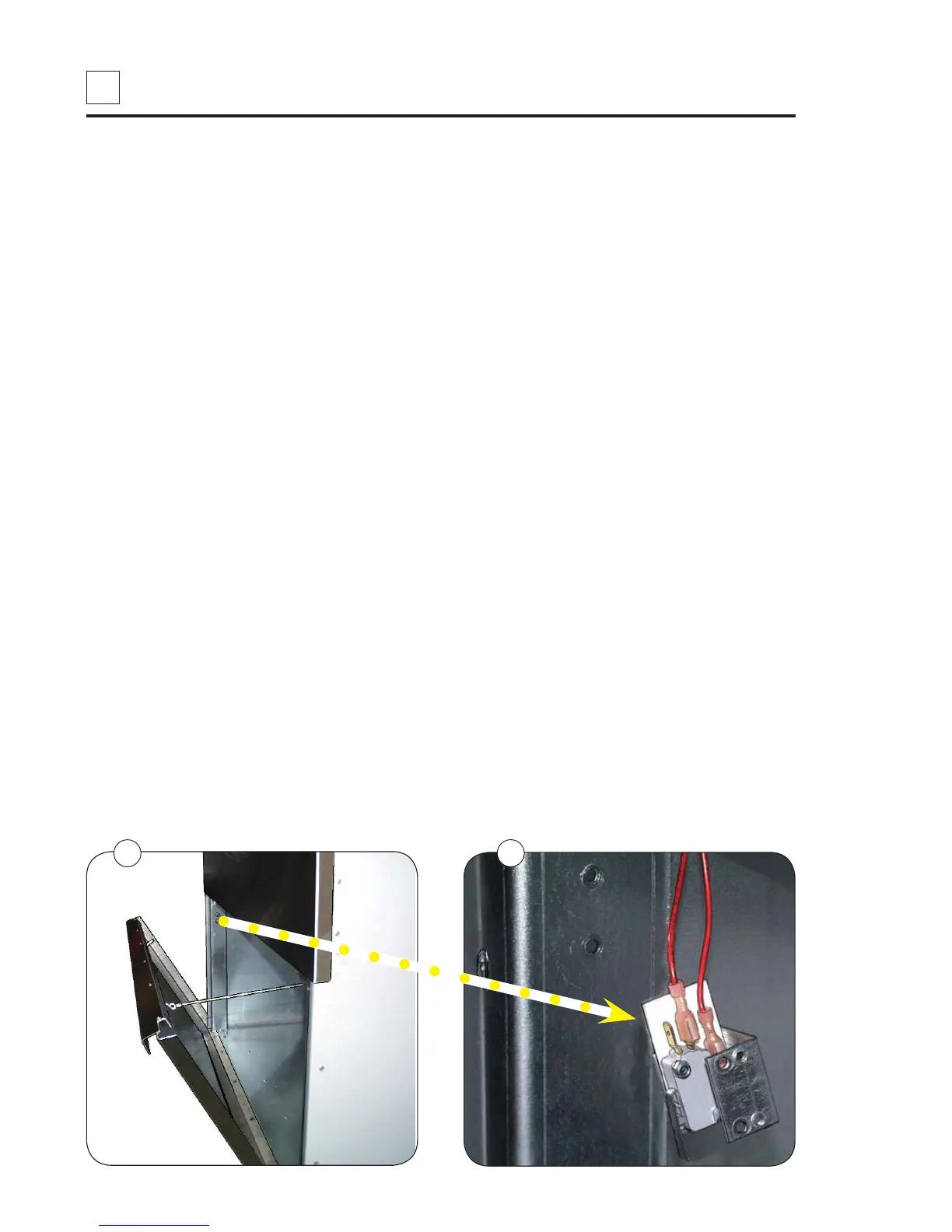
Lint filter switch, Standard door
Function
The lint filter switch ensures that the dryer will not operate when the filter door is open.
If the dryer does not operate with the lint filter door closed and locked, the lint filter switch
might need replacing.
Replacement
1. Disconnect the power supply to the dryer.
2. Fig. 1. Open the filter door.
3. Fig. 2. Unscrew the switch mounting bracket and pull out the bracket with switch.
4. Disconnect the wires from the switch.
5. Mount the new switch on the bracket.
6. Connect wires to the new switch.
7. Remount the bracket with the new switch.
8. Close the filter door.
Testing the lint filter switch
1. Connect the power supply to the dryer.
2. Start the dryer.
3. If the dryer does not start when the filter door is closed and the start button is pressed,
check that the filter door is activating the lever on the lint filter switch.
• If the filter switch fails/hangs (without disconnecting) and the filter door is opened,
false air is drawn in and this can cause vacuum error,
error code E15.
4. Confirm that the fan, drum and heat all stop when the filter door is opened during
operation.


 To Next Page