42. Drum with bearing
Service
manual
487 03 29 41
10
42
1
3
2
4
A
B
B
B
Replacing supporting rollers.
From serial no.: T3900/TD100 0401/000358
T31200/TD135 0401/000114
As from 1 January 2004 the design has been
altered so that support rollers can be replaced
without having to dismantle the front of the dryer.
1. Disconnect the power supply to the dryer.
2. Open and remove the filter door.
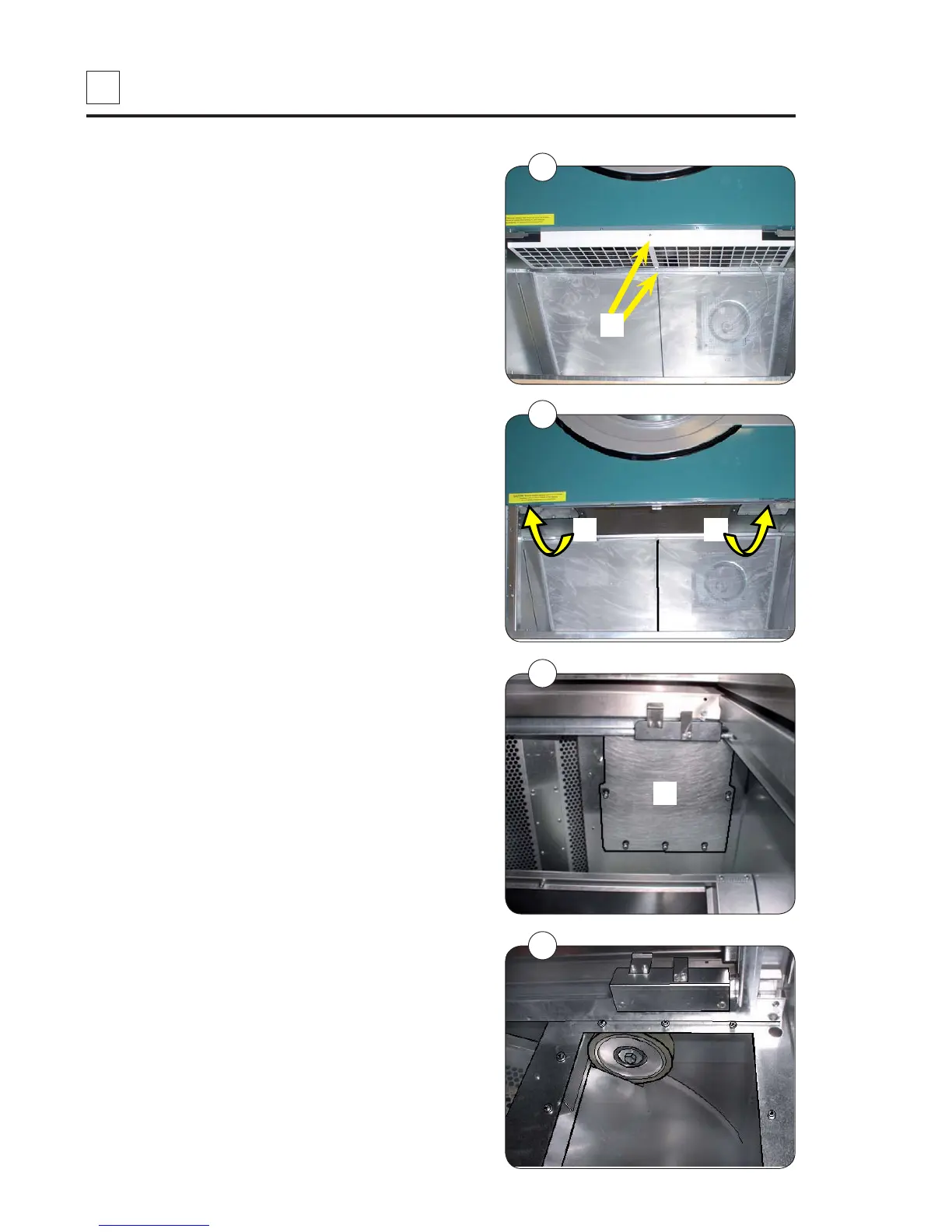
Remove the finger guard by unscrewing the 2
screws A, fig. 1.
3. Service cover plates B, fig. 2.
4. Undo the 8 screws in each service cover plate
(the screws must not be completely unscrewed),
fig. 3.
5. The service cover plates are removed, fig 4.
Continued on the following page.


 To Next Page