Use and maintenance manual
Page 32
Engineering Department PHONE: +39 0532 829 965 - FAX: +39 0532 829 177
E-Mail: support@elenos.com
3. USER INSTRUCTIONS
Metodo A Metodo B
Esempi
3.4.10.
RDS Encoder
Programming
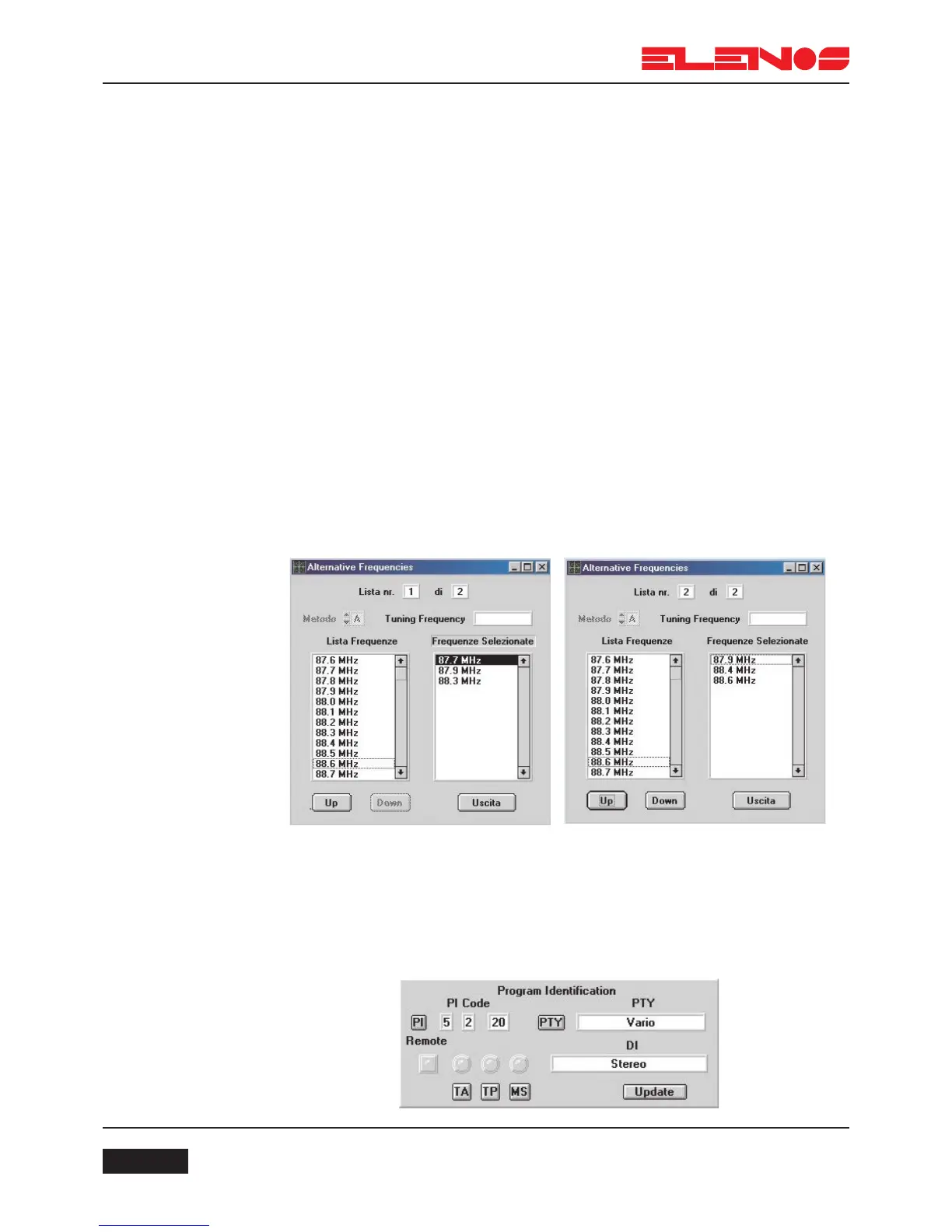
Programming alternative frequencies
To correctly program alternative frequencies, follow the instructions in sequence:
1. From the main menu, click on the key corresponding to the list to program.
2. Select method A or B.
3. Scroll the list of frequencies and double-click the mouse on the desired
frequency. The data will be inserted in the selected list of frequencies (right-
hand list). With method B selected, the first selected frequency is the header
frequency and appears in the relevant window. To delete any stored fre-
quency, double-click on it with the mouse.
4. To save the selection, click on USCITA.
5. In the main menu a green indicator will appear to the left of the
list being modified or programmed to show that data is being changed.
Click the UPDATE key to store the new data in the RDS board.
At this point, further alternative frequencies may be programmed.
Program identification
In this section parameters specific to the broadcaster are programmed; Program
Identification, Program Type, Decoder Identification, Traffic Announcement, Traffic Pro-
gram and Music/Speech.



 To Next Page