Use and maintenance manual
Page 34
Engineering Department PHONE: +39 0532 829 965 - FAX: +39 0532 829 177
E-Mail: support@elenos.com
3. USER INSTRUCTIONS
3.4.10.
RDS Encoder
Programming
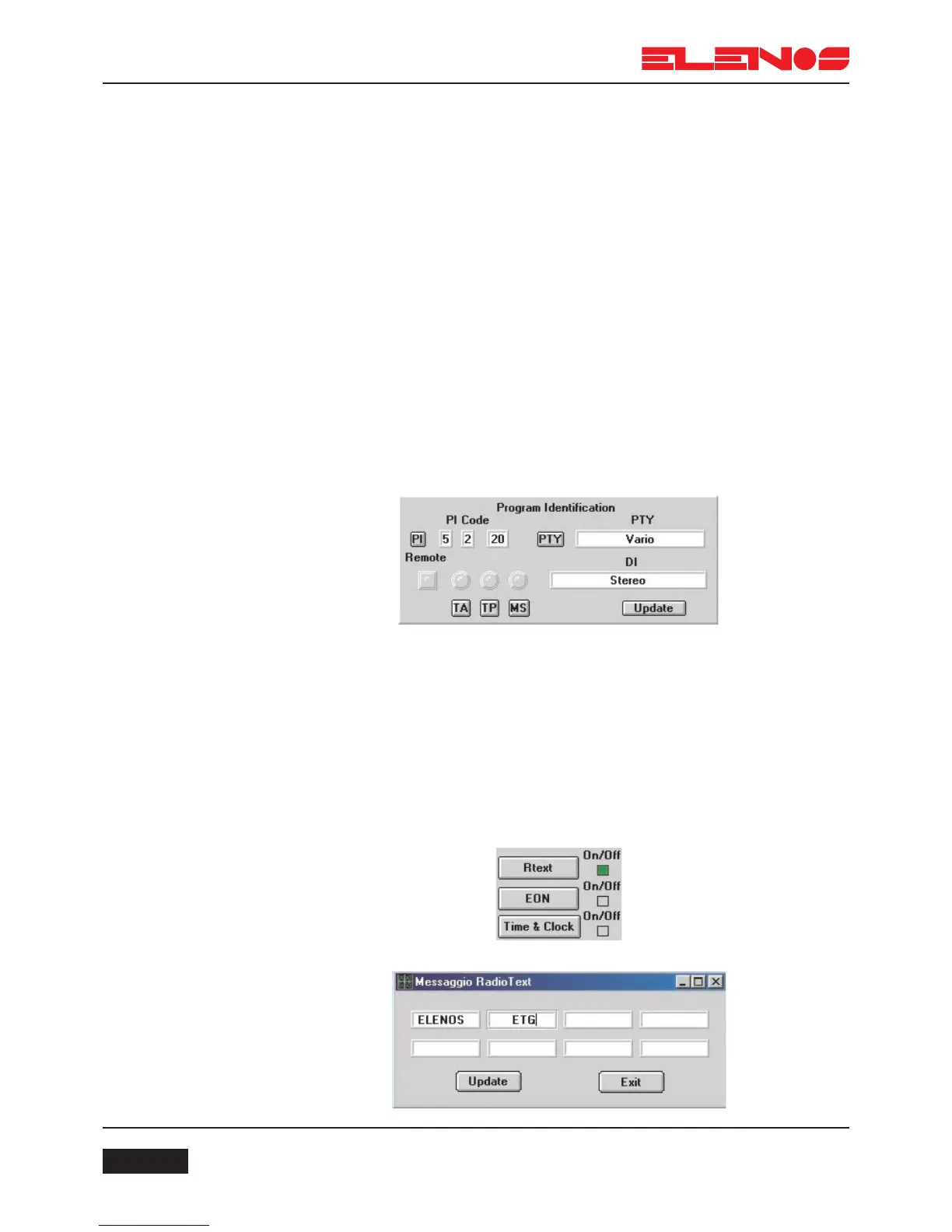
TA-TP-MS
At any time during the day, the broadcaster can interrupt the programme being
transmitted with traffic news; for this reason the standard provides for a number of flags
which indicate to the receiver that this information is being transmitted so that automatic
tuning and/or volume adjustment can be made. These flags are named TA, TP and MS.
The TP flag identifies the broadcaster which is making traffic
announcements
The TA defines the time intervals between traffic announcements.
The MS flag indicates whether the transmission is of Music or Speech
(Voice)
These flags can be set by clicking the mouse on the relevant keys or via a remote
keyboard connected to the appropriate board connector. If the remote keyboard is con-
nected, the “Remote” key will be lit green and setup via a PC will be inhibited.
If the colour of the TA, TP and MS keys do not agree with the encoder leds
immediately above, this means that the flags set on the screen do not match those of the
encoder. To update them press the Update key.
Radio Text
Radio Text is a message with a maximum length of 64 characters used to check
the quality of the signal within the coverage area. The message is transmitted indefinitely
To program the message, click the mouse on the RTEXT key.
To activate the message, click the mouse on the adjacent ON/OFF key.



 To Next Page