MP500/4N-8-16 Installation
5.4 PREPARING THE MP500/16 CONTROL PANEL
IMPORTANT! During installation of the control panel, be very careful to not accidentally damage the mother board.
5.4.1 Opening the cover
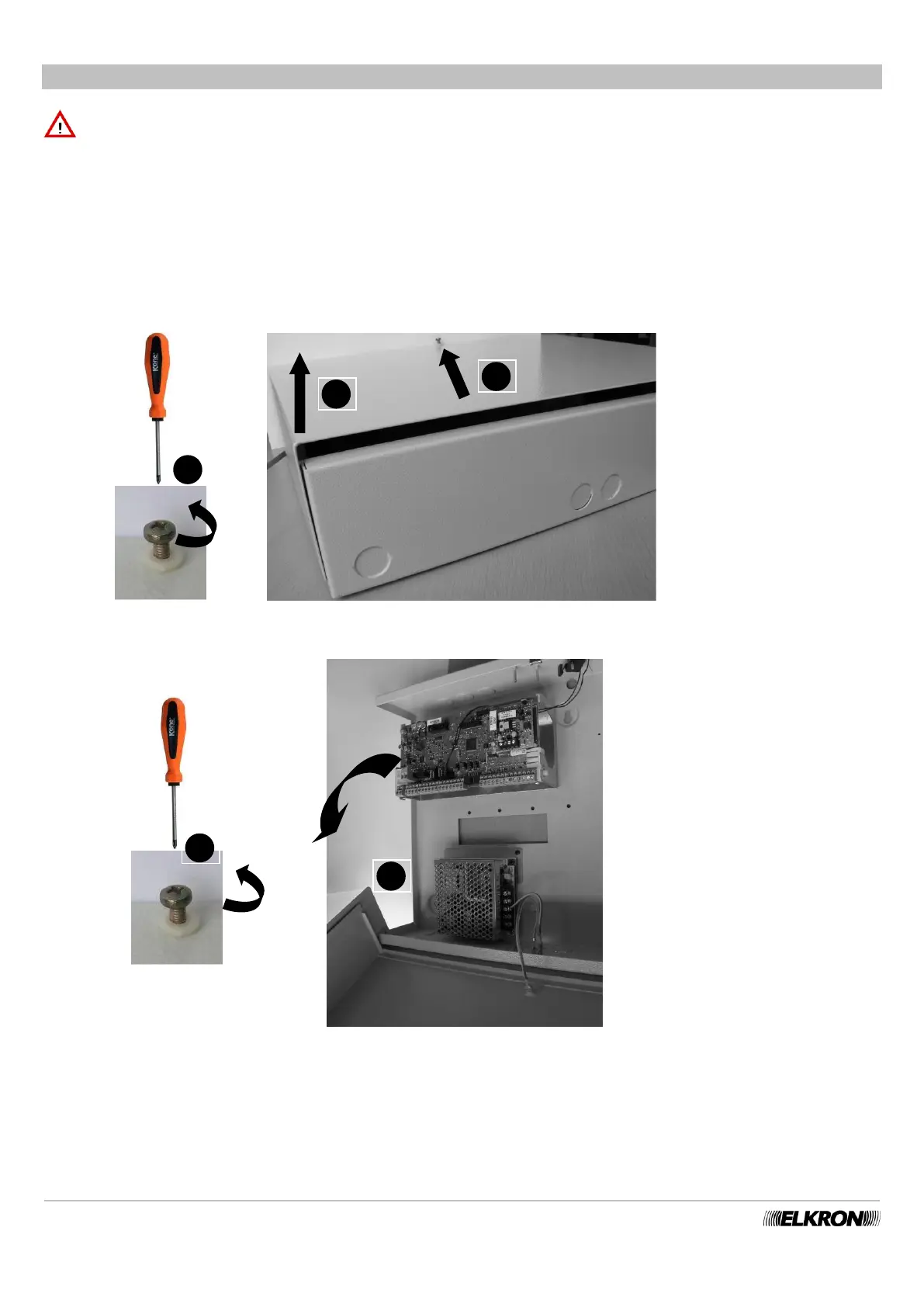
There are two ways to open the MP500/16 control panel: by removing the cover or by flipping it open.
1) Removing the cover.
Unscrew the screws on the cover (1), slide it upwards (2) and lift it (3)
2) Opening the hinged cover
Unscrew the screws on the cover (1) and flip it downward (2)
Figure 23 - Opening the control panel by totally removing the cover MP500/16
Figure 24 - Opening the control panel without totally removing the cover MP500/16


 To Next Page