14
English
BASIC
OPERATIONS
2-3 Shooting Images
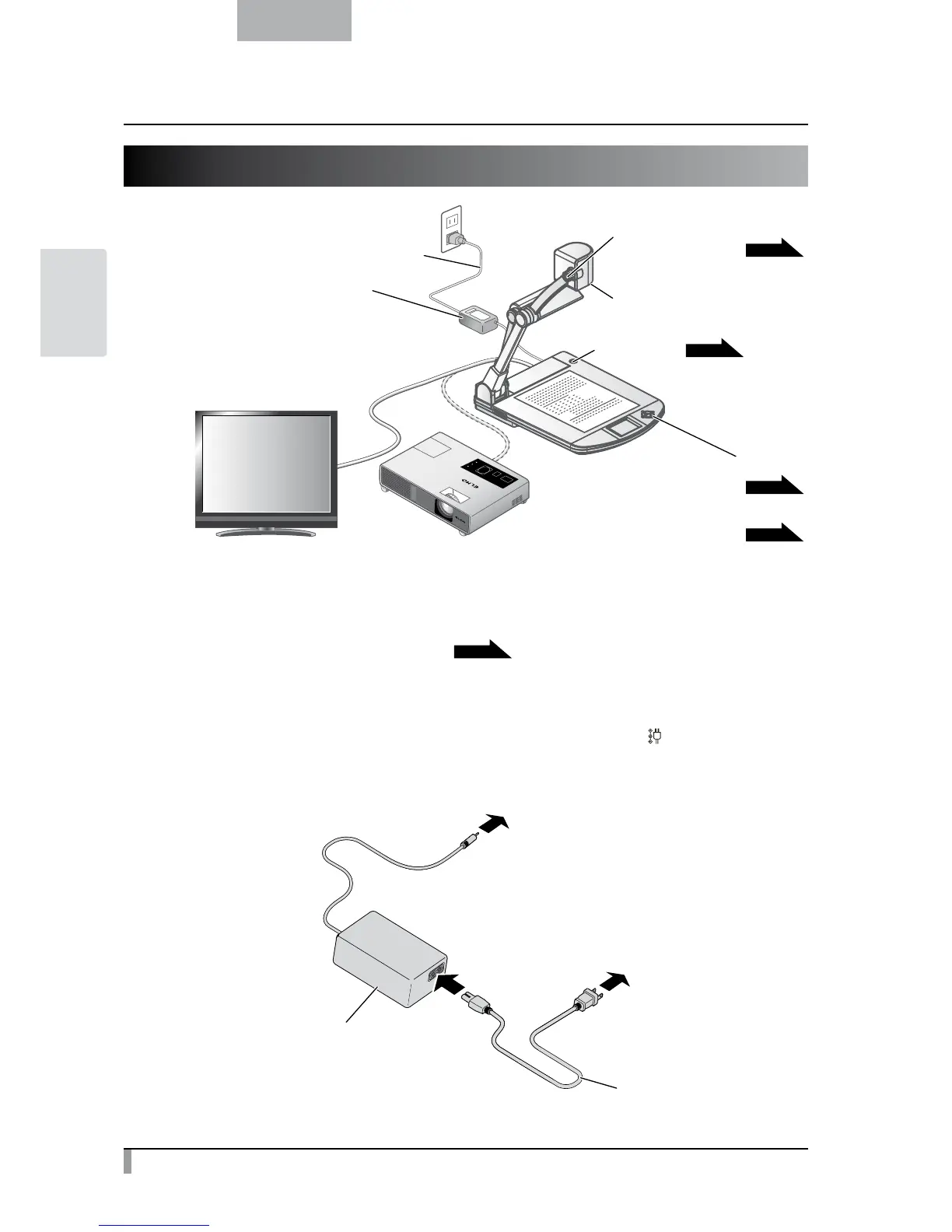
Camera
Zoom dial for size adjustment
Power button
AC adapter
AC cord
ON/OFF switch for illumination
Brightness Control button
P.16
P.19
P.17
P.15
Setting up the main unit
Set up the main unit as shown in the figure above. Then connect the main unit to a projector or a PC
monitor, and turn on the power of the main unit.
P.15
Connecting the AC cord
Connect the AC cord and the AC adapter. Then connect the AC adapter to the [
DC IN 12V
] terminal at the rear
panel of the document camera, and insert the AC cord into an outlet.
To main unit
Connect
To wall outlet
AC adapter
AC cord



 To Next Page