75
English
ADVANCED
OPERATIONS
Presentation using films
①
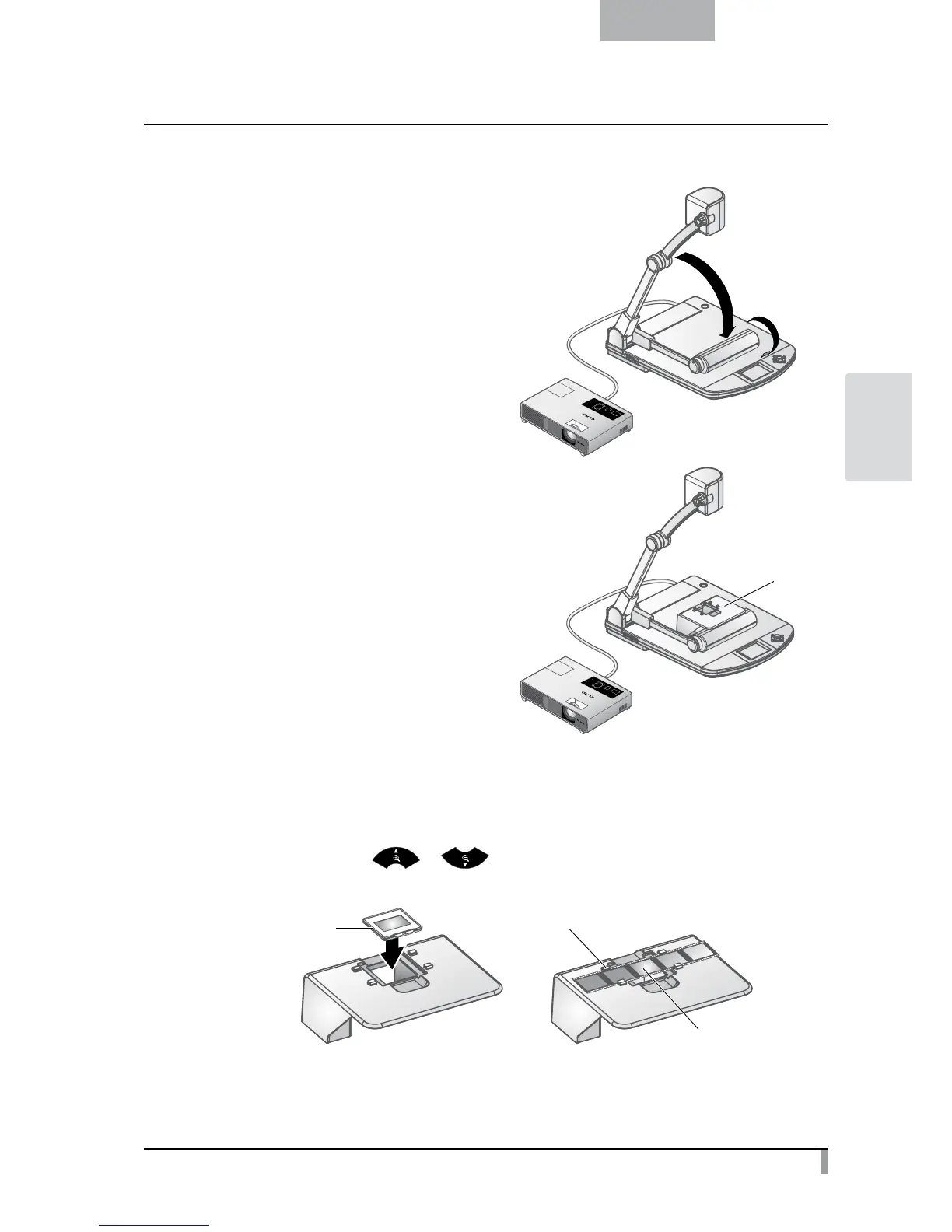
Set the main unit.
Fold only the lamp column of the main unit
and turn ON the power after connecting the
main unit to a projector or a PC monitor.
②
Set the slide shooting adapter.
Place the supplied slide shooting adapter
over the lamp head and adjust, while
watching the screen, its position so that
the opening of the slide shooting adapter
comes to the center of the screen.
③
Adjust the size.
Set the slide or film on the slide shooting adapter and adjust the slide size so
that it can fit the screen size by using the zoom dial on the camera head or
the zoom buttons [
/ ] on the remote control.
Pass the film under the tabs.
Film
Slide
Slide shooting
adapter



 To Next Page