7
English
BASIC
OPERATIONS
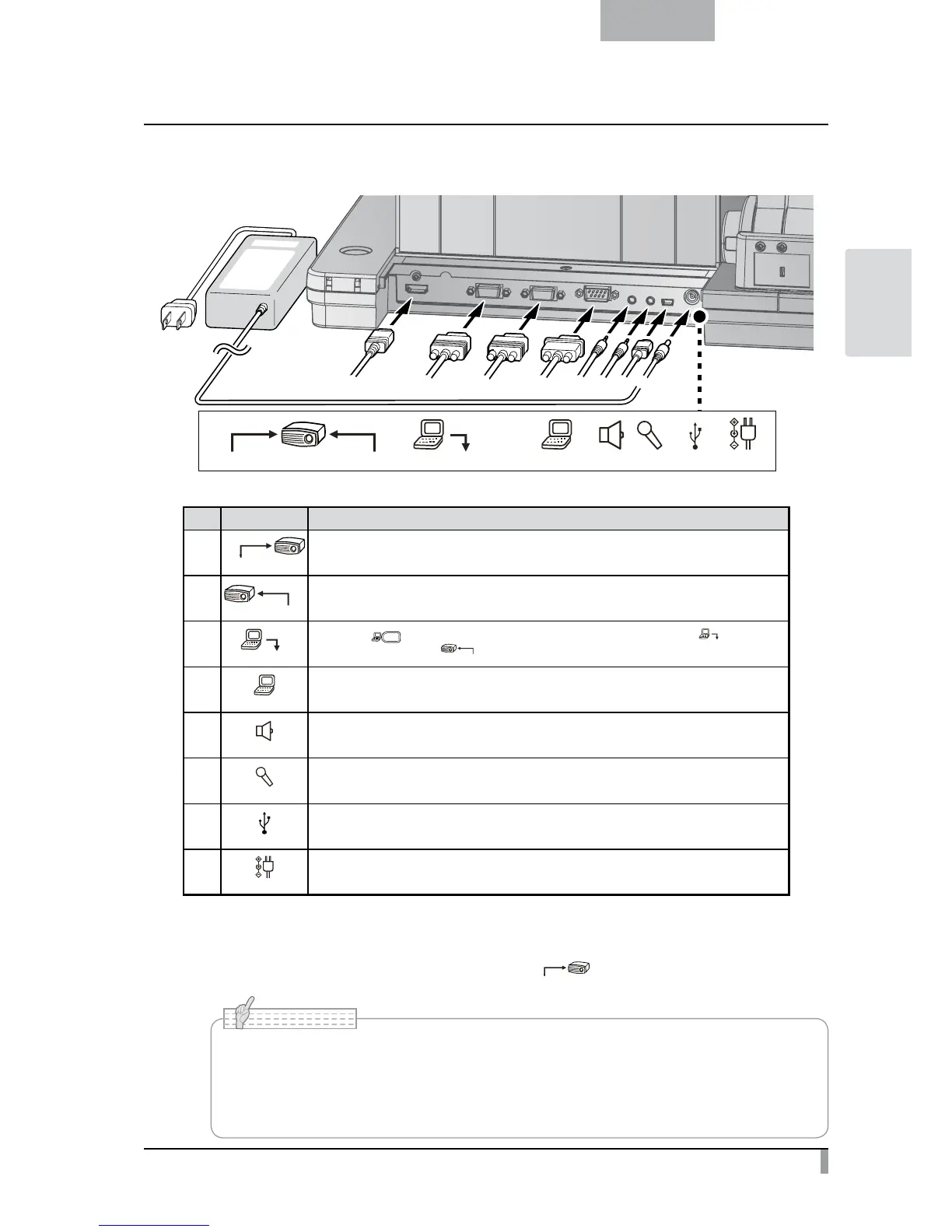
Rear panel and cable connection
① ③② ④ ⑤ ⑥ ⑦ ⑧
RS-232C
MICAUDIO OUT
USBRGB INRGB OUTHDMI OUT DC IN 12V
① ③
② ⑧
⑦
⑥
④
⑤
Mark Function
①
HDMI OUT
To output digital images. (HDMI cable is not supplied with this product.)
②
RGB OUT
To output analog RGB images. (A cable is supplied with this product.)
③
When the [ ] button is selected in Image Select, the image input to [
] terminal
can be output from the [
RGB OUT
] terminal. (A cable is supplied with this product.)
④
RS-232C
To control the unit from a PC through an RS-232C cable.
⑤
AUDIO OUT
To output audio line. (An audio cable is not supplied with this product.)
⑥
MIC
To connect an audio line-output device. Audio input is a dual purpose port (microphone/line-in).
When using a microphone, make sure to connect a commercially available electret condenser microphone.
⑦
To connect to a PC. (USB cable is supplied with this product.)
⑧
DC IN 12V
Plug-in for the AC adapter. (A cable is supplied with this product.)
①
To connect the unit to a device with an HDMI input terminal.
Connect a commercially available HDMI cable to the [
HDMI OUT
] terminal on the rear panel.
• Please use the monitor corresponding to the input of the image (resolution) or 720p or
more.
It doesn’t operate with the cable that doesn’t conform to the HDMI standard.
• Elmo does not guarantee operation for all HDMI-compatible monitors.
N o t e



 To Next Page