66
English
ADVANCED
OPERATIONS
Setting Menu
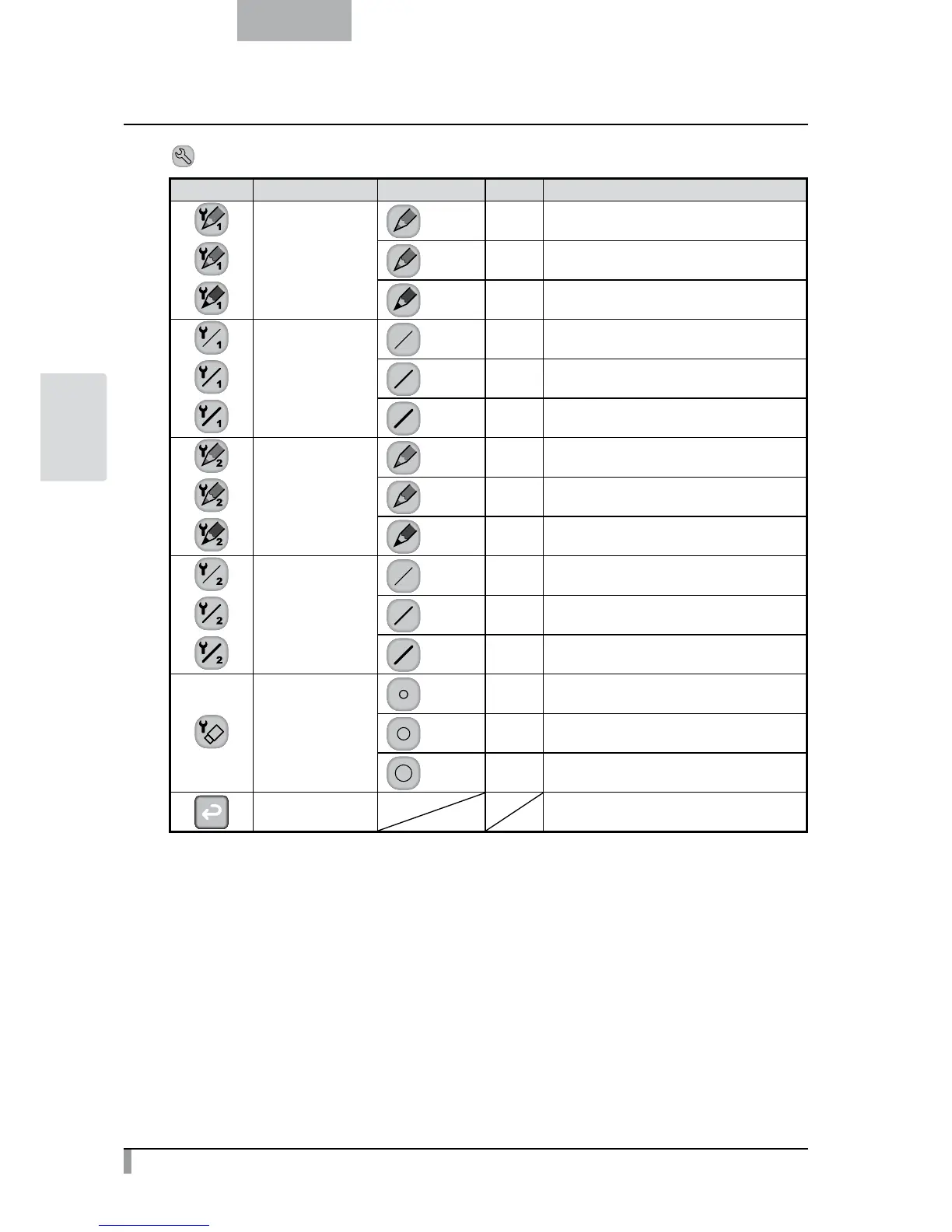
Icon Name Selection Item Default Function
Pen1 Color
Red
✔
To set the pen color to red.
Blue To set the pen color to blue.
Black To set the pen color to black.
Pen1 Thickness
Thin To decrease the pen thickness.
Medium
✔
To set the pen thickness to medium width.
Thick To increase the pen thickness.
Pen2 Color
Red To set the pen color to red.
Blue To set the pen color to blue.
Black
✔
To set the pen color to black.
Pen2 Thickness
Thin To decrease the pen thickness.
Medium
✔
To set the pen thickness to medium width.
Thick To increase the pen thickness.
Erase Area
Narrow To decrease the area of partial erasure.
Medium
✔
To set the area of partial erasure to the medium
range.
Wide To increase the area of partial erasure.
Exit To return to the previous level of menu.



 To Next Page