33
English
OPERATION
PROCEDURE
Shooting a 3-D object
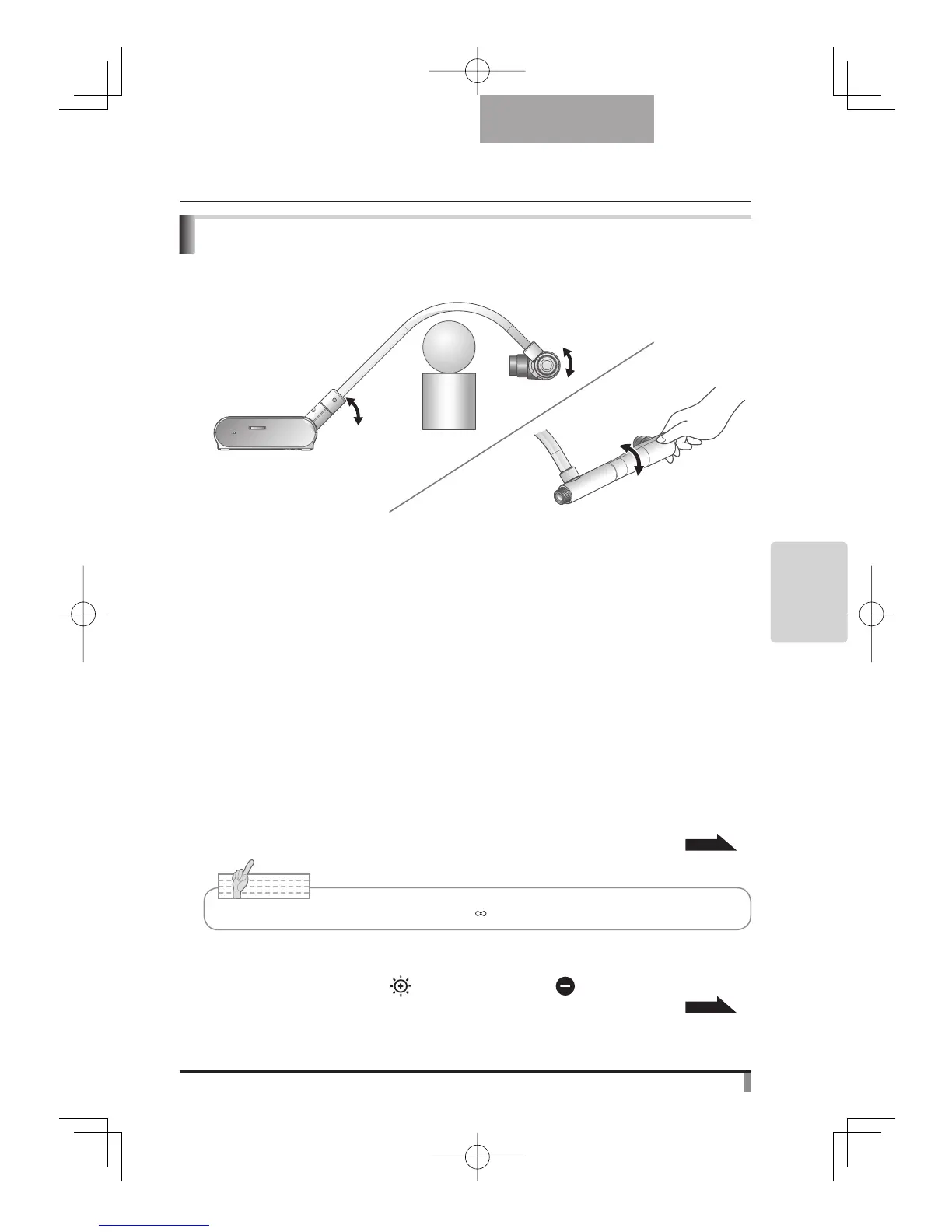
By adjusting angle of the camera column and the camera head, a 3-D object can be shot from
the side.
Adjust
Adjust
Adjust
■ Setting the main unit
Connect the main unit to a projector or a PC monitor.
Then turn the power switch of the main unit ON. Adjust angle of the camera column and the
camera head as shown in the above figure to shoot a 3-D object.
■ Adjusting the size
Adjust the position of the object with the zoom dial so that the objective part fits the screen
size.
■ Adjusting the focus
Press the [AF] button to focus the camera. In a case when the object can not be brought
into focus with the [AF] button, adjust focus with the manual focus by selecting [Focus] in
the OSD menu.
P. 3 6
■ Adjusting the brightness
Press the [BRIGHTNESS •
] and [BRIGHTNESS • ] buttons on the main unit to
adjust image brightness.
P. 3 9
■ Turning the illumination lamp ON/OFF
Move the illumination lamp switch to the left/right to turn it ON/OFF.
Note
• The focus can be achieved from 50mm to .



 To Next Page