36
English
VARIOUS
FUNCTIONS AND
OPERATIONS
Focus
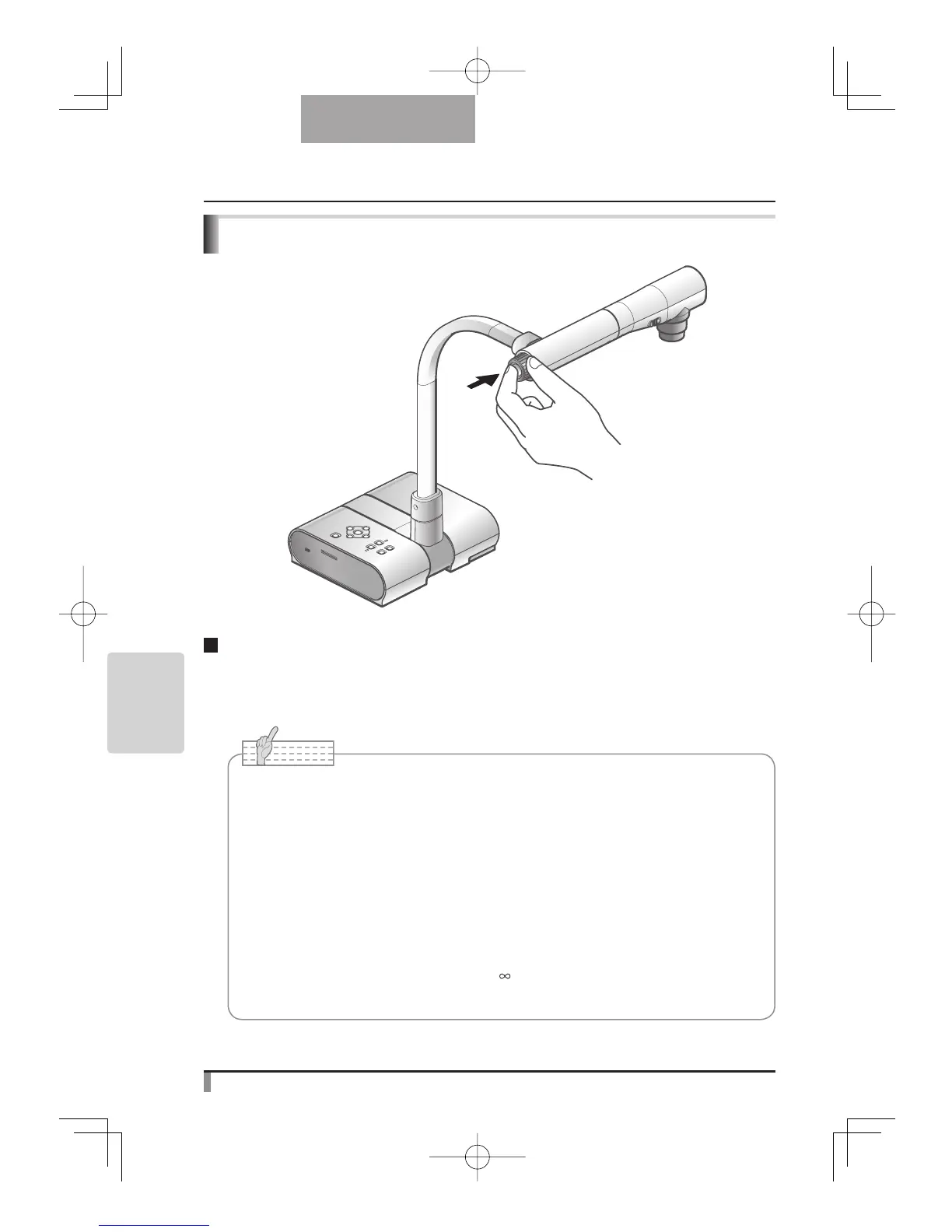
Press the [AF] button to automatically focus. The unit provides one-shot auto-focus system.
Once the camera is focused, the auto focus operation is released, and then focus position is
maintained.
Note
• The objects listed below may not be brought into focus in the auto focus. In such
cases, use the manual focus.
• Low contrast object
• Objects with fine repeated patterns, such as lateral stripes and cross stripes
• Objects glittering or reflecting strong light
• Objects with bright background or excessive contrast
• Objects that are entirely dark
• Objects located near and far away at the same time
• Objects in motion
• The focus can be achieved from 50mm to
.
• In the SD mode, the digital zoom settings for SD images can be reset.
Push
Auto focus



 To Next Page