17
Model 8300
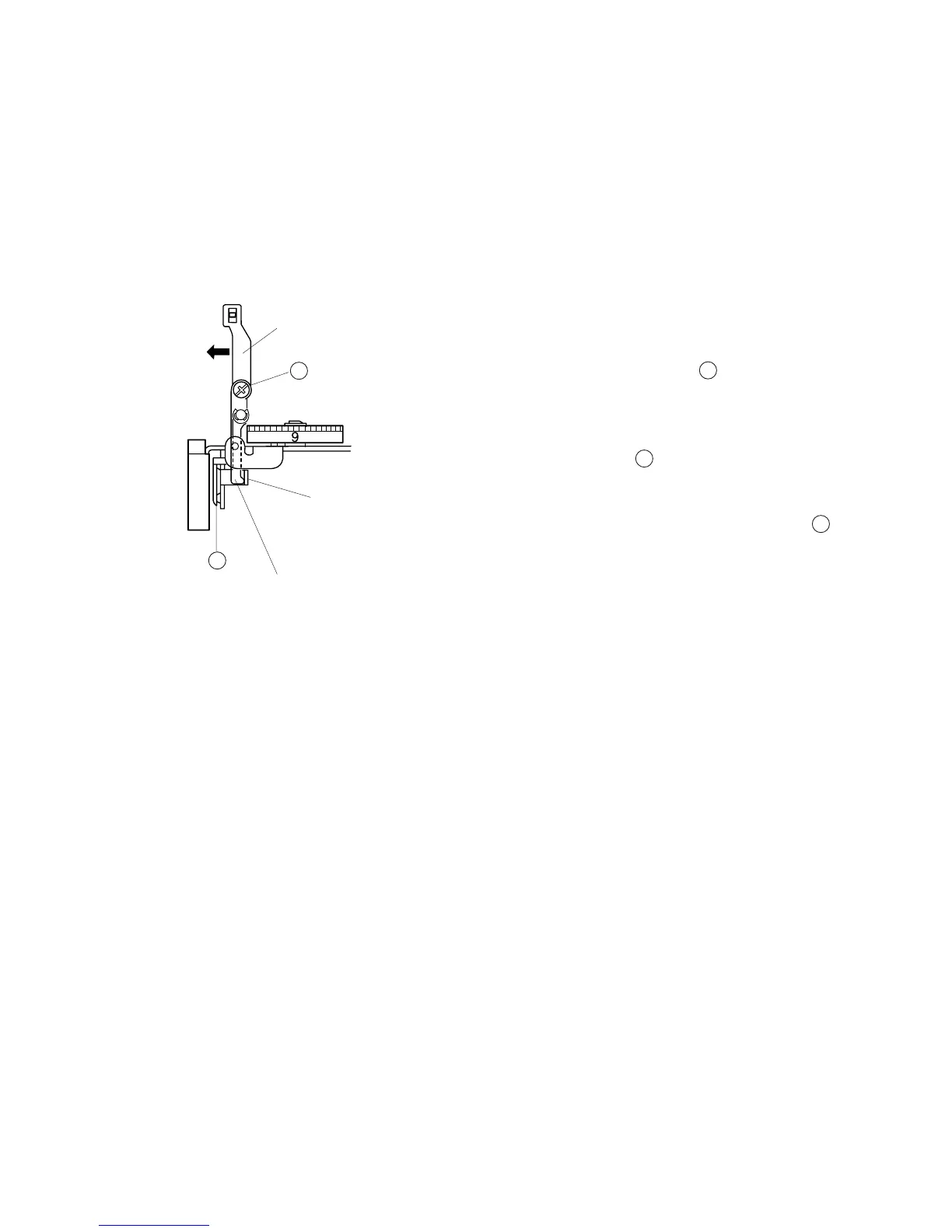
Adjusting Tension Release Mechanism
When the presser foot lifter is raised, the tension disks should open approximately 1.0
mm. When the presser foot lifter is lowered, the tension disks should close and the
tension release plate (2) should be free from tension.
1. Remove the top cover unit. (see page 3)
2. Lower the presser foot lifter, set the thread tension dial
at “9” and loosen the Screw .
3. While pushing the tension release plate (1) in direction
B, press the tension release plate (2) to disk holder,
tighten the Screw .
4. Raise the presser foot lifter, turn the thread tension
dial at “9” to “0”, make sure the tension disks
should open 1.0 mm at any dial setting.
5. Lower the presser foot lifter, turn the thread tension
dial “9” to “0”, make sure the tension disks does not move.
6. Attach the top cover.
Tension release plate (2)
Tension release plate (1)
Disk holder
B
A
A
A
B
B



 To Next Page