39
Model 8300
Adjusting X and Y Sensors (Simple Adjustment)
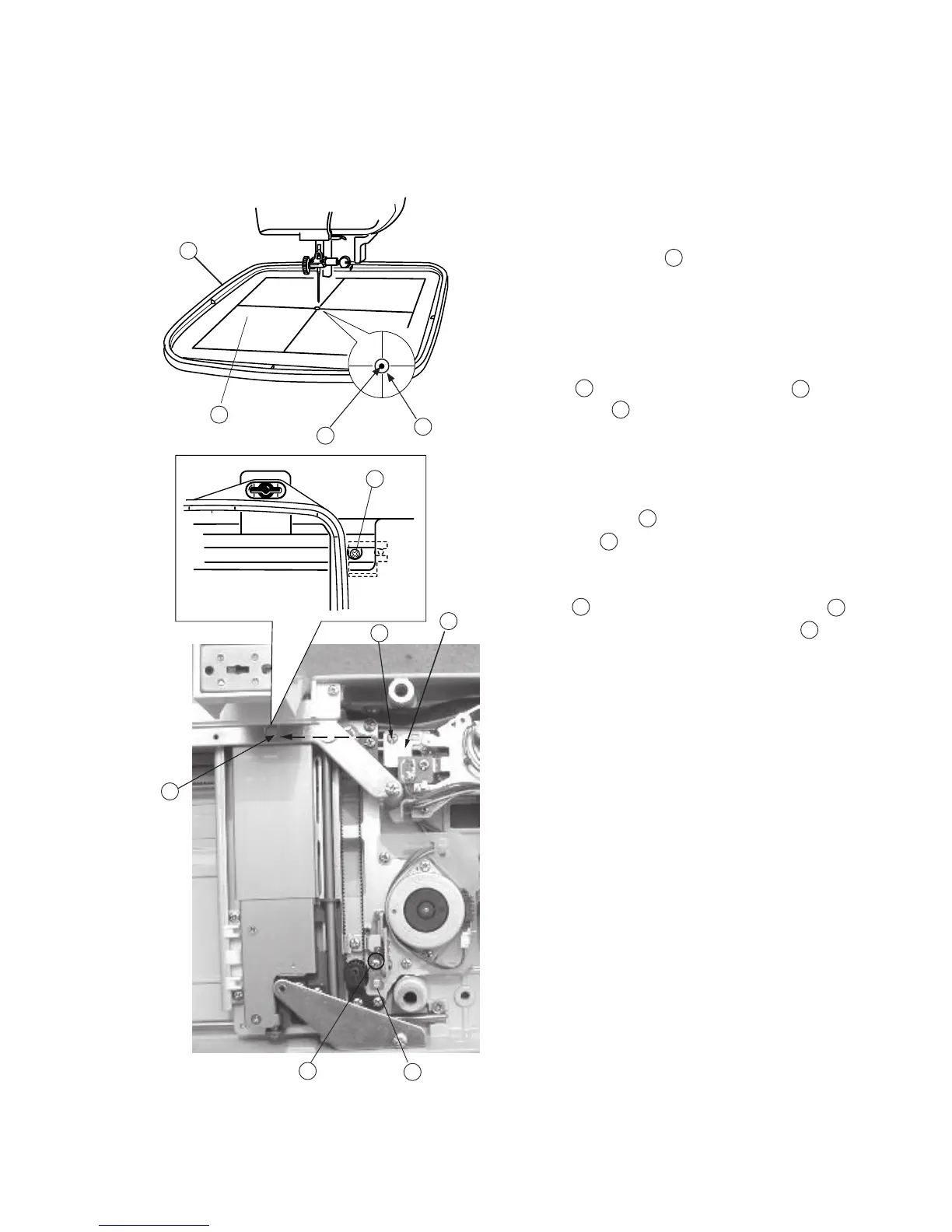
To adjust X and Y sensor (without removing the base unit):
1. Remove the base cover.(see page 5)
2. Remove the presser foot and attach the
Embroidery hoop “A” .
3. Turn the power “ON” and select the pattern
No.1
4. Turn the handwheel by hand to check that the
Needle drops into the Stating position on
theTemplate .
5. Turn the power switch “OFF”.
6. If the needle position shifts in Y-direction,
loosen the screw and move the Y-sensor
fixing plate to adjust the needle position.
7. If the needle position shifts in X direction, loosen
Screw through the sheet cover fixing plate
hole and adjust the X shield plate position .
8. Turn the power “ON” and select pattern No.1, then
check the start position.
9. Return the carriage to the home position and turn the
power “OFF”.
10.Remove the Template and the Embroidery hoop
then reattach the presser foot and base cover.
A
B
C
D
E
F
G
I
A
D
B
C
G
I
G
H
H
FE



 To Next Page