26
Model 8300
PRESS MARK
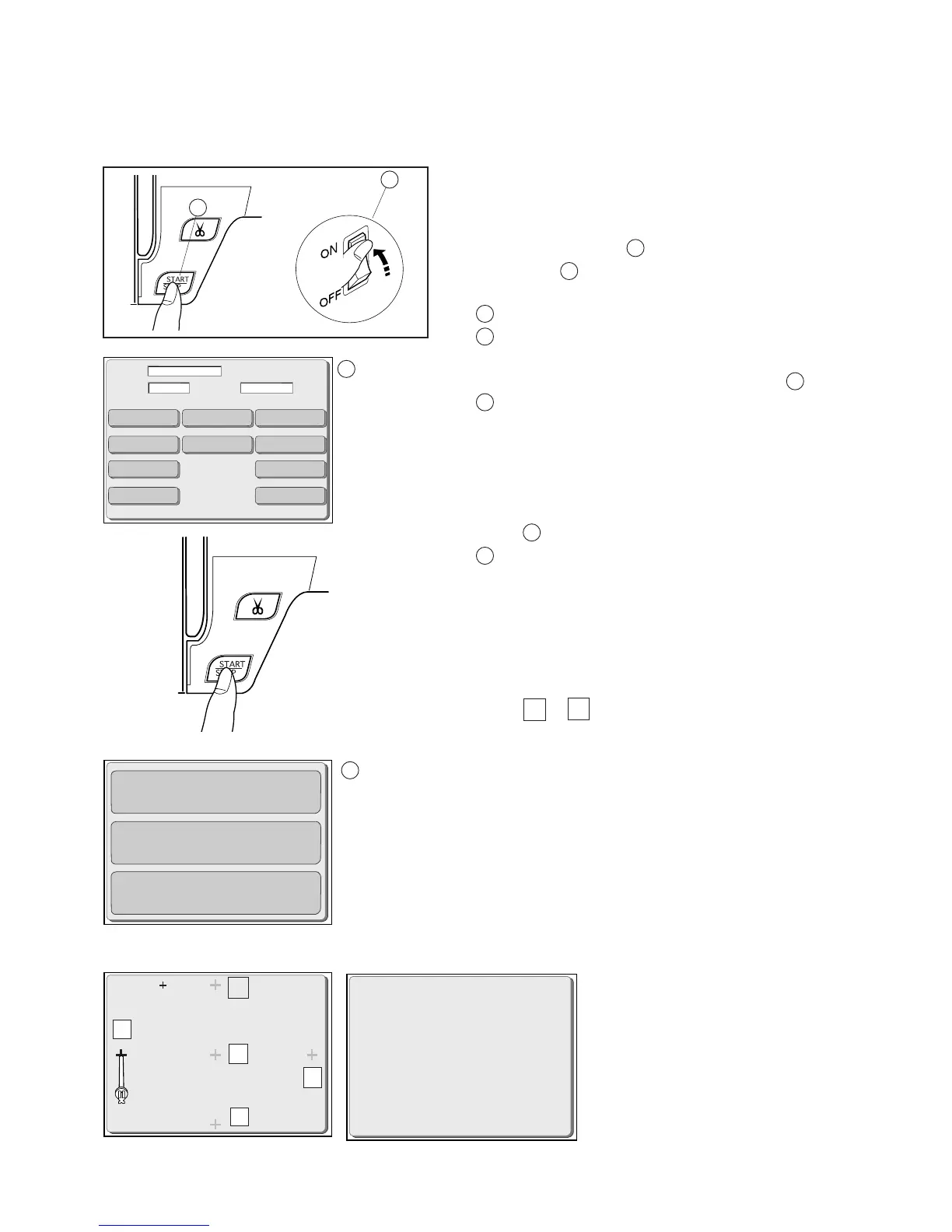
Touch Screen Calibration
Adjust the key position of the touch screen after replacing the touch panel, or if the key
position is out of alignment.
4
2
5
1
3
ADJUSTMENT END
OK
TTP Adjust
Self Check
Clear Set
Main
Slave
Brightness
Foot UD Sensor Off
Card / USB PH Sensor Aging
Solenoid
Solenoid Hold
DC1
BobbinCheck
Bobbin
Note: Do not press any key other than those described in
the following sections. These keys are not for servicing
but for factory use only.
1. Turn the Power switch on while pressing the Start/
Stop button . Do not release the button until the
LCD screen shows the adjusting mode.
Power switch
Start/Stop button
2. The LCD screen will show the Adjusting mode .
Adjusting mode
3. Press the Start/Stop button again.
Caution: Do not press any keys in this mode.
4. The LCD screen will show the Special adjusting
mode .
Special adjusting mode
5. Press the “TTP Adjust” key.
Caution: Do not press the “Self Check” or “Clear Set”
key, which are only for the factory use.
6. Press the cross with the tip of the extra spool pin, from
steps 1 to 5 in this order.
7. Having pressed the last (5th) key, the LCD screen
shows “ADJUSTMENT END” and “OK”.
8. Turn the power switch off.
9. Turn the power switch on again to check the adjustment
result.
Caution: Pressing the “Clear Set”
key will erase all the program
settings.
Note: Do not press the “Self Check”
key which is not for servicing but for
factory use only.
A
B
A
B
C
C
D
D
A
B
C
D



 To Next Page