37
Model 8300
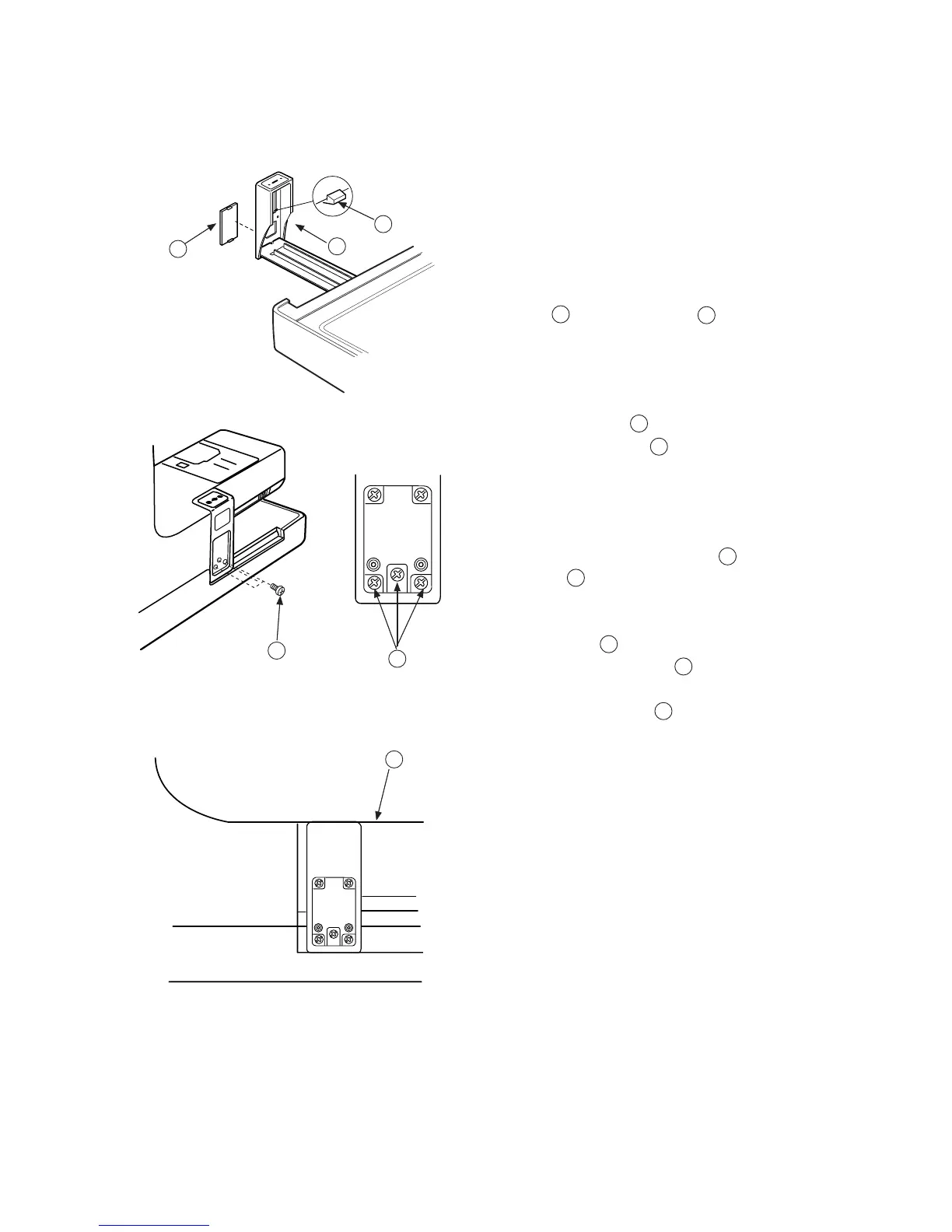
Replacing Carriage Plate (Unit)
To remove:
1. Turn the power switch “ON” and select the pattern
No.1.
2. Turn the power switch “OFF” and remove the Cover
cap . (Unlock the hook from the inside.)
3. Turn the power switch “ON” to return the carriage
to the home position.
4. Remove Screws (3 pieces) and remove the
Carriage plate (unit) .
To attach:
5. Attach the Carriage plate (unit) and tighten
screws temporarily.
6. Adjust the top surface of the carriage plate and the
Arm surface are parallel and the same level,
securely tighten Screws .
7. Attach the cover cap .
A
B
C
D
D
C
E
C
A
A
B
D
E
C
C



 To Next Page