35
Model 8300
Main
Slave
Brightness
Foot UD Sensor Off
Card / USB PH Sensor Aging
Solenoid
Solenoid Hold
DC1
BobbinCheck
Bobbin
2
3
4
5
6
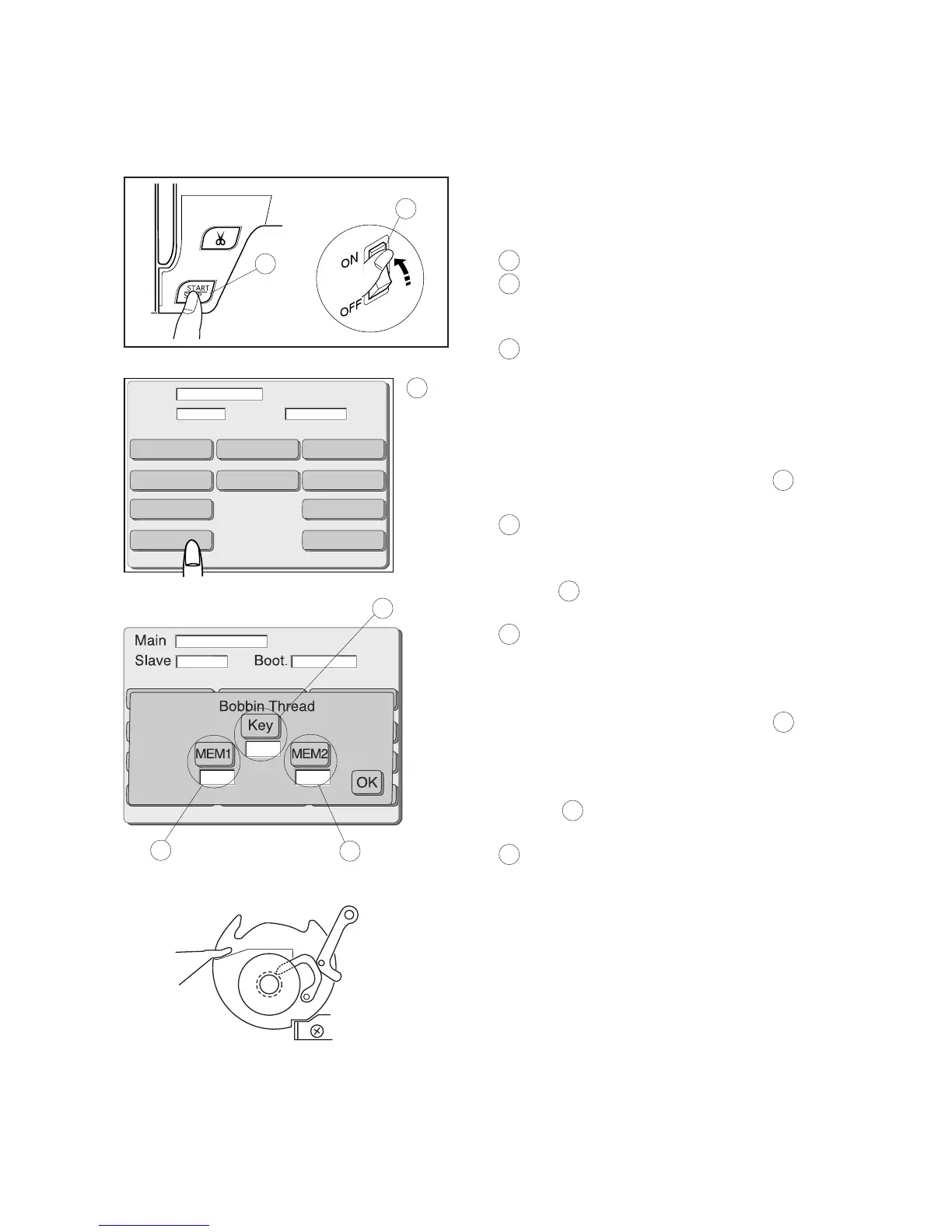
1 Turn the power switch on while pressing the Start/Stop
button. Do not release the button until the LCD screen
shows the adjusting mode.
1 Power switch
2 Start/stop button
2 The LCD screen will show the adjusting mode.
3 Adjusting mode
3 Press the “Bobbin” key.
4 Wind a bobbin to 9.2 mm diameter and insert it into the
bobbin holder. Press the “Key” several times.
The same value will be shown in the box 4 under the
“Key” each time you press the key.
4 Box
5 Press the “MEM1” key and the value will be shown in
the box 5 under the “MEM1” and will be stored in the
memory.
5 Box
6 Wind another bobbin to 10.3 mm diameter and insert it
into the bobbin holder. Press the “Key” several times.
The same value will be shown in the box 4 under the
“Key” each time you press the key.
7 Press the “MEM2” key and the value will be shown in
the box 3 under the “MEM2” and will be stored in the
memory.
6 Box
8 Confirm it if the difference between the values MEM1
and MEM2 is not less than 6. If not, repeat the steps
from 4 to 7.
9 Press the “OK” key then turn the power switch off.
Adjusting the Remaining Bobbin Thread Level
Adjust the remaining bobbin thread level after replacing the circuit board A.
1



 To Next Page