18
elna 9900
Replacing the Thread Catcher Unit
To remove:
1. Remove spool stand, head cover (right), right
cover, left cover, moving head and lateral
moving unit.
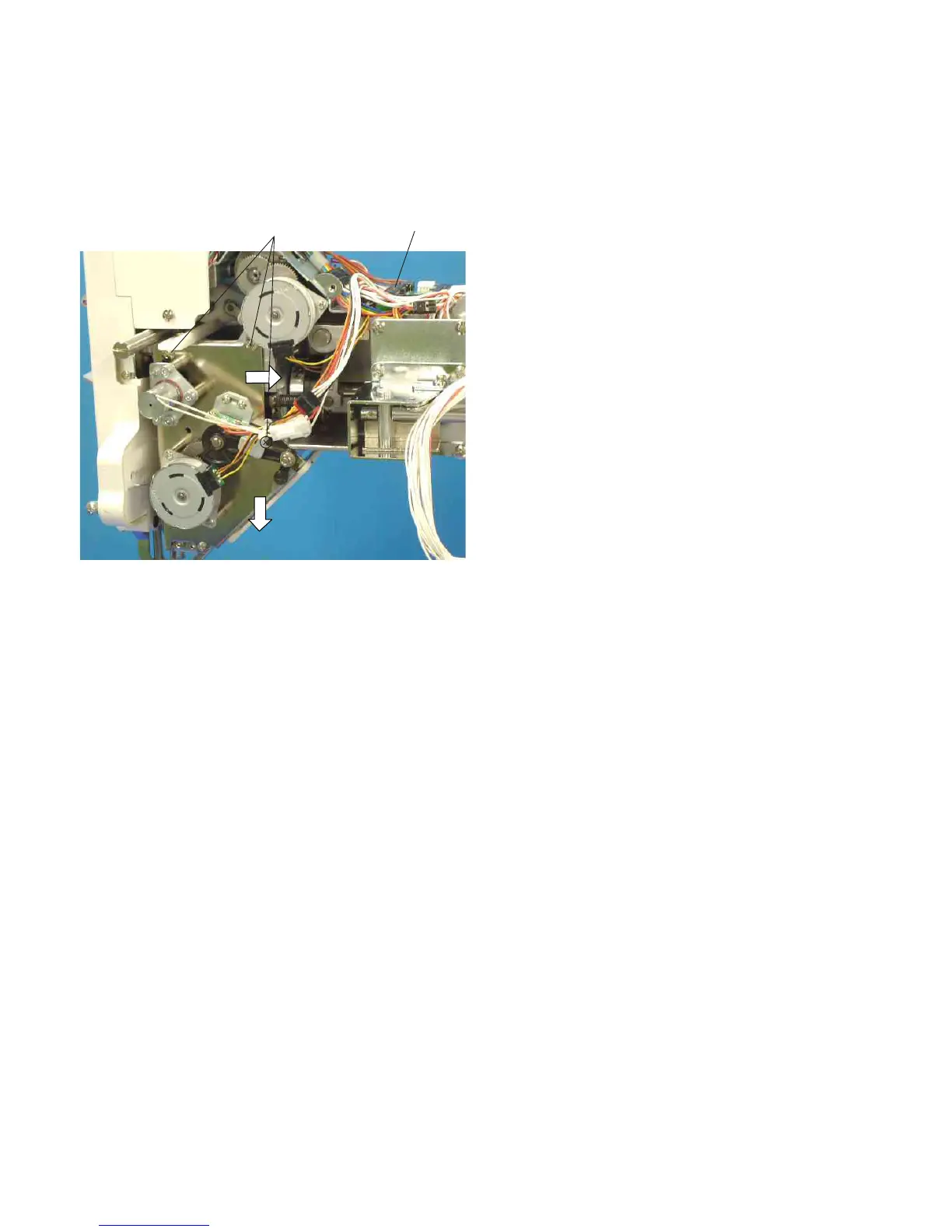
2. Disconnect the thread catcher connector.
Remove the 3 setscrews (A), the thread
catcher.
To attach:
3. Connect the thread catcher connector.
Tighten the setscrews (A) while pressing the
thread catcher unit in the direction of arrows as
illustrated.
4. Adjust the thread catcher (see page 31).
5. Attach removed parts.
Setscrews (A)
Connector


 To Next Page