43
elna 9900
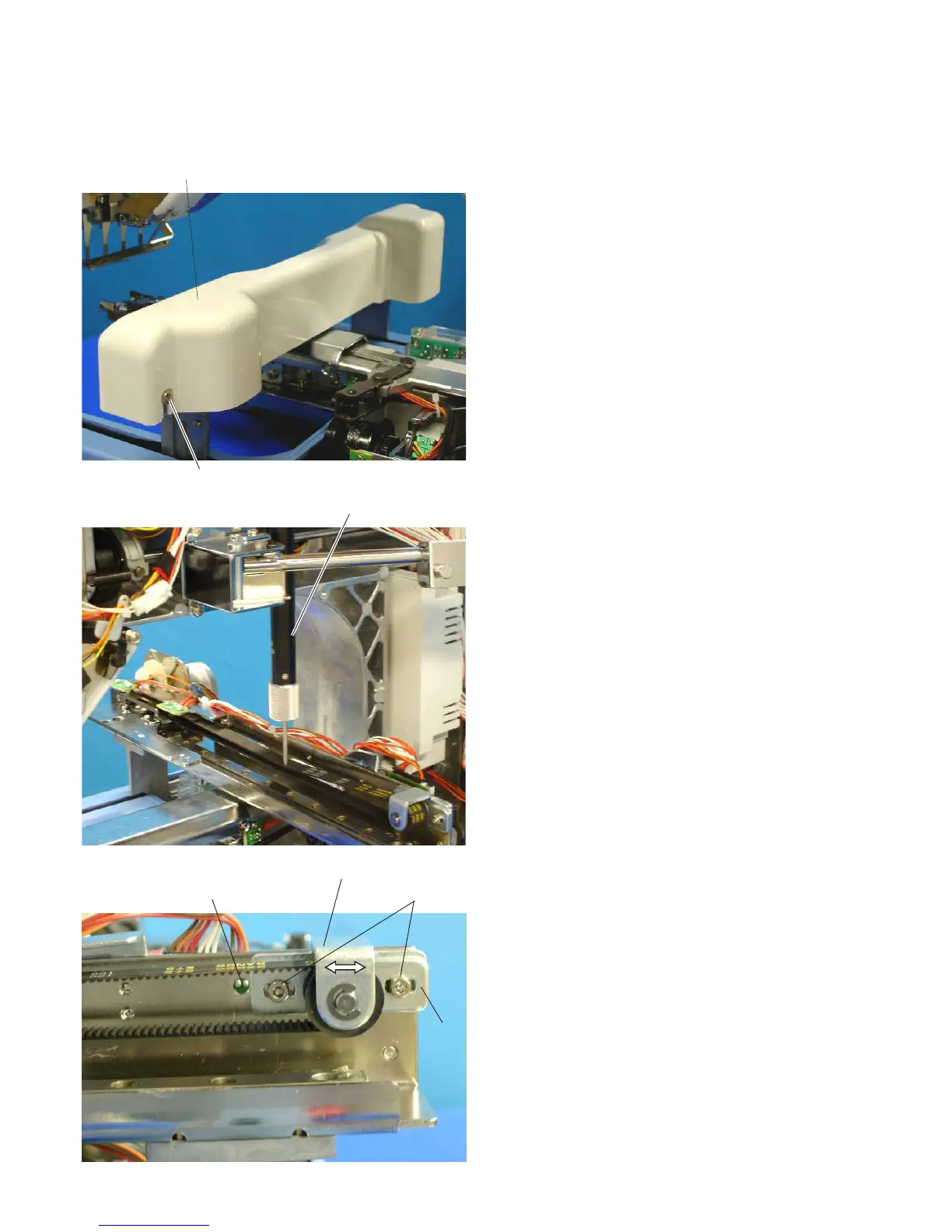
Adjusting the X-carriage Belt Tension
1. Remove the spool stand, static head right cover, right
cover and left cover (see pages 4 – 6).
2. Loosen the 2 setscrews (A) and remove the
X-carriage cover.
3. Shift the hoop supporter to the extreme left end. Set
the push-pull gauge at the right side of the machine
frame and push the X-carriage timing belt. The gauge
should read 600 grams when the upper portion
touches the lower portion.
4. If the belt tension is too tight or loose, slightly loosen
the 2 setscrews (B) and move the X-belt pulley in
the direction of the arrow to adjust the belt tension.
Tighten the 2 setscrews (B) securely and check the
tension again.
NOTE:
When moving the X-belt pulley, insert a 4 mm rod into the
side hole and pry the base plate of the pulley.
5. Attach the X-carriage cover with the 2 setscrews (A).
6. Attach the parts removed in step 1.
Setscrews (A)
Push-pull gauge
Side hole
X-belt pulley
Setscrews (B)
X-carriage cover
Base plate



 To Next Page