34
elna 9900
0.05 〜0.2mm
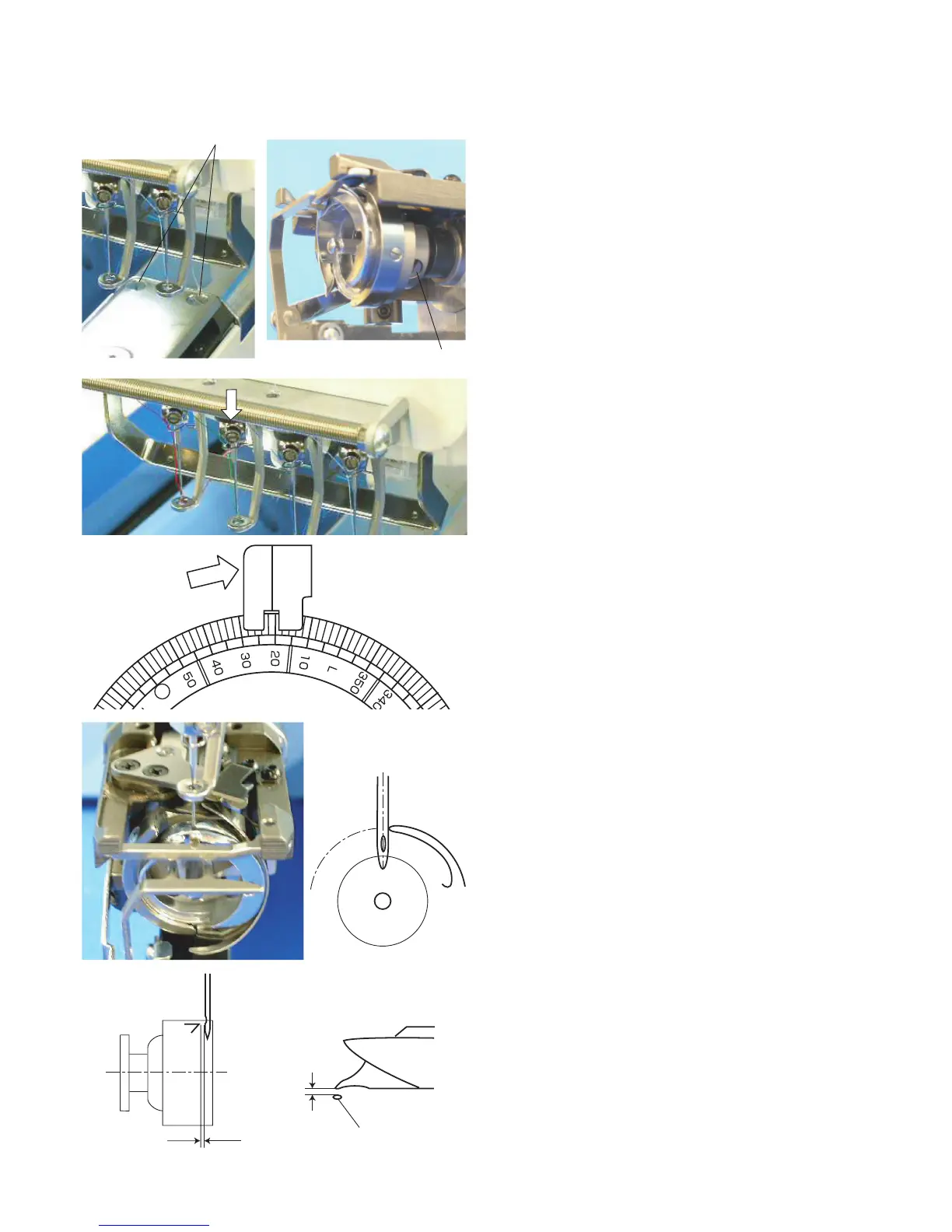
Adjusting the Hook Timing
1. Remove the 2 setscrews and needle plate.
2. Loosen the 3 setscrews on the hook.
3. Select No. 3 needle bar in the Ready to Sew mode
(see pages 29 and 36 of the instruction book) and
push the needle bar down.
4. Turn the handwheel to set the index disk at 21º.
NOTE:
To prevent the needle from hitting the hook body, hold the
hook with the hook point up while turning the handwheel.
5. Turn the hook to align the hook point with the right
side of the needle (use DBxK5Q1NY needle).
NOTE:
Maintain a clearance between the needle and hook point
within 0.05 – 0.20 mm.
6. Tighten the three setscrews securely.
7. Check the position of the hook stopper (see page xx).
Setscrews
Setscrews on the hook
Needle



 To Next Page