27
elna 9900
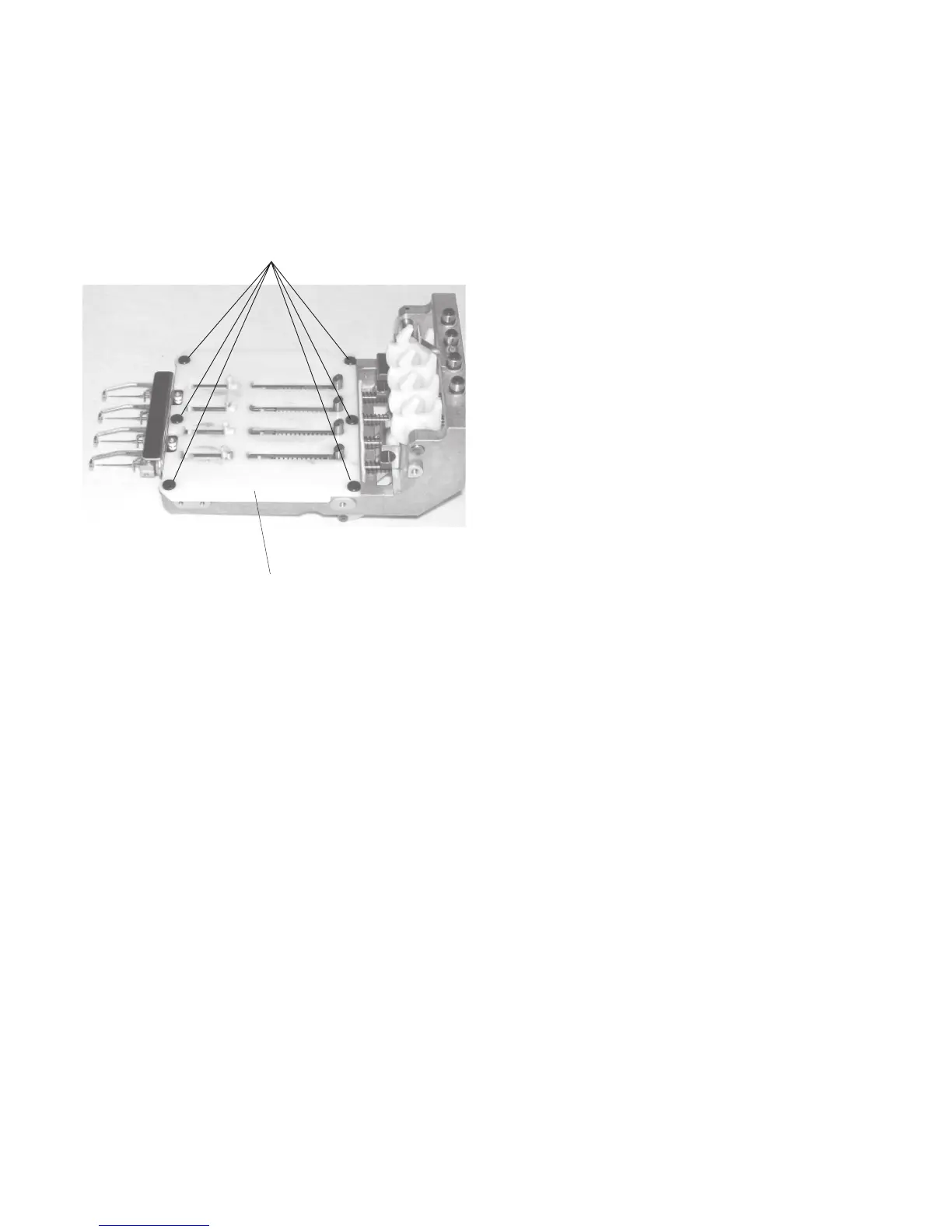
Replacing the Rotation Stopper Plate
To remove:
1. Remove the moving head (see pages 22 and
23).
2. Remove the 6 setscrews and rotation stopper
plate.
To attach:
3. Attach the rotation stopper plate with the 6
setscrews. The setscrews should be positioned
at the center of each holes when tightening
each setscrews.
4. Attach the moving head.
Setscrews
Rotation stopper plate



 To Next Page