5
elna 9900
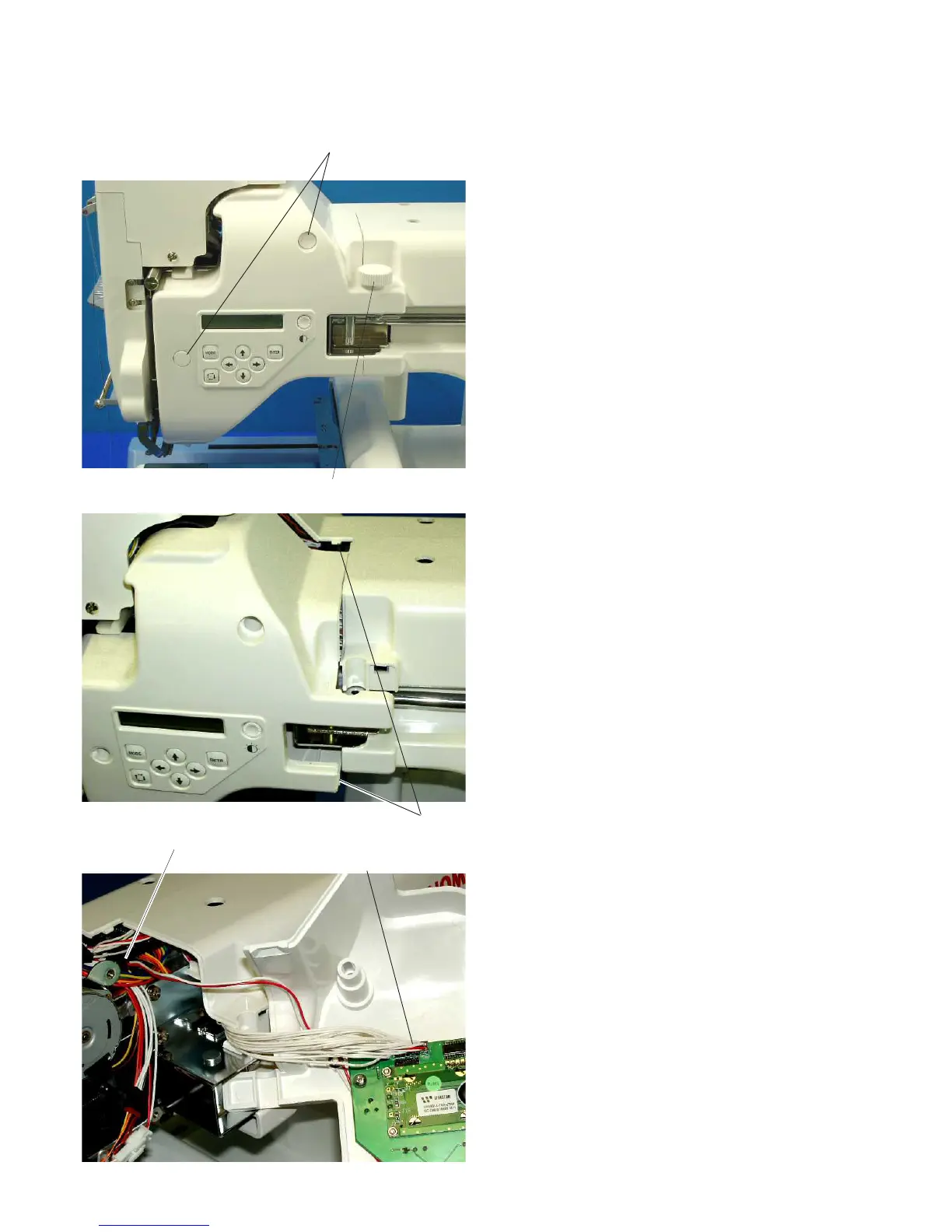
To remove:
1. Loosen the RCS mounting arm knob and
remove it.
2. Remove 2 caps, and 2 setscrews (A). Remove
the static head cover (right).
3. Disconnect the LED lamp connector and
K-board connector.
To attach:
4. Connect the LED lamp connector and K-board
connector.
5. Attach the static head cover (right) with the 2
setscrews (A) while pulling the cover to the
back of the machine. Attach the 2 caps.
6. Attach the RCS mounting arm knob.
Replacing the Static Head Cover (Right)
RCS mounting arm knob
Caps, Setscrews (A)
Hooks
LED lamp connector
K-board connector



 To Next Page