21
elna 9900
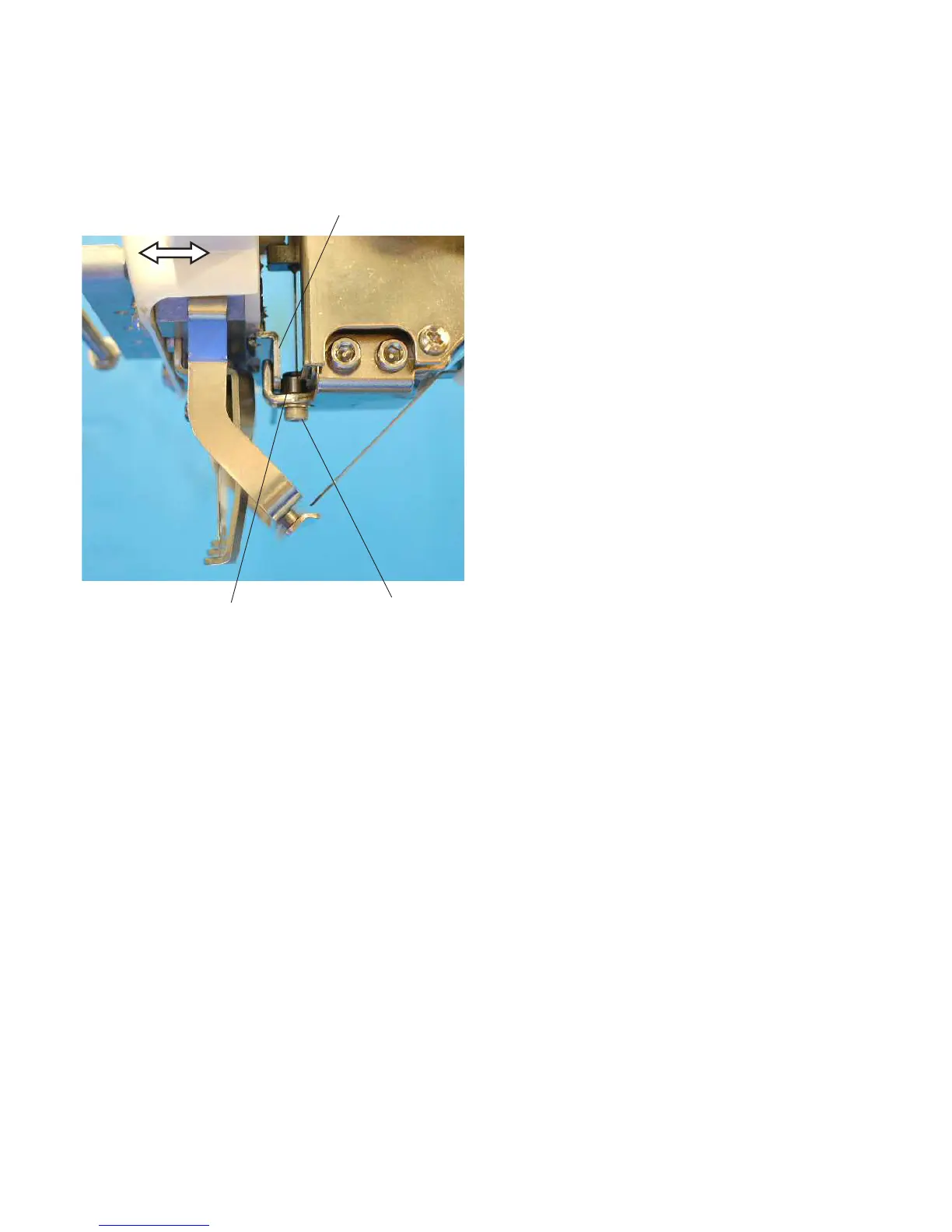
Adjusting a Play in the Moving Head
1. Remove the static head cover (right).
2. Check the play in the direction of the arrows.
If there is a detectable play, loosen the
setscrew and tighten it while pressing the
adjusting roller against the needle drop adjust-
ing rail.
3. Adjust the needle drop position (see page 24).
4. Attach the static head cover (right).
Needle drop adjusting rail
Adjusting roller
Setscrew



 To Next Page