7
elna 9900
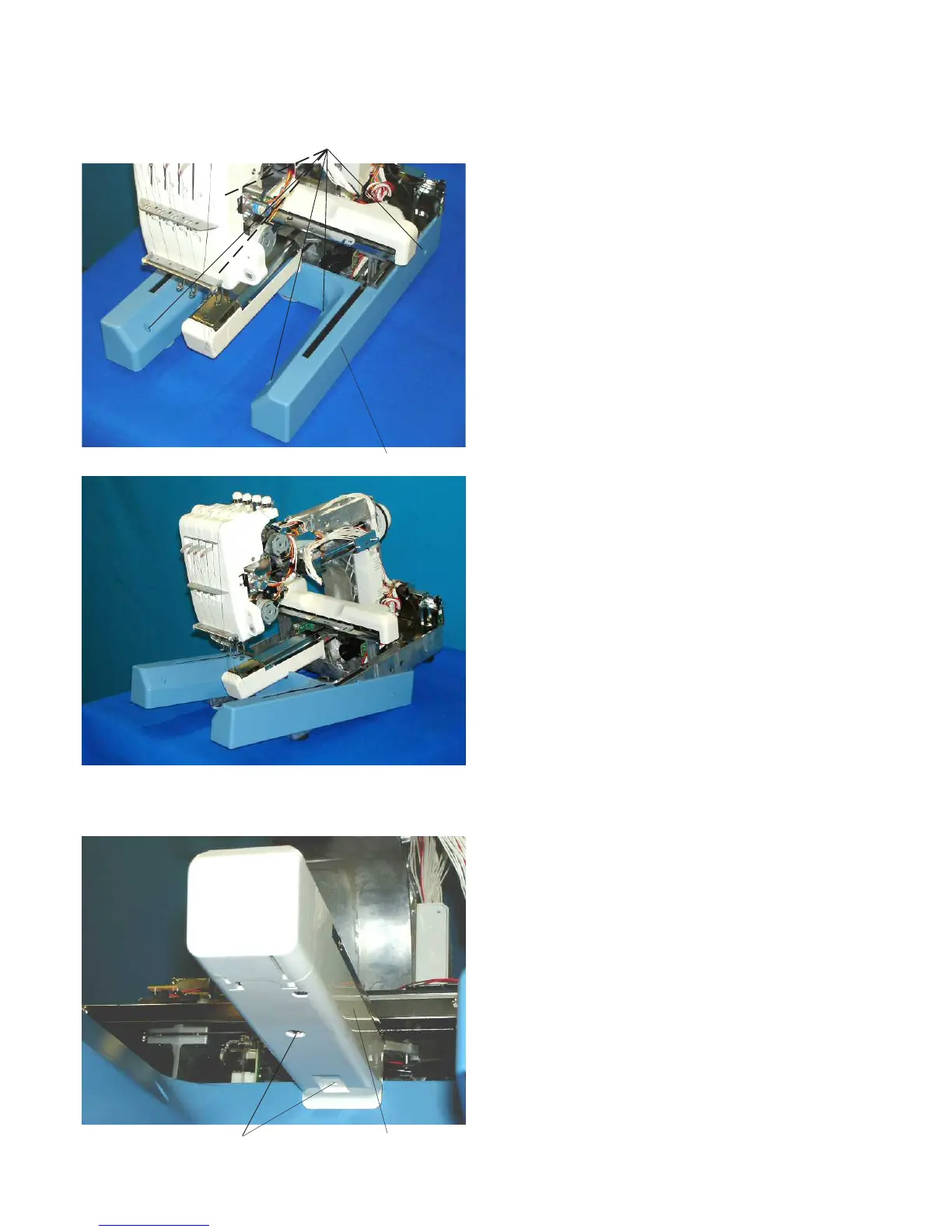
Base Cover
To remove:
1. Remove the 6 setscrews A.
2. Lift the back of the machine and pull out
the base cover (support the back of the machine
with a crosstie).
To attach:
3. Attach the machine into the base cover.
4. Tighten the 6 setscrews A securely.
Replacing the Base Cover and Bed Cover
Bed Cover
To remove:
1. Remove the setscrews A. Remove the bed
cover.
To attach:
2. Attach the bed cover with the setscrews A.
Setscrews A
Setscrews A
Base cover
Bed cover



 To Next Page