51
elna 9900
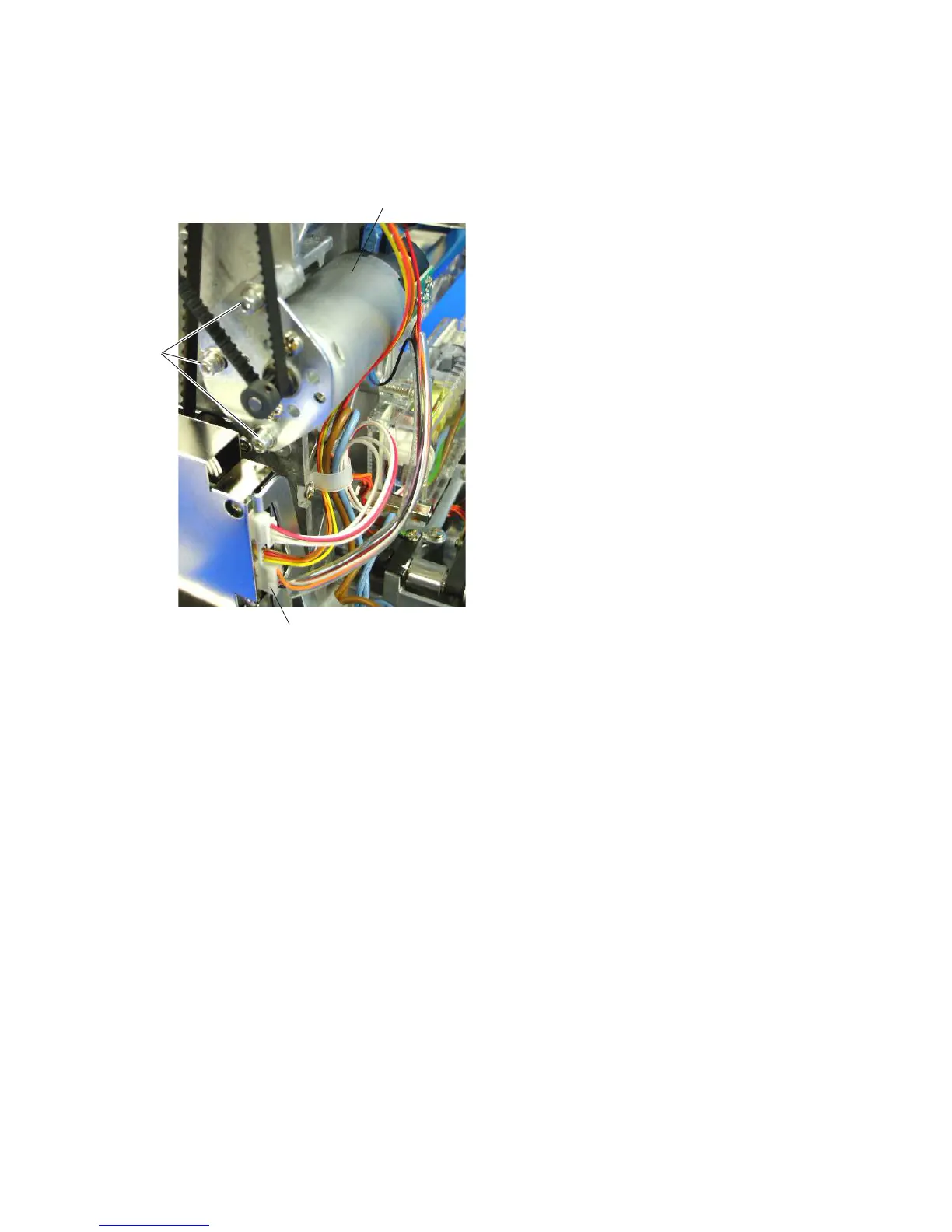
Replacing the DC Motor
1. Remove the spool stand, static head right cover, right
cover and left cover (see pages 4 – 6).
2. Disconnect the motor connector. Remove the 3
setscrews (A) and DC motor.
3. Attach the DC motor and tighten the 3 setscrews (A)
slightly.
Connect the motor connector.
4. Adjust the motor belt tension (see page 49).
5. Attach the parts removed in step 1.
DC motor
Setscrews
(A)
Motor connector



 To Next Page