83
www.encore-usa.com
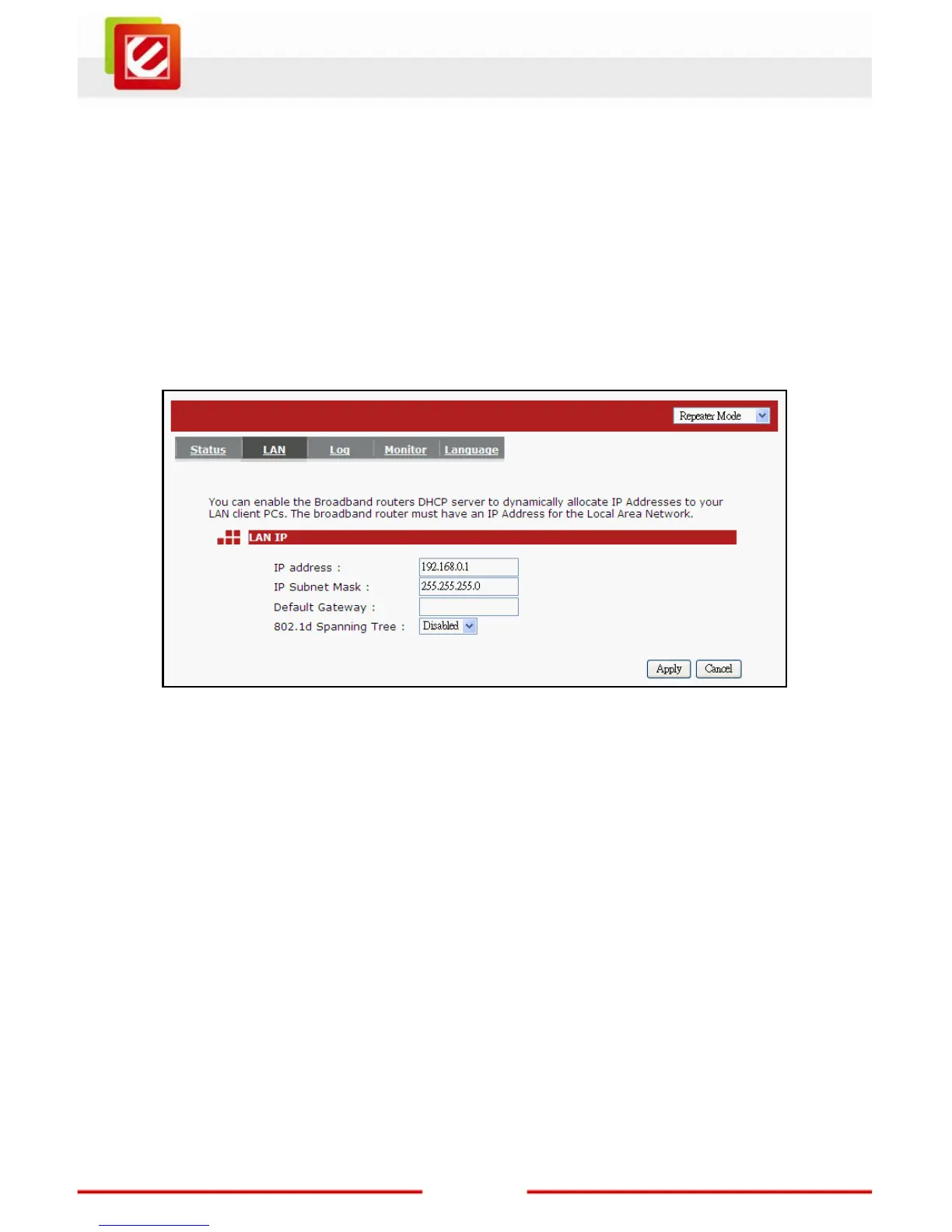
¾ LAN Tab:
The LAN Tabs shows LAN settings. LAN settings can be change as needed. If you are an
entry level user, try opening a website from your computer. If you’re successful and able to
connect and browse the web site you opened without any problem, do not change any of
the settings.
Click <Apply> at the bottom of this screen to save the changed configurations.
IP address: This is the router’s LAN IP address (Your LAN clients default gateway IP
address). It can be changed based on your network architecture.
IP Subnet Mask: Specify a Subnet Mask IP address for your LAN segment.
802.1d Spanning Tree: This is disabled by default. If 802.1d Spanning Tree function is
enabled, this router will use the spanning tree protocol to
prevent network loops.


 To Next Page