5 Operation
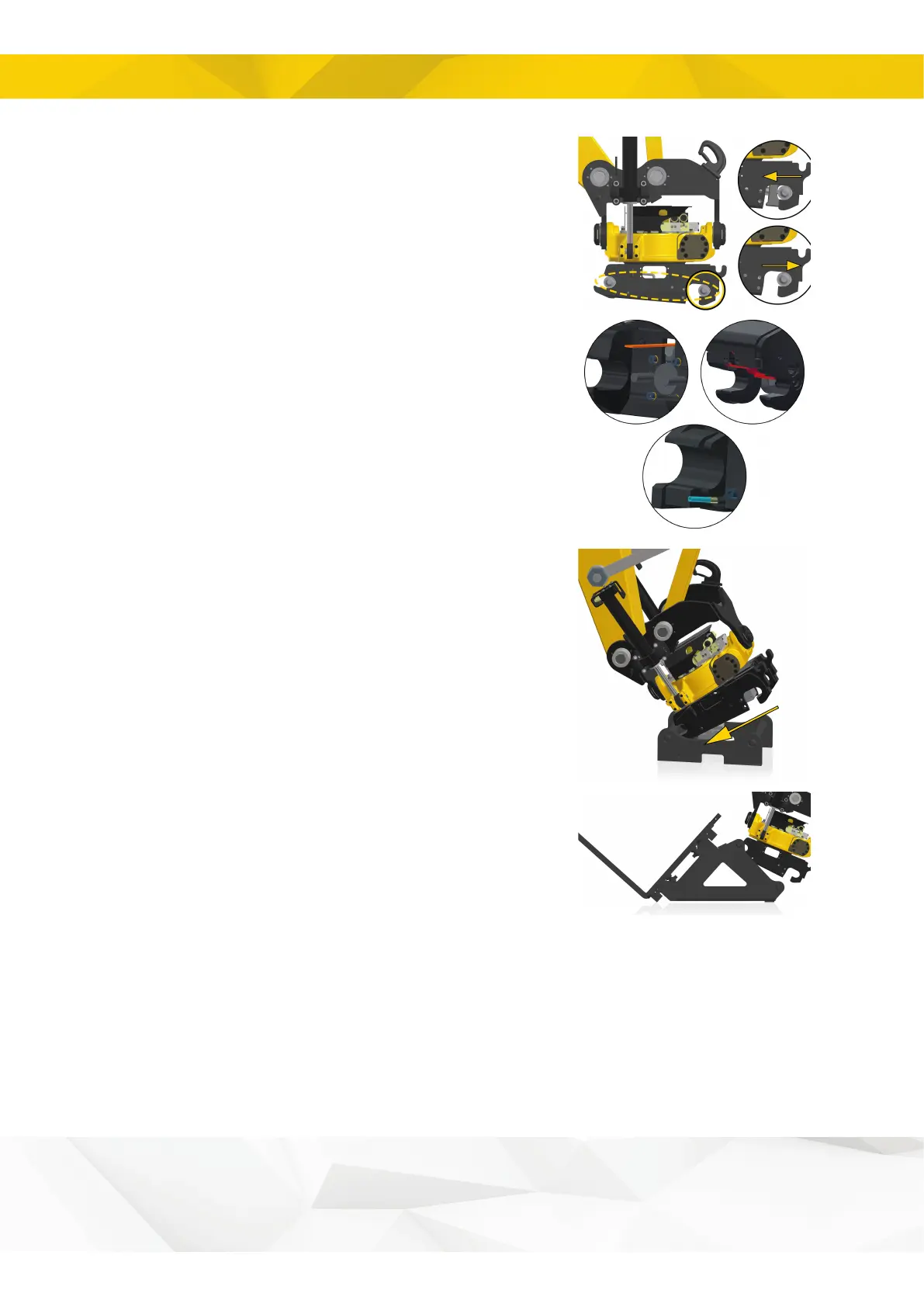
2. Activate the hydraulics to operate the locking bolts.
HS/SW with sensor: The sound and light warning
signals are activated when the locking cylinder is in the
open position.
3. Check that the indicator rod is out. Indicator rod
location may vary depending on the tiltrotator model.
ECPUP: Check that the red hook is in the open position.
4. Move the quick coupler towards the tool.
EC-Oil: Make sure the tool is positioned such that the
shaft with the EC-Oil block is located closest to the base
machine. If the tool is positioned correctly, the block will
be visible on the left side of the shaft as seen from the
cab.
Pallet fork: To avoid overload when connecting, the
quick coupler locking pins must face away from the forklift
tines.
28


 To Next Page