7. Product Description CC300 Operator Panel – User Guide
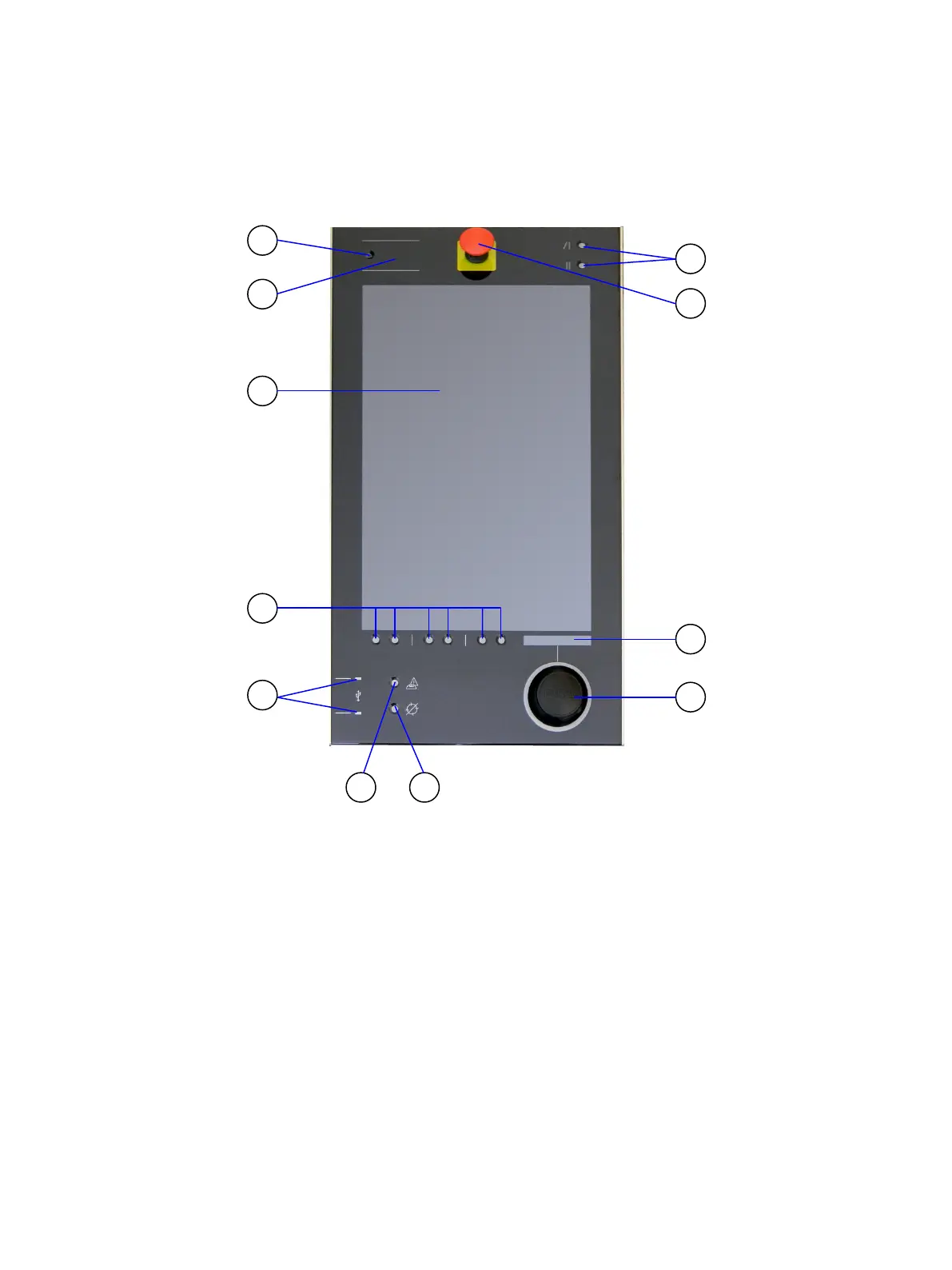
7.1. Front Side View
Fig. 8: Front view of the CC300 operator panel
Legend for Fig. 8:
2 RFID read/write zone
3 21.5" TFT display with multi-touch
4 Traversing buttons
5 Markings for the two USB 2.0 ports
(laterally mounted)
6 Permissive button
7 Program interrupt button
8 Rotary/push button (backlit)
9 Display of the rotary/push button
10 Emergency stop switch
11 Buttons for tilting out and in the
operator panel (up to 45 degrees
max.)
Preliminary Version 0.2 19


 To Next Page