8. Maintenance and Prevention CC300 Operator Panel – User Guide
8. Maintenance and Prevention
Kontron Europe systems require minimal maintenance and care to keep them operating correctly.
Occasionally wipe the system with a soft dry cloth.
You should only remove persistent dirt by use of a soft, slightly damp cloth (use only a mild detergent).
For the touch screen cleaning refer to the chapter 7.1.7. “Touch Display Care and Cleaning”.
8.1. Replacing the Lithium Battery
The mainboard of the CC300 operator panel is equipped with a lithium battery. To replace the lithium
battery, proceed as follows:
1. Open the CC300 operator panel, as described in chapter 7.5.1 “Opening the CC300 Operator Panel”.
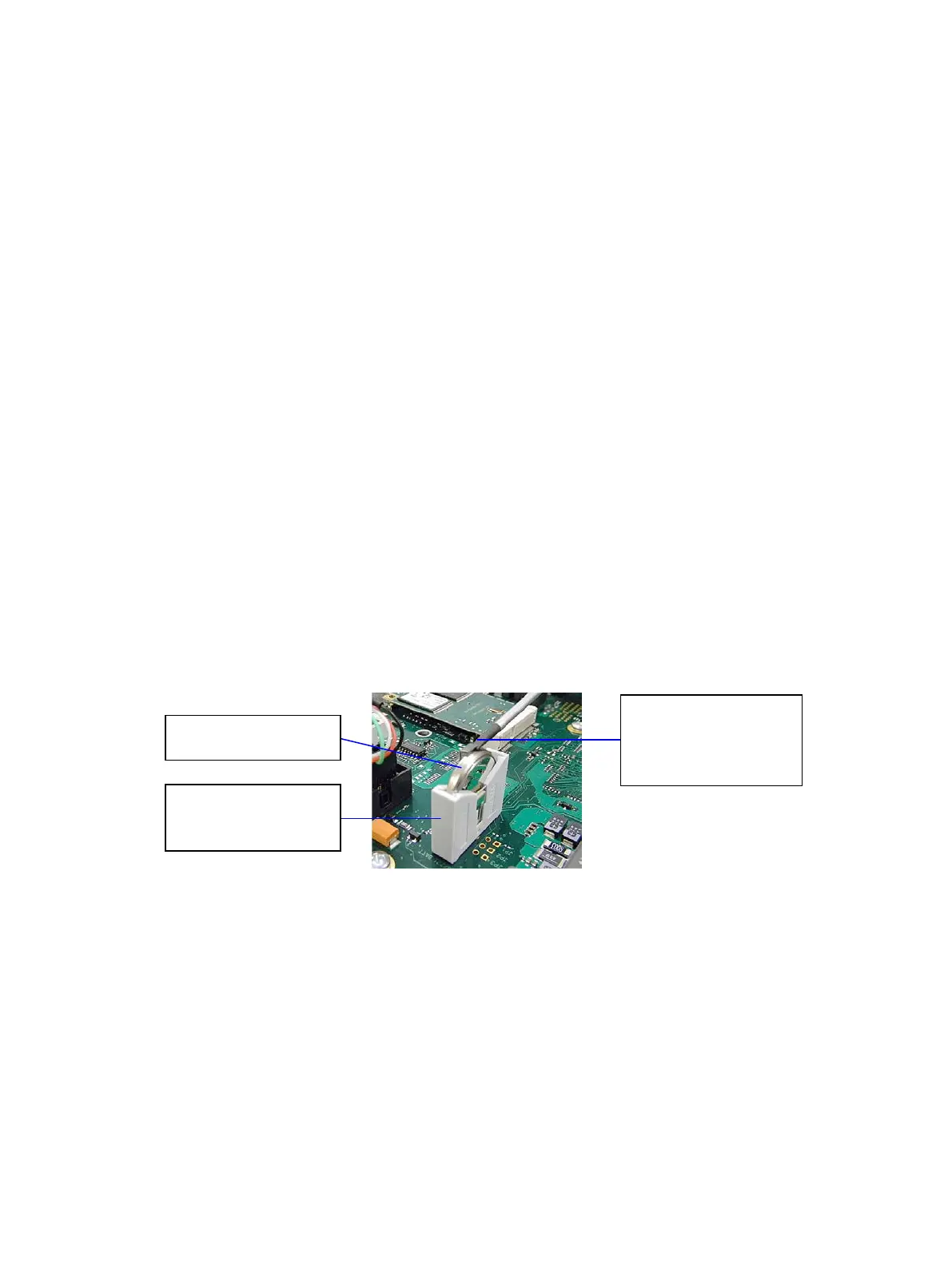
2. The lithium CMOS battery is located in a holder on the CPU board (mainboard) of the CC300 operator
panel (see Fig. 28, Pos. 8 and Fig. 29).
3. Open the retaining spring by pushing it to the side with a screwdriver and remove the lithium battery
(see Fig. 29).
Fig. 29: Removong the lithium battery from the battery holder
4. Insert a new lithium battery into the battery holder.
5. Pay attention to the polarity of the battery (the positive pole marked “+” is connected to the retaining
spring) and make sure that the retaining spring is locked (see Fig. 29).
the Lithium battery
spring and remove
the Lithium battery
Preliminary Version 0.2 35


 To Next Page