7. Product Description CC300 Operator Panel – User Guide
7.4. Top and Bottom View
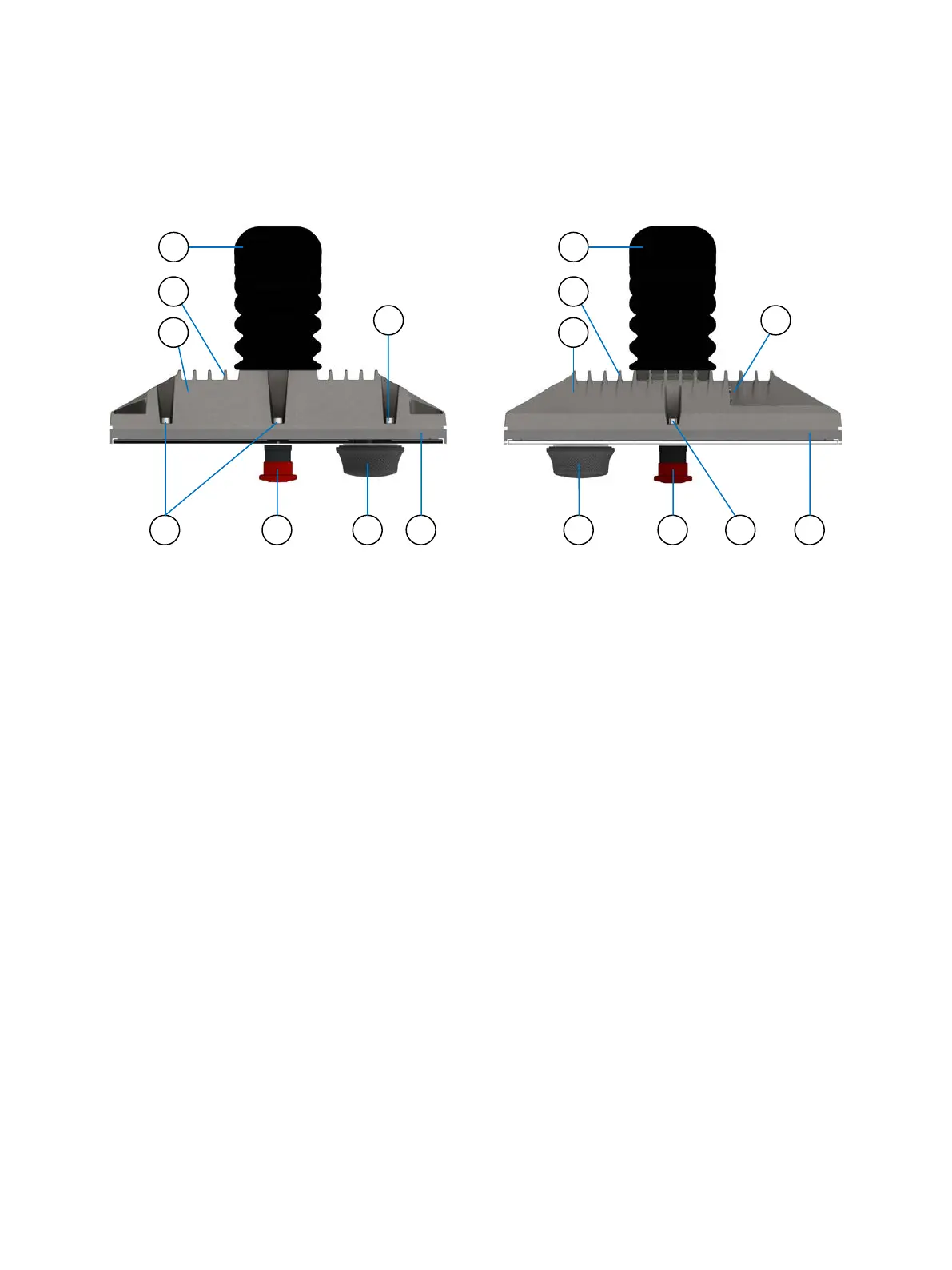
Fig. 24: Top view of the CC300 operator panel
Fig. 25: Bottom view of the CC300 operator panel
Legend for Fig. 23 and Fig.24:
2 Cooling fins of the aluminum rear cover
3 Aluminum rear cover of the CC300
4 Screws that secure the rear cover at the front
plate
6 Rotary/push button
7 Front plate of the CC300
8 2x USB 2.0 Ports
30 Preliminary Version 0.2


 To Next Page