7. Product Description CC300 Operator Panel – User Guide
7.1.4. Emergency Stop Switch
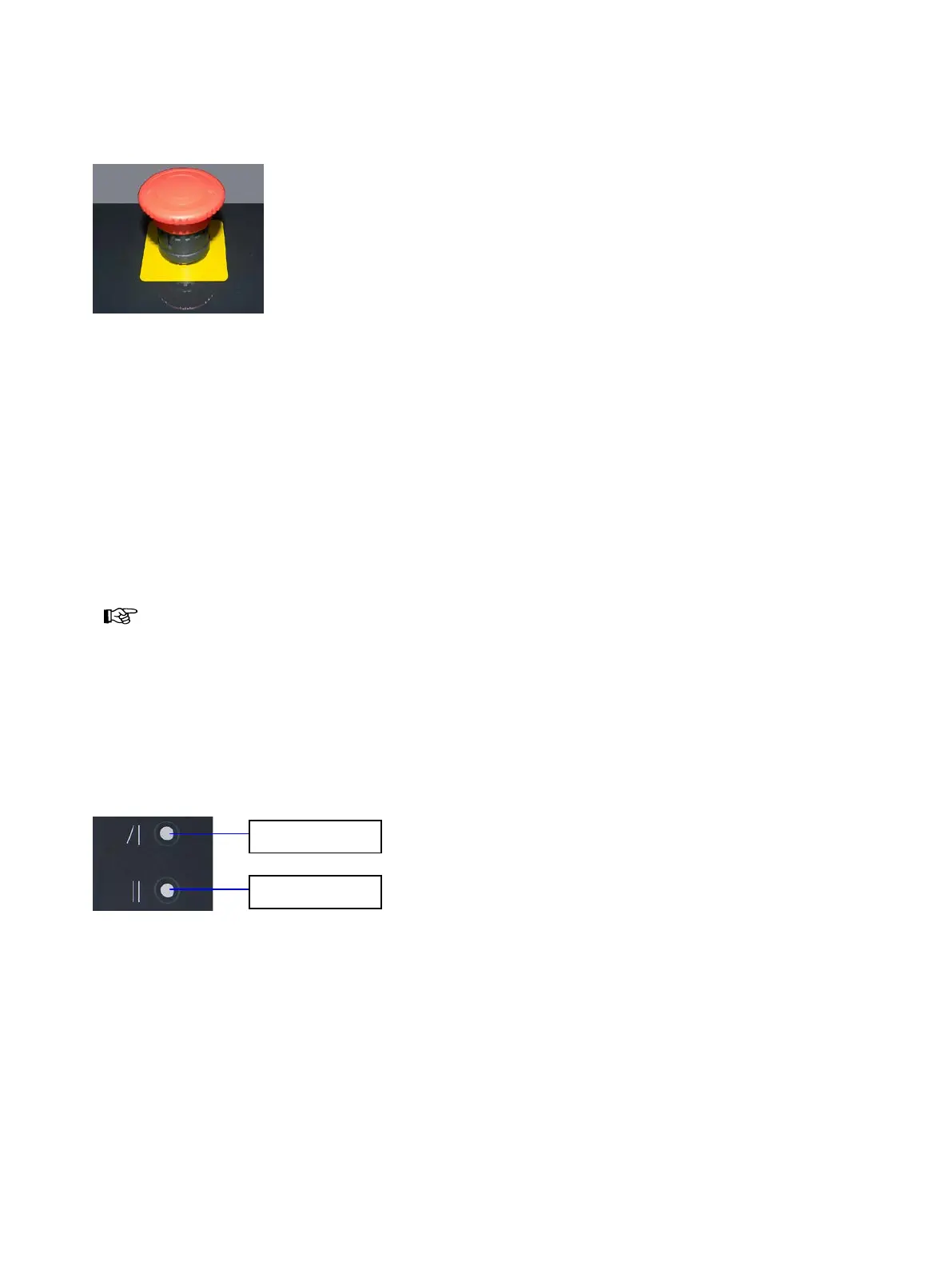
Fig. 11: Emergency stop switch
The emergency stop switch is located centered above the display on the glass front (see also Fig. 8, Pos.
10). Machines and processes connected to the contacts of the emergency stop switch (and, where
required, also monitored by the CC300 operator panel) can be halted immediately according to EN ISO
13850. For this, the emergency stop button has to be pressed firmly. The switch locks in place and can only
be released by turning the knob clockwise.
The emergency stop switch has four (optional: six) switching contacts that cut off the connected 24 V
circuits when being pressed.
The emergency stop switch is installed in the CC300 operator panel for the purpose of easy
and quick accessibility but it has an entirely independent function.
When the emergency stop switch is pressed, the CC300 operator panel will not be halted or
switched off.
7.1.5. Buttons for Tilting the CC300 Operator Panel
Fig. 12: Buttons for tilting out and in the CC300 operator panel
For better handling and readability the operator panel can be tilt continuously out of its vertical position
up to a maximum tilt angle of 45 degrees by a linear actuator.
By pressing the “Tilt out” button, the CC300 operator panel tilts outwards (with the lower edge ahead)
until the button is released. When the maximum tilt angle of 45 degrees is reached, the tilt-out process
will also be stopped.
Preliminary Version 0.2 21


 To Next Page