7. Product Description CC300 Operator Panel – User Guide
By pressing the capacitive program interrupt button (error acknowledgement button), all upcoming error
messages will be acknowledged an a running automatic cycle will be interrupted. In idle mode, the
program interrupt button and its related symbol are backlit white. The backlight changes to orange when
the program interrupt button is pressed.
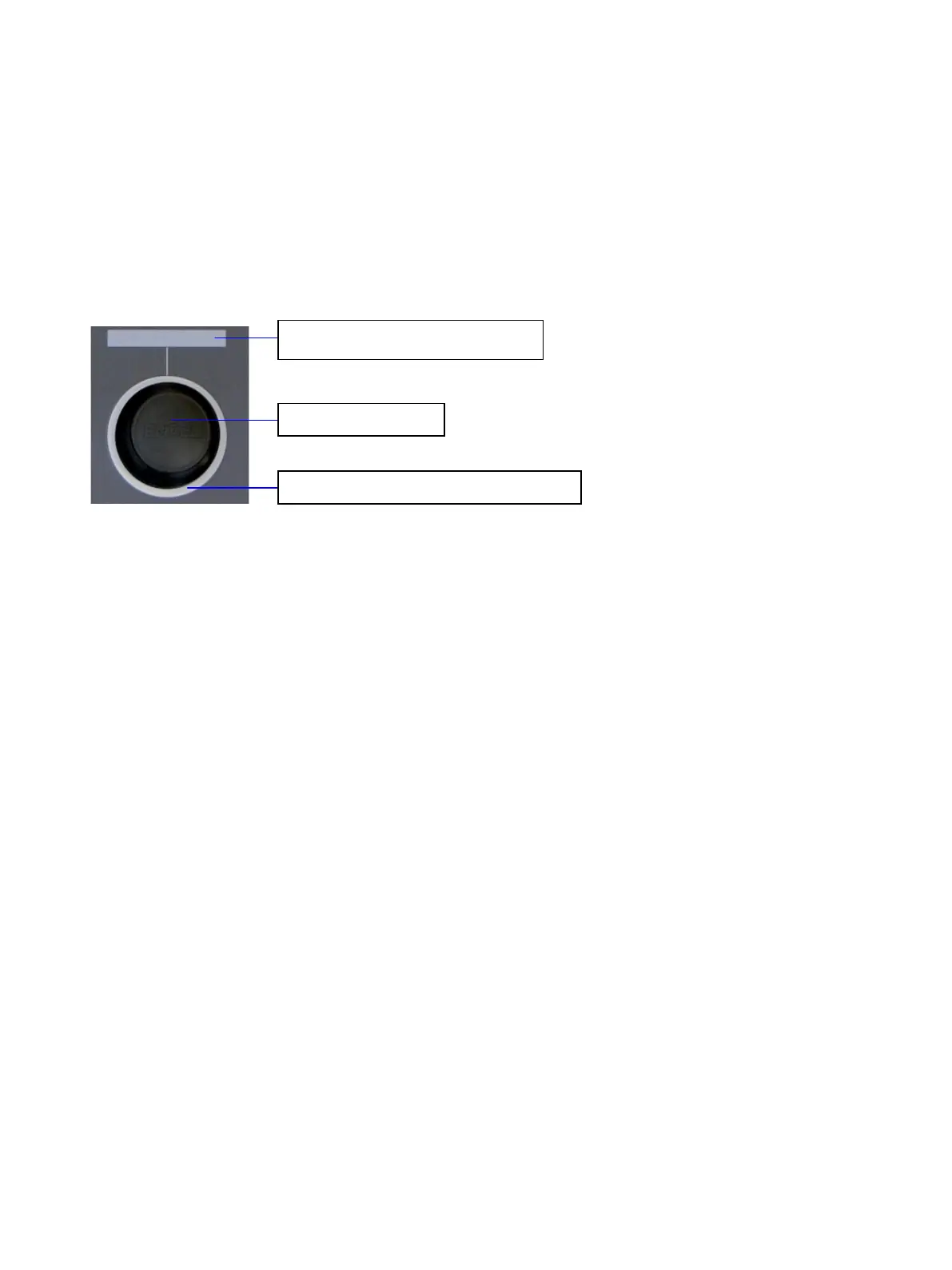
7.1.11. Rotary/Push Button with Display
Fig. 16: Rotary/push button with illumination and display
At the bottom right of the front plate, below the touch display, the rotary/push button with display is
located (see also Fig. 8, Pos. 8 and Pos. 9). The rotary/push button can be adjusted to the left and to the
right to a maximum of 30 degrees and is self-resetting when released. Furthermore, the rotary/push
button provides a push button function. Around the rotary/push button a white backlit ring is mounted
that can change its color to red, green and orange by software.
The display of the rotary/push button is part of the touch display and visualizes the set values.
Illumination of the rotary/push button
Display of the rotary/push
24 Preliminary Version 0.2


 To Next Page