de-registration process. Upon successful de-
registration, the handset display will show “Please
register.”
Notes:
1. The base station has a 30-second registration timeout starting when
you press the REG button. The handset has a 6-second registration
timeout starting when the registration or de-registration option has
been selected. The base station and handset will automatically exit
registration mode after timeout.
2. Repeat registration or de-registration process if unsuccessful.
Handset Group Subscription
Up to nine handset groups (1-7) can be defined, and
handset users can decide which group(s) they want to be in.
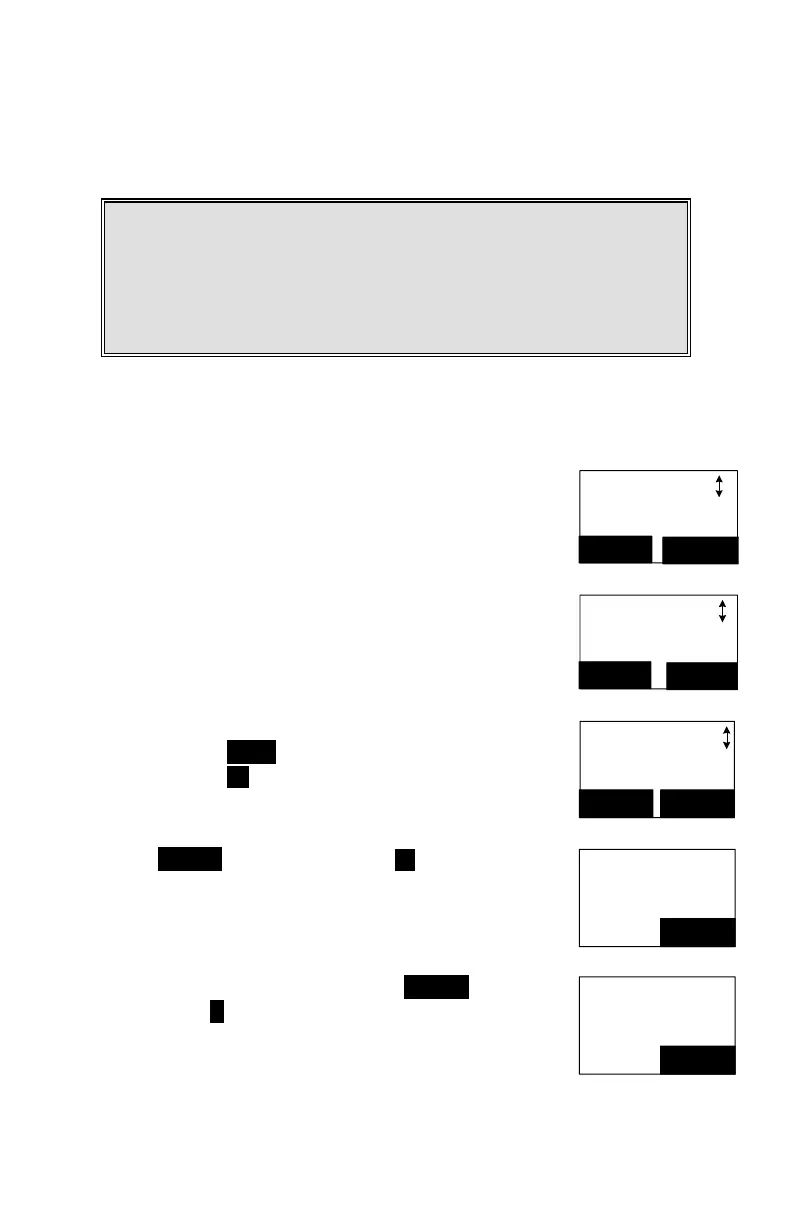
Main Menu
4.Call Settings
SELECT
BACK
For example, Group 1 represents the Customer Service
Group, Group 2 represents the Sales Group
and Group 3 is the Marketing Group. Suppose that handset
11 wants to receive incoming rings for all Sales and
Marketing related calls. Then handset 11 will need to
“subscribe” to Group 2 and Group 3.
Call Settings
2.Group Setting
SELECT
BACK
Subscribed
None
OPTION BACK
Press handset MENU -4 to enter the Call Settings menu.
Press number 2 , handset enters group setting menu.
Press OPTION soft key followed by 1 key to subscribe
the group (“#”, #:1~7). Enter 1~7.
Enter group to
subscribe
#
BACK
Repeat for all desired groups.
Delete group selections by pressing OPTION soft key
followed by 2 to Unsubscribe the group.
Enter group to
unsubscribe
#
BACK



 To Next Page