SIP Configuration
Introduction
The DuraFon-SIP is a long-range cordless telephone system with built-in LAN and a
traditional FXO port. It provides users the ability to make VoIP or PSTN calls via
different ports. Below describes how to setup the SIP configuration of the DuraFon-
SIP base from the web.
Application
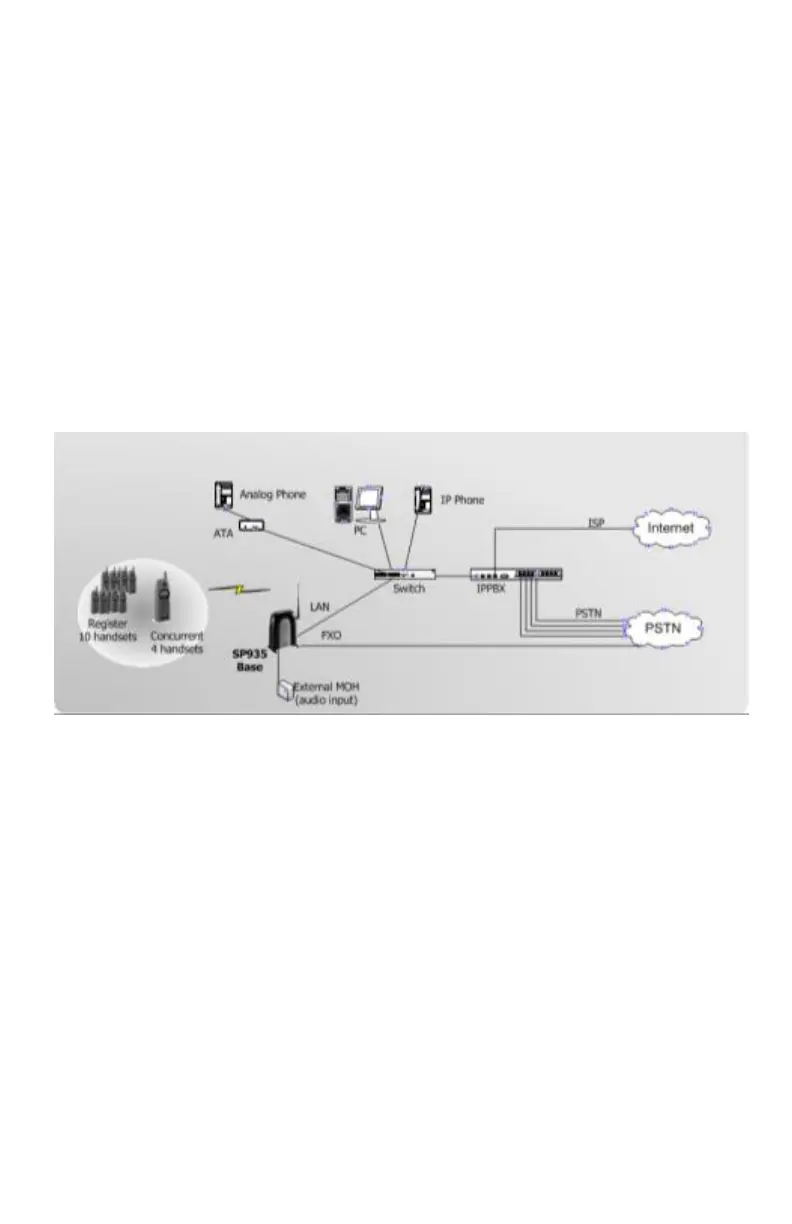
Typically, the DuraFon-SIP is able to connect to a legacy PBX (or PSTN line) via a
telephone jack, and in addition, with an IP-PBX via a networking jack. These two
interfaces are perfectly suitable for adjunct telephone systems in enterprise
environments as shown in the following figure.
VoIP Features
- Support 3 VoIP and 1 PSTN line calls simultaneously.
- Each handset has only one SIP account.
- Register Up to 10 SIP accounts and 10 handsets accordingly.
- Flexible Call Manager features to dedicate either the SIP or PSTN call.
- Use G.711U-law for VoIP codec.
- SIP and LAN setting from web configuration.
- Internet interface: 10/100base-T LAN port x1
Registration Handsets
- Before setting the SIP configuration, the available handset(s) of the DuraFon-SIP
must register to the base.
- Register handset:



 To Next Page