EasyManua.ls Logo

EnGenius DuraFon - Menu Operations; Handset Menu Structure Overview

EnGenius DuraFon
77 pages
Print Icon
To Next Page IconTo Next Page
To Previous Page IconTo Previous Page
Loading...
~63~
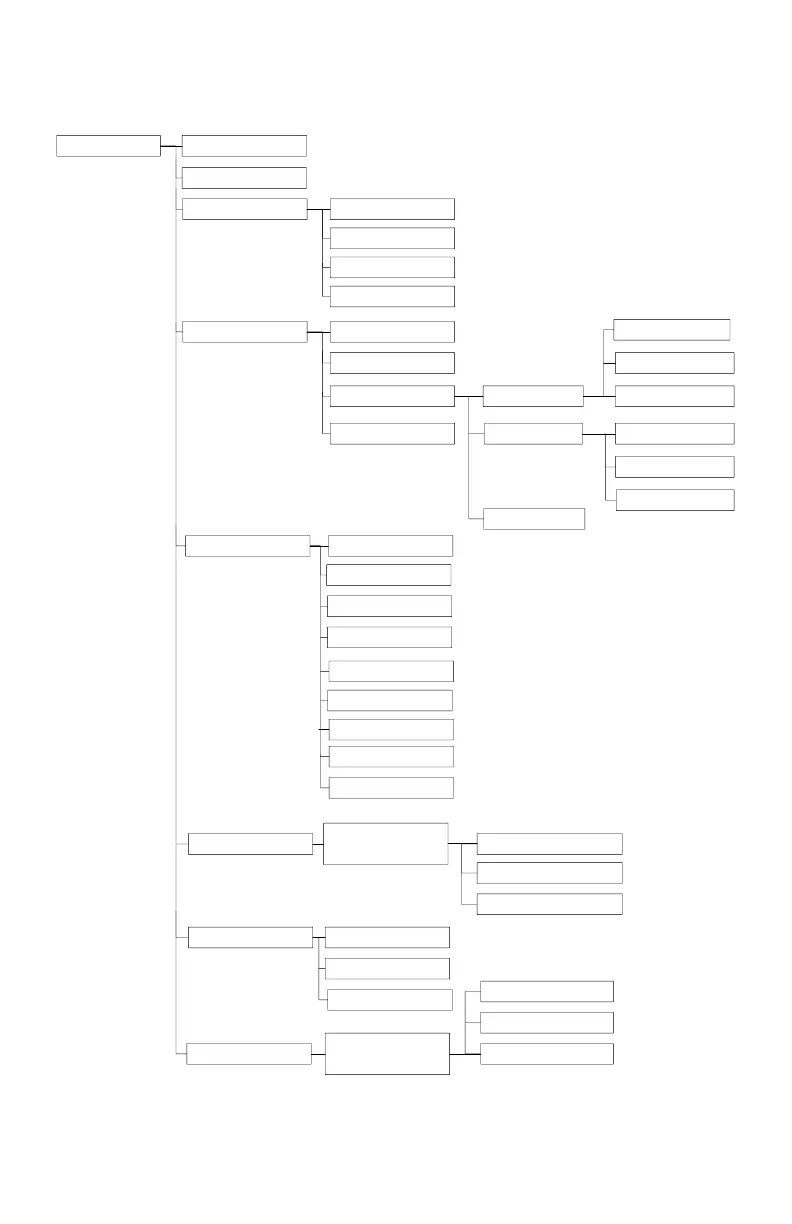
Menu Operations
Menu 1.KeyGuard
2.PhoneBook
3.Sounds
2.Ring Tone
1.Ring Volume
3.Key Voulme
4.Key Tone
4.Call Settings 1.Dial Prefix
2.Group Setting
6.Language
3.Contrast
4.Backlight
5.Name Tag
5.Phone Settings 1. Mic. Gain
2.Any Key Talk
6.Base Settings
Enter
Base PIN:----
7.Registration 1.Register
2.Deregister
8.Menu Display
1.Call Setting
Enter Password
----
2.Phone Setting
3.Base Setting
8.Change Pwd
9.Headset Ring
3.Call Manager
1.Assign Next HS
3.Change PIN
2.Clear HS
3.Remote REG
Outgoing
Incoming
4.Feature Call
1.PA On/Off
2.Line On/Off
3.Int. On/Off
1.Auto
2.Manual
Call Barring
3.Off
7.Custom Name

Table of Contents

Other manuals for EnGenius DuraFon

Related product manuals