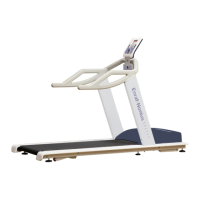
The UKK 2-km walking test is
performed using Autospeed.
If the Autospeed function is set
to ‘secured’ in the default
settings, the access code must
first be entered before the
Autospeed function becomes
active (see § 10.6 and § 10.7).
If it is not secured, the
Autospeed function will be
activated immediately.
A screen will then appear stating that the test
will be performed in Autospeed mode.
The advantage of this is that the patient/user
is able to concentrate fully on walking, and
the band speed will automatically adjust to
the pace of the walker.
It is therefore not necessary to manually
increase or decrease the speed during the
test.
Press OK to START the test.
Comment: this test can also be performed without Autospeed. To do so, you must set the test speed
manually using the central rotary knob. Do this before pressing OK.
During the test, the most important
parameters will be displayed:
• time (which has expired)
• distance (still to go until the goal is
reached)
• current heart rate (if a heart-rate belt is
worn)
• speed


 To Next Page
 Loading...