S-Play User Manual
Part No.: 51301
8 October 2020
(v23)
Document ID: 4686708 Page|29
6.
Once the option for capturing is selected (either manually defined or a live snapshot),
press on the capture button to take a snapshot of your input data at a specific time.
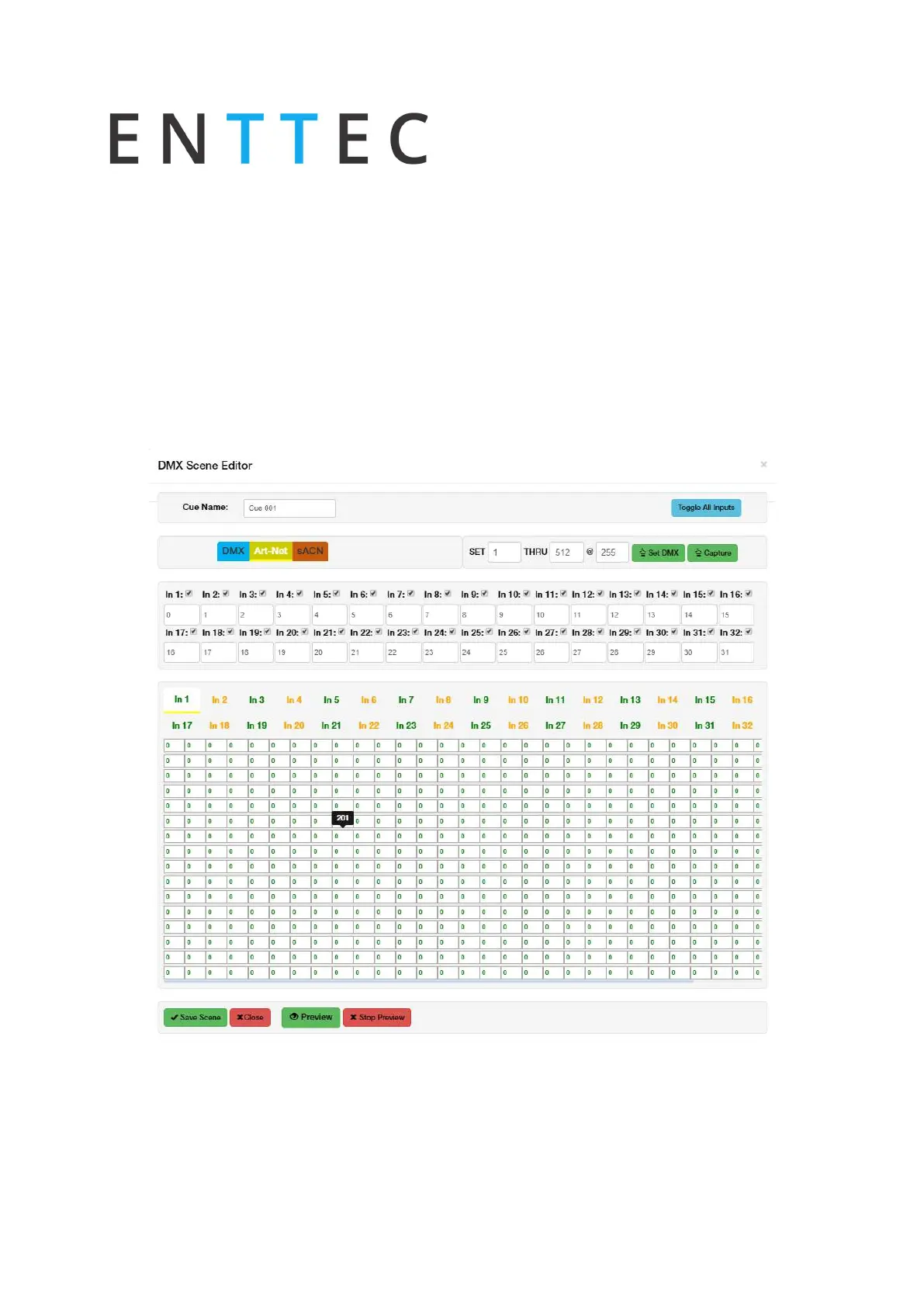
Toggle All Inputs – Selects all input universes
Save Scene - used to save the cue created
Close - Close edit window without saving
Preview – Observe the capture using DMX ports. This will stop any current playbacks
Stop Preview – Stop output of captured data through DMX ports
The DMX values captured will be shown for the corresponding universe, as shown in the image
below:



 To Next Page