S-Play User Manual
Part No.: 51301
8 October 2020
(v23)
Document ID: 4686708 Page|46
Schedule
To set up a schedule you need to create a playlist first. The scheduler will play the playlist at
a set time until the end condition is met. i.e. PlaylistA can be played every day on sunset from
the 1
st
of February until the last Friday of October.
The playlists played by the scheduler will play next if there is a playlist playing when the initial
condition is met. In the previous example, if S-Play is playing PlaylistB right before sunset, S-
Play will wait for it to finish to play PlaylistA set in the scheduler.
Give attention to the setup of Date & Time and Location settings for the correct work of
Schedulers.
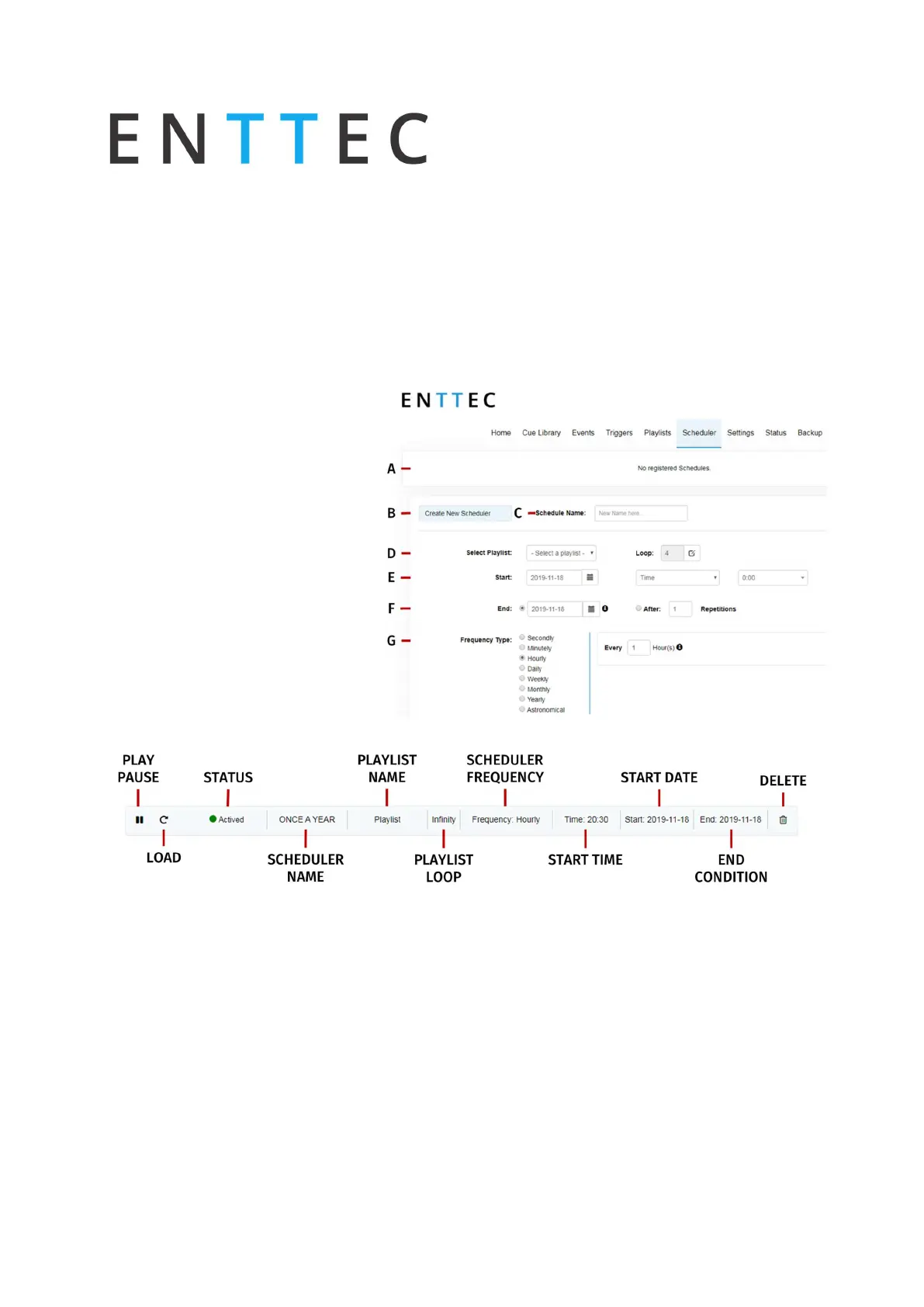
The page has 7 different sections:
a. Created Schedules
Scheduler Editor
b. List of Schedules
c. Schedule name
d. Selected playlist
e. Start condition
f. End condition
g. Frequency type
Created Schedules
The created schedulers list gives information at a glance of the parameters set on each
scheduler.
Pause/Play: Gives control of the scheduler. If a scheduler is paused, the status light will
become yellow.
Load: Load scheduler into the Scheduler Editor to update or change any parameter
Status: Displays the status of the scheduler
Green: Active Scheduler. An active scheduler still has instances to play
Red: Expired Scheduler. An expired scheduler does not have any instances left to play.



 To Next Page