S-Play User Manual
Part No.: 51301
8 October 2020
(v23)
Document ID: 4686708 Page|37
Available Cues and Controls
Lists all the media that can be used in the playlist. It is categorized by Static Cues, Dynamic
Cues, Effects, Events and Triggers.
To use any media, drag and drop the desired cue into any of the media tracks. Please note that
triggers and events have dedicated tracks.
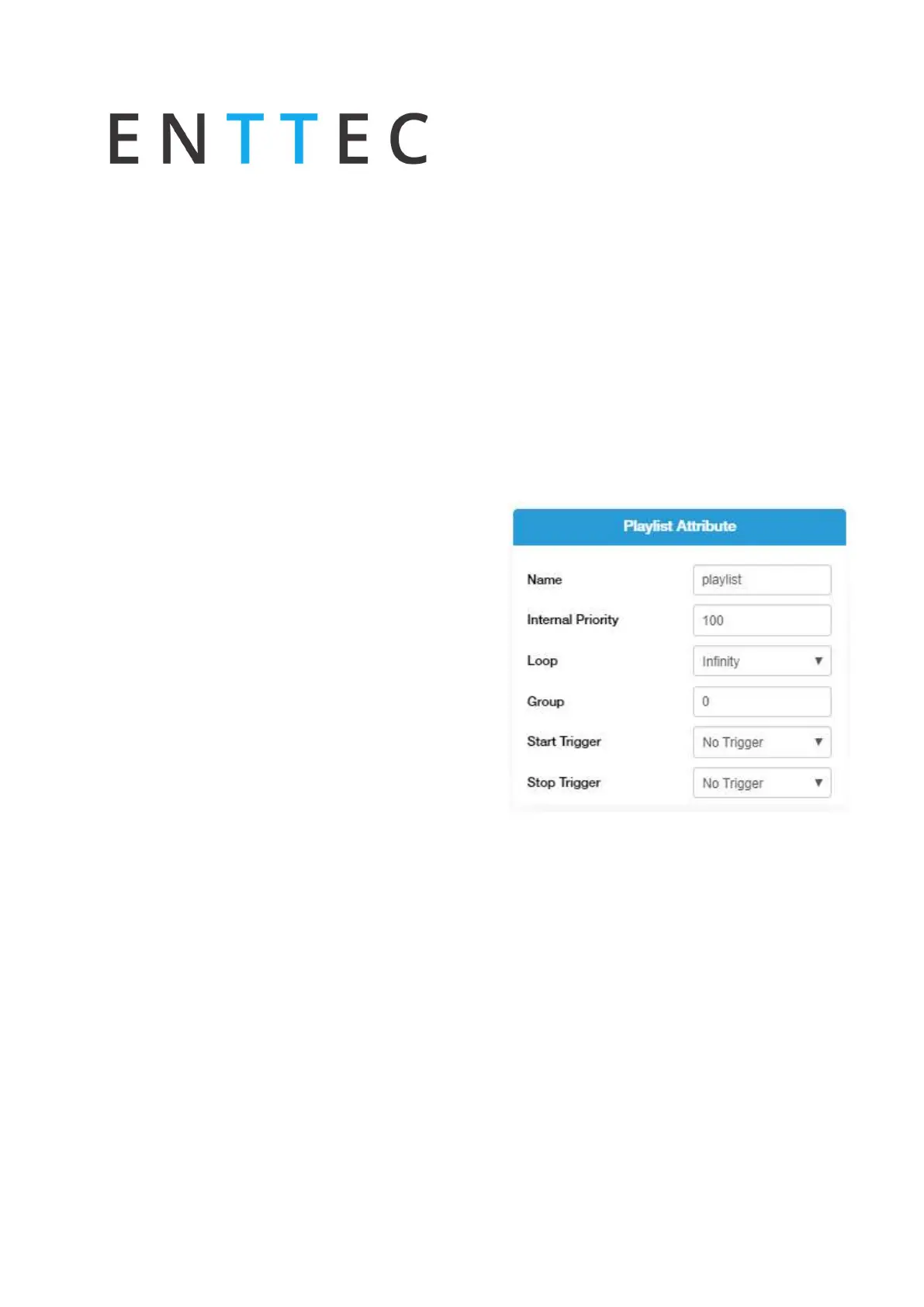
Playlist Attributes
Name: Set the name of the playlist.
Internal Priority: when playing multiple playlists,
for any conflict between channels, the playlist with
higher priority will drive the output. If the playlist
has the same priority the channels will merge
following HTP (Highest takes precedence) method.
Loop: Determine the number of times that the
playlist will play until it stops
Group: Define a group of playlists to override the
output. Groups with the highest hierarchy drive the
S-Play’s output when the groups of the same
number have universe conflicts the S-Play
references Internal Priority.
Start Trigger: A list of triggers set in Triggers page,
except "On Power Up" which triggers playlist right
after Splay is powered on. These triggers are used
to start the playlist. To use this feature, select a
Trigger from the dropdown menu; the Playlist will
play by either pressing play or activating the trigger.
Stop Trigger: A list of Triggers set in Triggers page.
These triggers are used to stop the playlist. To use
this feature, select a Trigger from the dropdown
menu; the Playlist will stop when the trigger
conditions are met.



 To Next Page