S-Play User Manual
Part No.: 51301
8 October 2020
(v23)
Document ID: 4686708 Page|28
Record
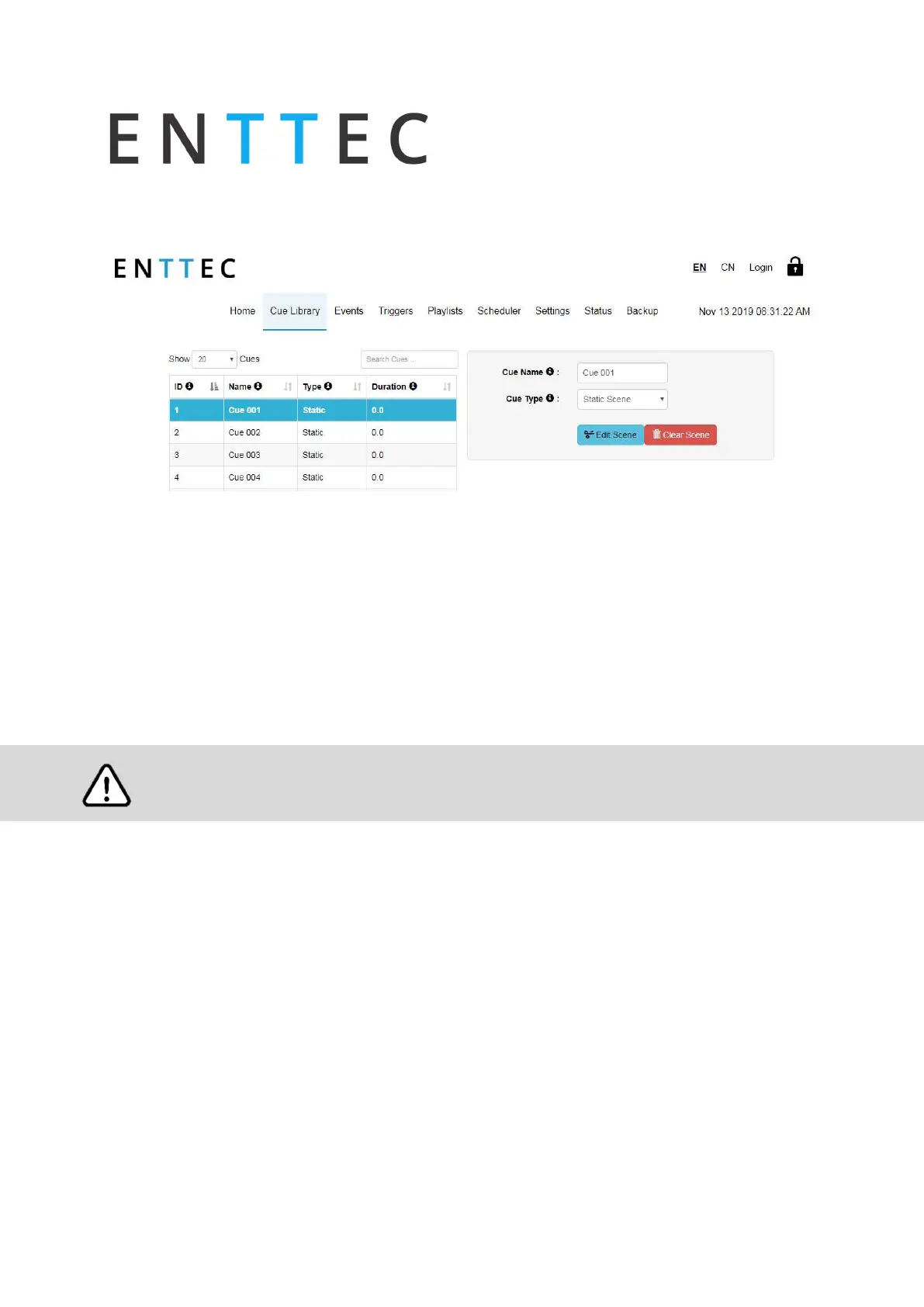
To record Cues, select any cue in the library as shown in the image below.
Select the cue type to be recorded or created:
Static
Dynamic
Effects
The S-Play allows previews of recordings or effects to be played back without the need to
create a playlist.
If using the preview functionality, to avoid issues ensure your device is not set to preview a
DMX output on the same port you are recording data on.
When recording either ArtNet or sACN be sure not to play back any reccordings on the S-Play at
the same time that are set to broadcast or Multicast data. This can result in conflicting data
streams and an outcome dissimilar to the stream you were aiming to reccord.
Static Cue
1.
Select Static Scene as the cue type
2.
Press edit scene button
3.
Provide cue name to aid identification
4.
Select one of the following options for data capture:
1.
DMX (up to 2 Universes / 1024 Channels)
2.
Art-Net (up to 32 Universes / 16,384 Channels)
3.
sACN (up to 32 Universes / 16,384 Channels)
5.
Specify the universes for capturing data



 To Next Page