S-Play User Manual
Part No.: 51301
8 October 2020
(v23)
Document ID: 4686708 Page|57
Backup
S-Play produces a package that includes:
Cues
Playlist
Schedules
Settings
The backup can be done via LCD and web interface.
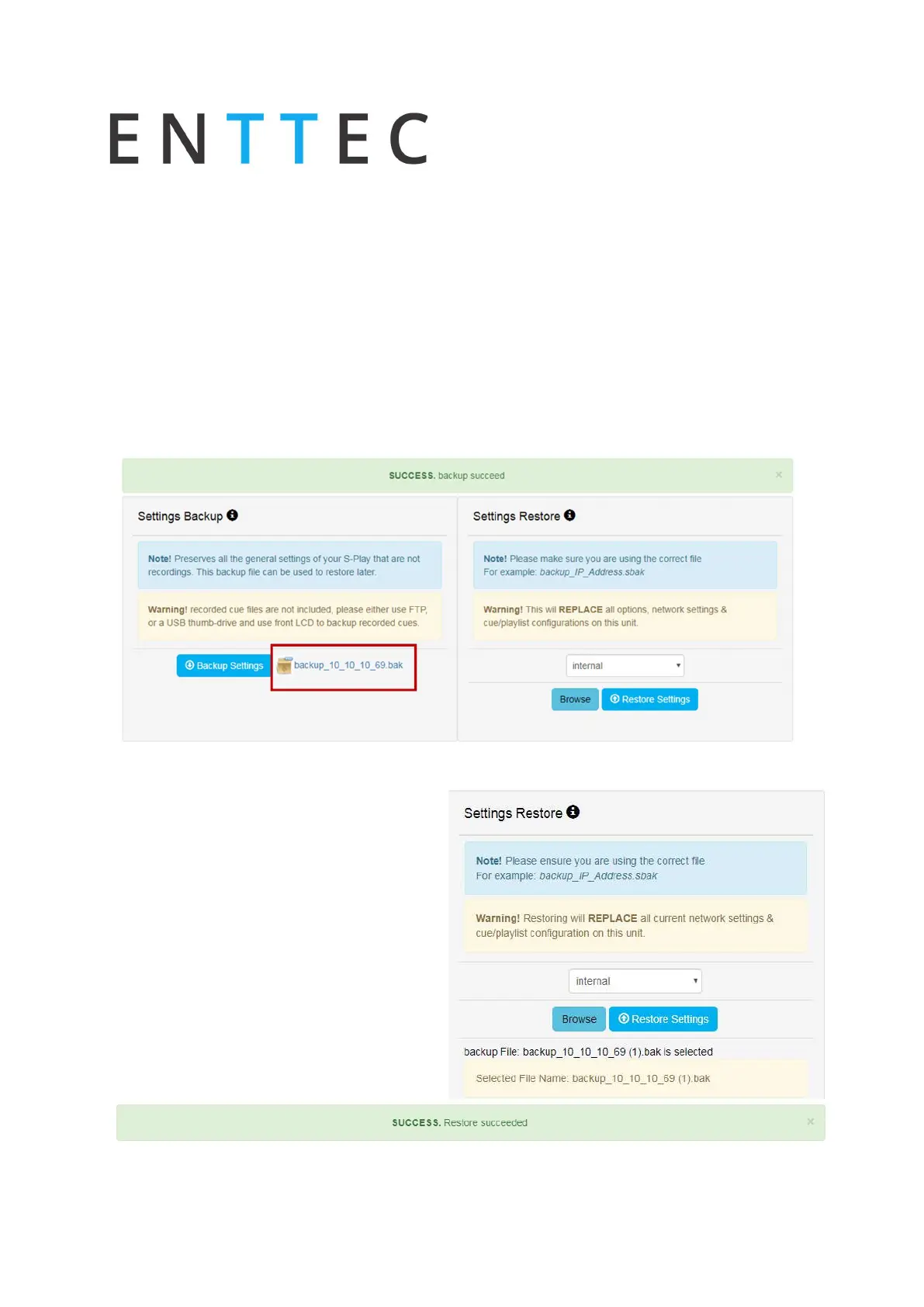
Go to Backup page, click “Backup”. The process produces a .bak package that can be
downloaded and saved to any location in your computer.
Restore
Use the created .bak file to restore cues,
playlists, schedules and output settings.
Go to the Backup menu in the web
interface
Select the desired memory location
(internal or external)
Click browse and look for the .bak
file
Insert and click on restore
Once the restore is complete, a
confirmation message will appear on the
top of the page.



 To Next Page