S-Play User Manual
Part No.: 51301
8 October 2020
(v23)
Document ID: 4686708 Page|39
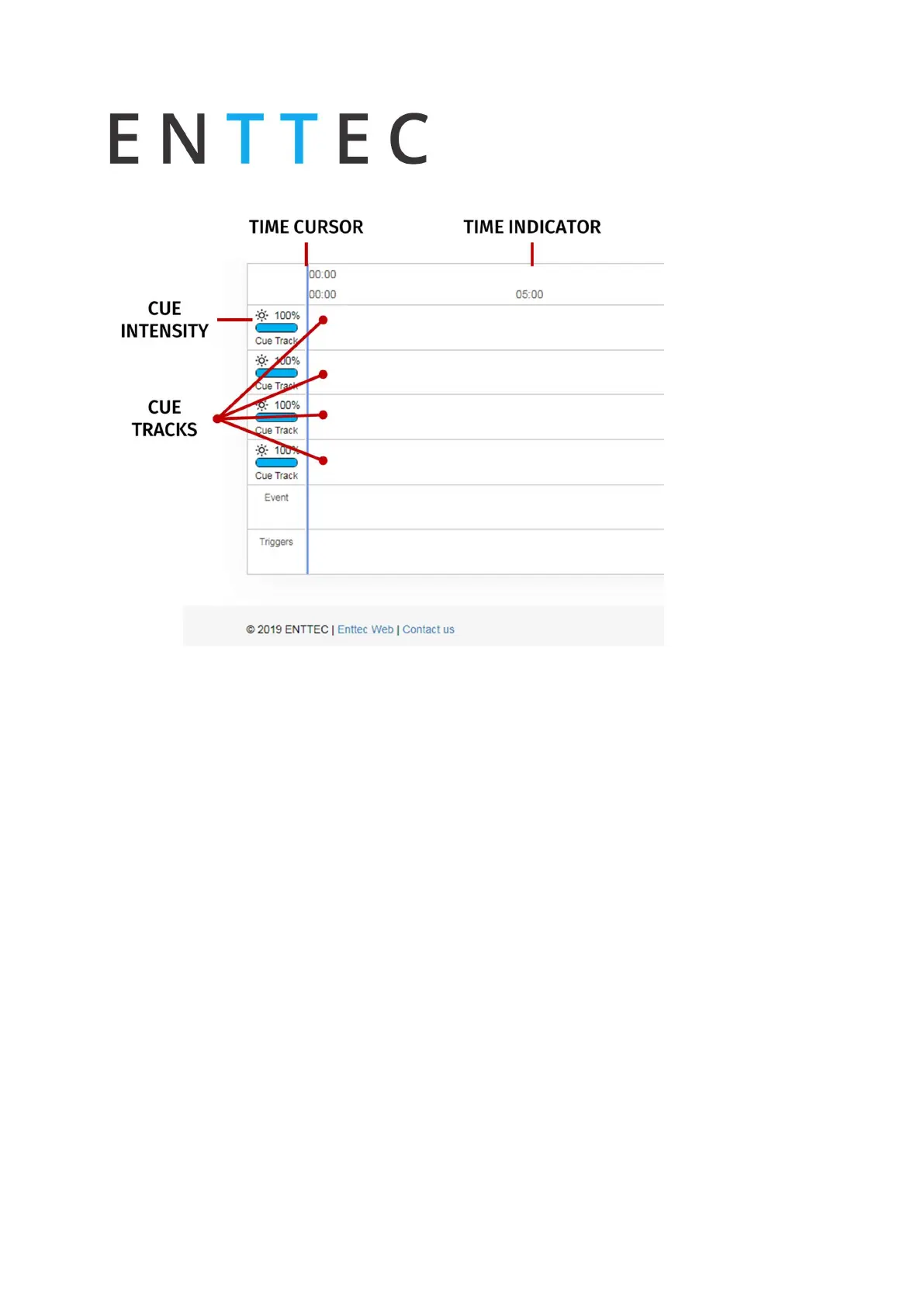
Playlist Timeline and Media Tracks
S-Play has 4 different cue tracks where any cue from the playlist media section can be dragged
on.
Intensity: Each track has its own intensity and it affects all the media on the same level.
Cue tracks: Drag and drop media to this section. To remove a cue from the tracks, select the
cue and click on the red x next to the right edge of the box.
When playing multiple media at the same time. i.e. 2 cues on 2 different tracks, S-Play will use
HTP (Highest value Takes Priority) merging.
Event and Trigger Tracks
These tracks are reserved for events and triggers respectively. The vertical line shows the exact
moment playlist will pause to wait for the trigger to be active, or the playlist executes the
event. When using triggers, the playlist pauses and holds the last value on the output. To
continue, activate the selected trigger or press play again.



 To Next Page