S-Play User Manual
Part No.: 51301
8 October 2020
(v23)
Document ID: 4686708 Page|44
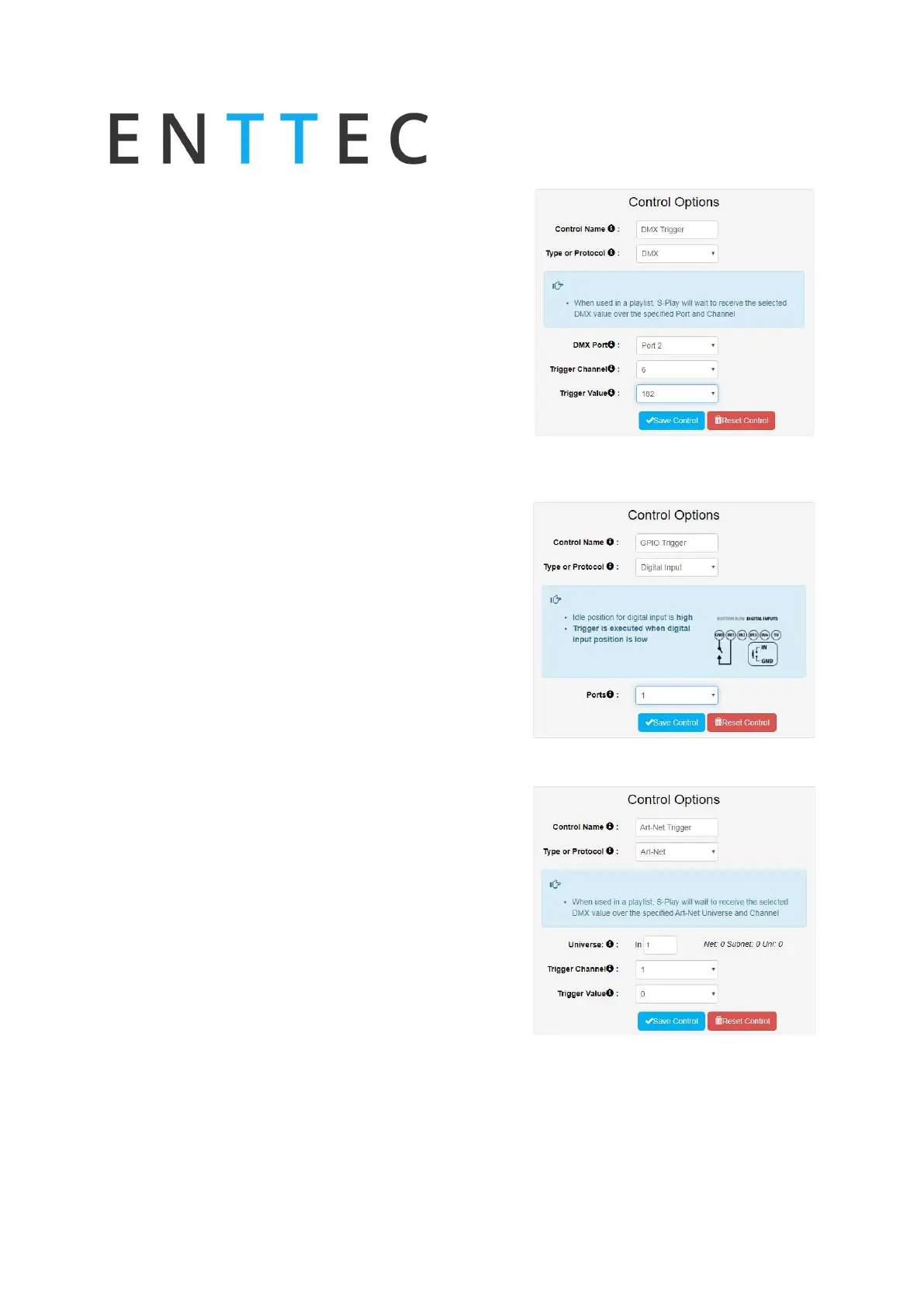
DMX
DMX trigger will be active when the trigger value is
equal and greater than the selected trigger value.
Set the following:
DMX Port
Channel
Value
N.B. If DMX is selected as output protocol in the setting
page, the DMX triggers will be disabled in the playlist.
Digital Input
S-Play has 4 Digital input ports to activate triggers. The
triggers will be activated when the digital input is in
low position (normally closed). If the input remains on
low position while the timeline goes over the trigger,
the playlist won't pause.
Use GPIO triggers with sensors, pressure pads, wall
switches, etc.
Art-Net
Art-Net trigger will be active when the trigger value is
equal and greater than the selected trigger value.
Art-Net trigger can be unicasted or broadcasted to S-
Play.
It is recommended not to use the same universe used
in playback.
Set the following:
Input Universe
Channel
Value



 To Next Page