S-Play User Manual
Part No.: 51301
8 October 2020
(v23)
Document ID: 4686708 Page|64
Using Motion Sensors With The S-Play
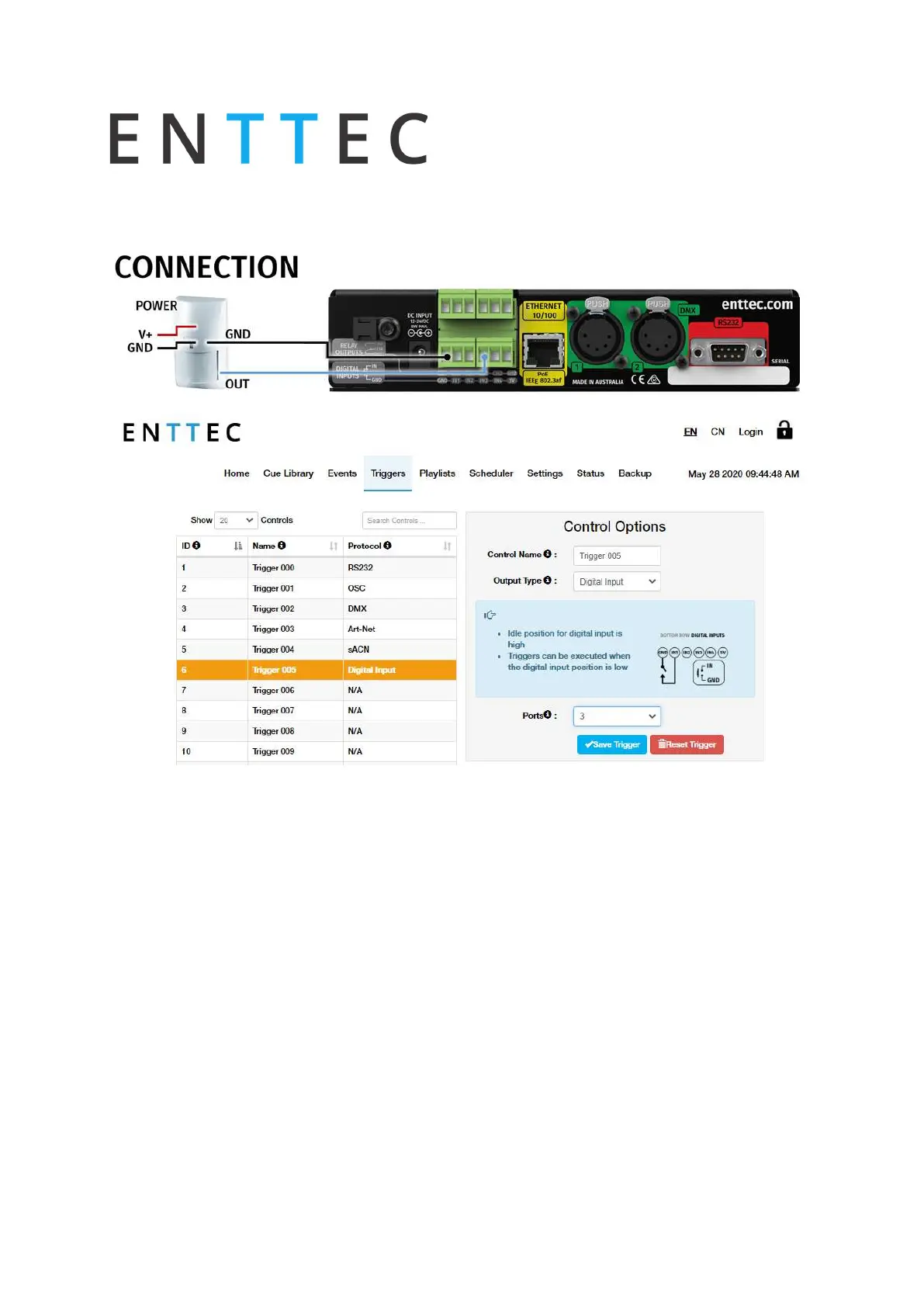
Diagram
Steps
1.
Connect out dry input from sensor to Port3 (or any other port on the bottom connector)
in the GPIO trigger connector in S-Play.
2.
Connect ground from sensor to GND connector in the GPIO trigger connector in S-Play.
3.
Go to web interface:
Go to “Triggers”
Click on an empty entry
Change name on control name
Select Digital Input from “Type”
Change to Port 3 in “Ports” (or to the corresponding port the OUT cable was
connected to)
Click on save control



 To Next Page