S-Play User Manual
Part No.: 51301
8 October 2020
(v23)
Document ID: 4686708 Page|38
Playlist Settings
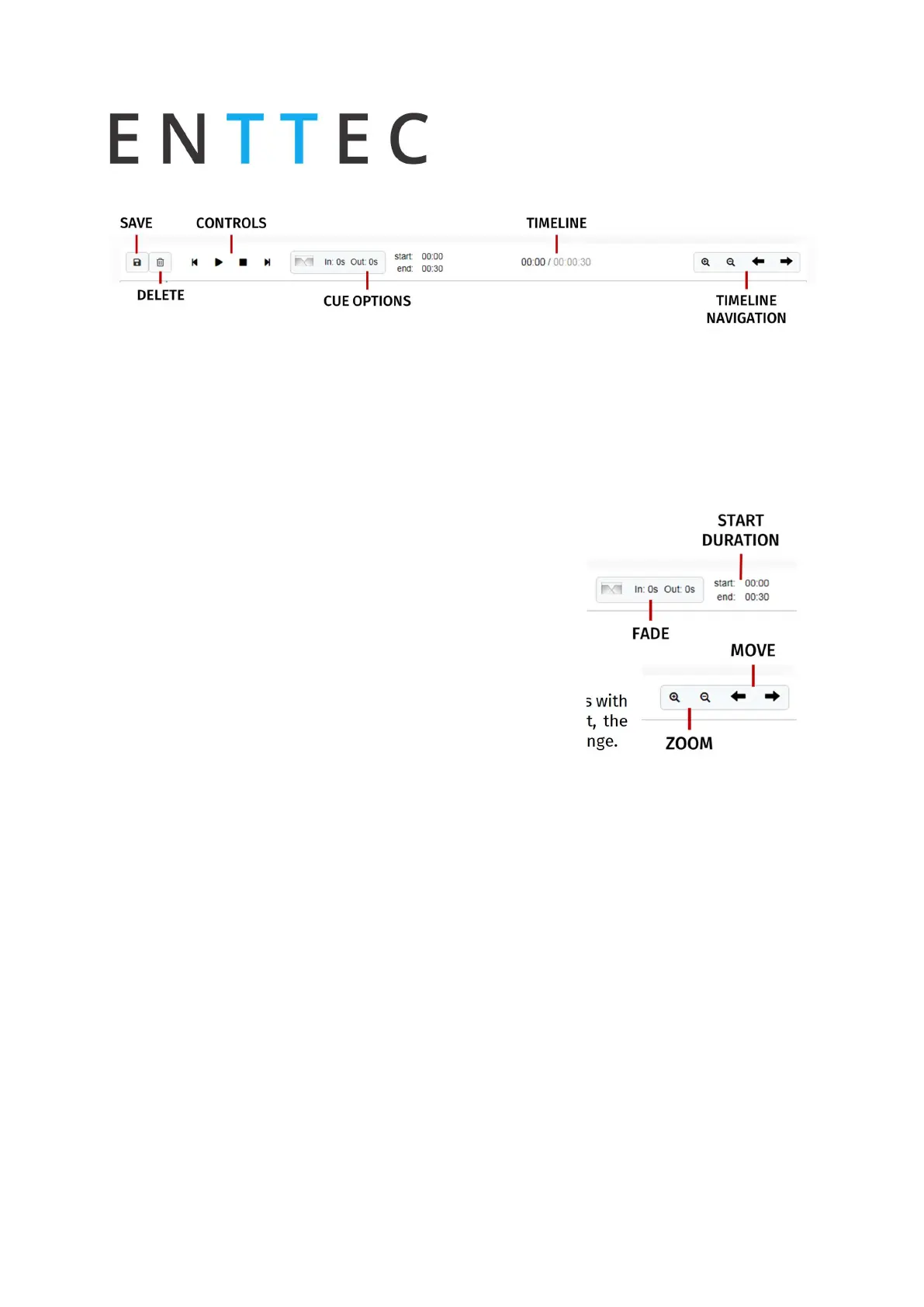
Save: Saves any change on the Playlist. S-Play will ask to save any change before playing a
Playlist.
Delete: Deletes the playlist loaded in the Playlist Editor
Control: Gives navigation and playback over the playlist loaded in the Playlist Editor
Cue Options: Options for any cue added into the cue track. The cue options are also active
when a cue in the cue track is selected.
Fade: Set the fade in and fade out time for a cue. It will go from
0 to max intensity in the set period.
Start/Duration: Manually add the start time for the selected
cue. On a static cue, you can change the duration by also
editing the end time. On a Dynamic cue, the duration is set
according to the recording.
Timeline: Shows the current time of the playlist out of the total
duration of it.
Timeline navigation: Zoom in and Out using the magnifying glass with
the plus and minus symbol. Note that when you zoom in/out, the
values in the timeline change and the size of the cue boxes change.
Use the arrows to move on time in the playlist timeline.



 To Next Page